Iceland’s dramatic landscapes are best explored by car, but reliable internet access is essential when traveling through remote areas with changing weather and limited services. In this travel guide, I review the leading eSIM choices for Iceland road trips, compare pricing and network quality, and explain how to activate your plan in minutes. If you want seamless navigation, stable video calls, and stress-free travel without renting portable Wi-Fi, this guide will help you choose the right setup for your Iceland adventure.
Does eSIM Work Well in Iceland?
Yes — Iceland has surprisingly strong mobile coverage along the Ring Road (Route 1), especially between:
-
Reykjavík
-
Vík
-
Höfn
-
Akureyri
Travelers report reliable 4G service across most major sightseeing areas, including waterfalls, glacier lagoons, and black sand beaches. Some remote Highland regions still experience weak or intermittent signal.
-
For Ring Road trips, an eSIM is especially useful for:
-
Google Maps navigation
-
Real-time road closures
-
Aurora forecasts
-
Fuel station apps
-
Emergency weather updates
-
Uploading drone or camera footage
‼️ eSIM vs Rental Car Wi-Fi in Iceland
|
Feature |
eSIM |
Rental Pocket Wi-Fi |
|
Setup |
Instant |
Pickup required |
|
Cost |
Usually cheaper |
Often expensive |
|
Battery |
Uses your phone |
Separate charging |
|
Hotspot |
Yes |
Yes |
|
Convenience |
Excellent |
Extra device |
|
Airport queue |
None |
Possible |
Essential Network & Coverage Guide for the Ring Road
To navigate confidently, you'll need to understand Iceland's digital landscape. The good news is that coverage along the iconic Ring Road (Route 1) is excellent.In Iceland, three main providers maintain the physical infrastructure. Most travel eSIMs (like Airalo or Nomad) are "roaming" on one of these:
-
Síminn: The "Gold Standard" for rural areas. They have the most extensive network of transmitters, specifically in the Eastfjords and Westfjords. If your plan roams on Síminn, you’ll have signal in places others don’t.
-
Sýn (formerly Vodafone Iceland): A robust secondary network. Sýn underwent a rebrand in 2025/2026 and provides excellent coverage along the South Coast and the Golden Circle.
-
Nova: Known as the "fastest" network in urban centers. They are the leaders in 5G deployment in Reykjavik and Akureyri but can be slightly patchier in the remote North.
Even with the government's push for "100% main road coverage" by late 2026, the following areas still experience signal "shadows":
-
The Eastfjords: Steep mountains can block signals in narrow fjords like Mjóifjörður.
-
The Highlands (F-Roads): Once you leave Route 1 and head inland, mobile data becomes a luxury. GPS will work via satellite, but don't count on streaming.
-
Tunnels: While many tunnels now have signal boosters, older ones or long underwater tunnels (like Hvalfjarðargöng) may still result in a 60-second "digital blackout."
Before driving into any areas with potential dead zones, make it a habit to pre-download offline maps from Google Maps or other navigation apps. This simple step ensures you can always find your way, even when the signal disappears.
⚠️ Critical: As of May 2026, Iceland has largely completed its phase-out of 2G and 3G networks. If you have an older phone that doesn't support 4G/5G and VoLTE (Voice over LTE), you may be unable to make traditional voice calls—including to emergency services—even if you have a signal bars.
5 Best eSIMs for the 2026 Ring Road
Here is a comparison of the 5 best eSIM providers for driving the Ring Road in 2026.
|
Provider |
Best For |
Top Pick Plan (April 2026) |
Price |
Network |
|
Overall Reliability |
10 GB / 7 days |
$11 |
Vodafone Iceland |
|
|
Flexibility & Short Trips |
10 GB / 30 days (Iceland local) |
€17.50 |
Vodafone Iceland |
|
|
Heavy Data & Streaming |
Unlimited data / 7 days |
$27.30 |
Nova/ Siminn / Vodafone Iceland |
|
|
Multiple European Traveling |
10 GB / 30 days (Iceland local) |
$16 |
Nova/ Siminn |
|
|
The Local Pro) |
10 GB |
3,000 kr |
Siminn |
1. Ubigi (Top Pick for Ring Road)
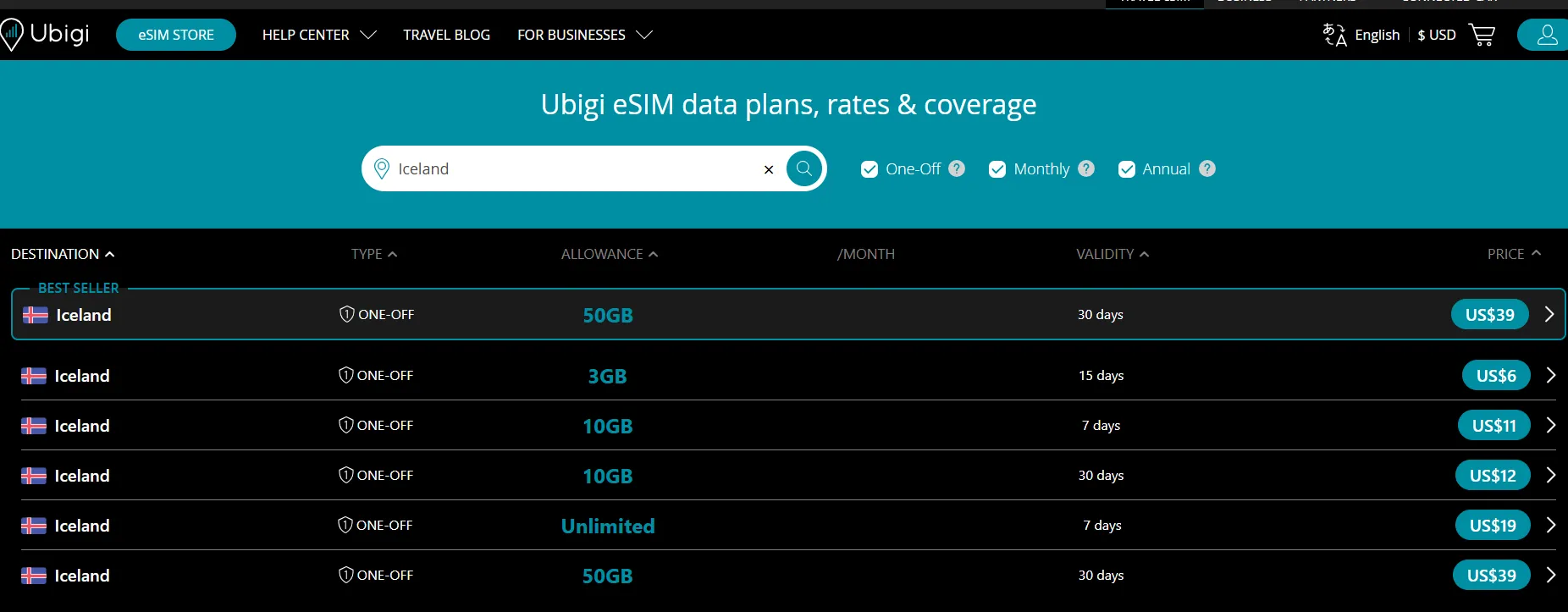
Ubigi has emerged as a major "disruptor" for Iceland travel in 2026. While Airalo and Holafly have long dominated the market, Ubigi is currently winning on raw speed and price-per-GB, making it a top-tier choice for the Ring Road.Unlike some budget eSIMs that throttle you to 4G/LTE, Ubigi provides 5G access in Reykjavik, Akureyri, and Selfoss.It also offers "Unlimited" tiers , but their tiered 10GB and 50GB plans are generally the best value.
✔️ Pros:
-
$1.10 per GB on the 10GB plan.
-
Allows data sharing/tethering (perfect for car passengers).
-
You keep the same eSIM profile for 200+ countries; just top up for the next trip.
❌ Cons:
-
The app is functional but "bare-bones" compared to Airalo.
-
Requires their app for the best top-up experience.
-
The app is known for frequently logging users out (annoying for quick data checks).
-
Like most eSIMs, it does not come with a local Icelandic phone number (+354).
2. Airalo (Best Overall Value)
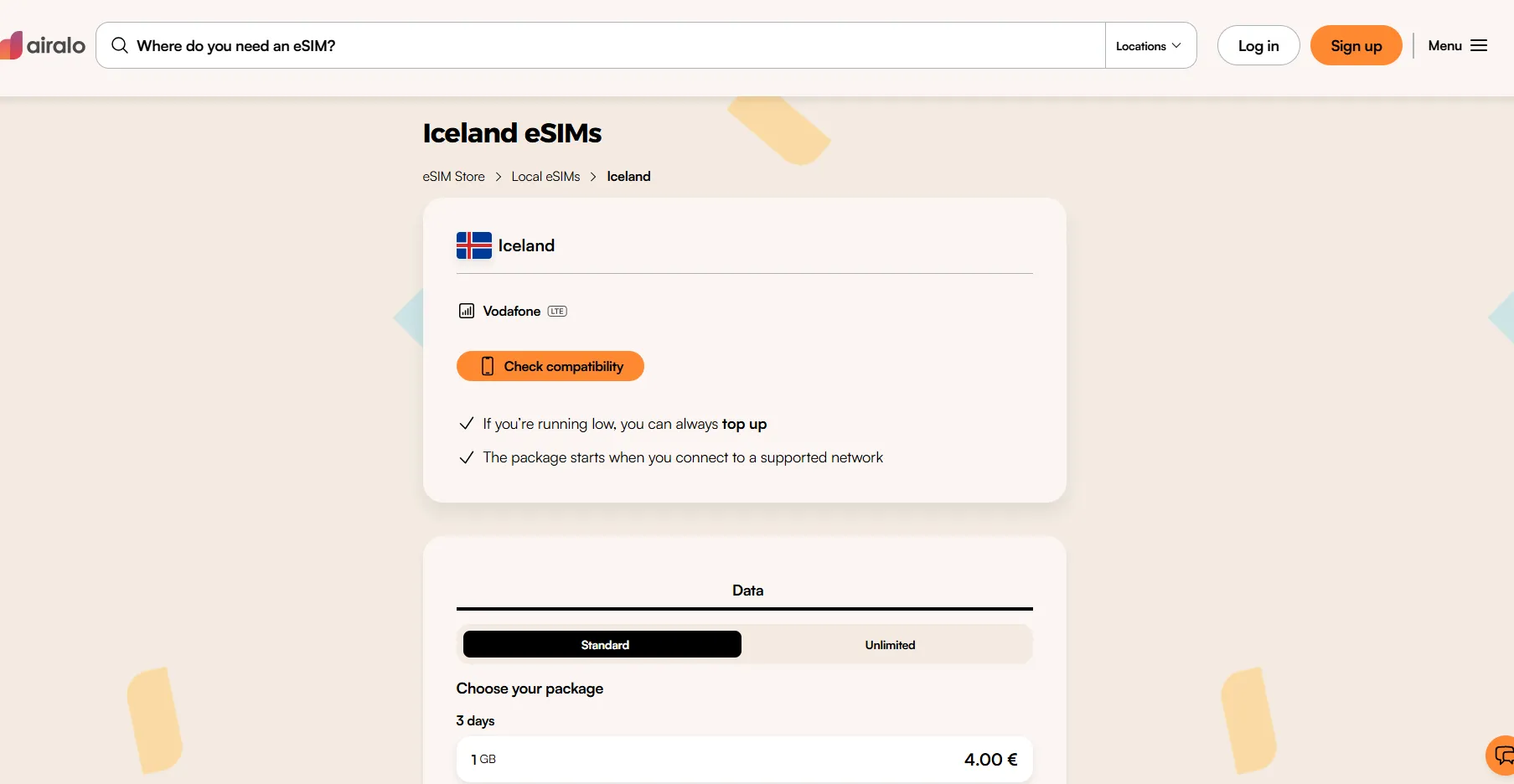
Airalo is the safest “set-and-forget” choice for Iceland. It offers affordable Iceland and Europe regional plans, easy setup, and excellent app usability. Their Iceland plan is highly reliable and connects instantly upon landing at Keflavík (KEF).
While it is slightly more expensive than Ubigi, many travelers choose it for the user-friendly interface and the ability to top up data without needing to install a new eSIM profile.
✔️ Pros:
-
Easy activation.
-
Reliable coverage.
-
Good hotspot support.
-
Strong app experience.
- You earn 5% back in "Airmoney" on every purchase, which you can use to discount your next eSIM if you’re traveling to multiple countries.
❌ Cons:
-
No true unlimited plans.
-
Heavy users may need top-ups.
3. Holafly (Best for Heavy Data Users)
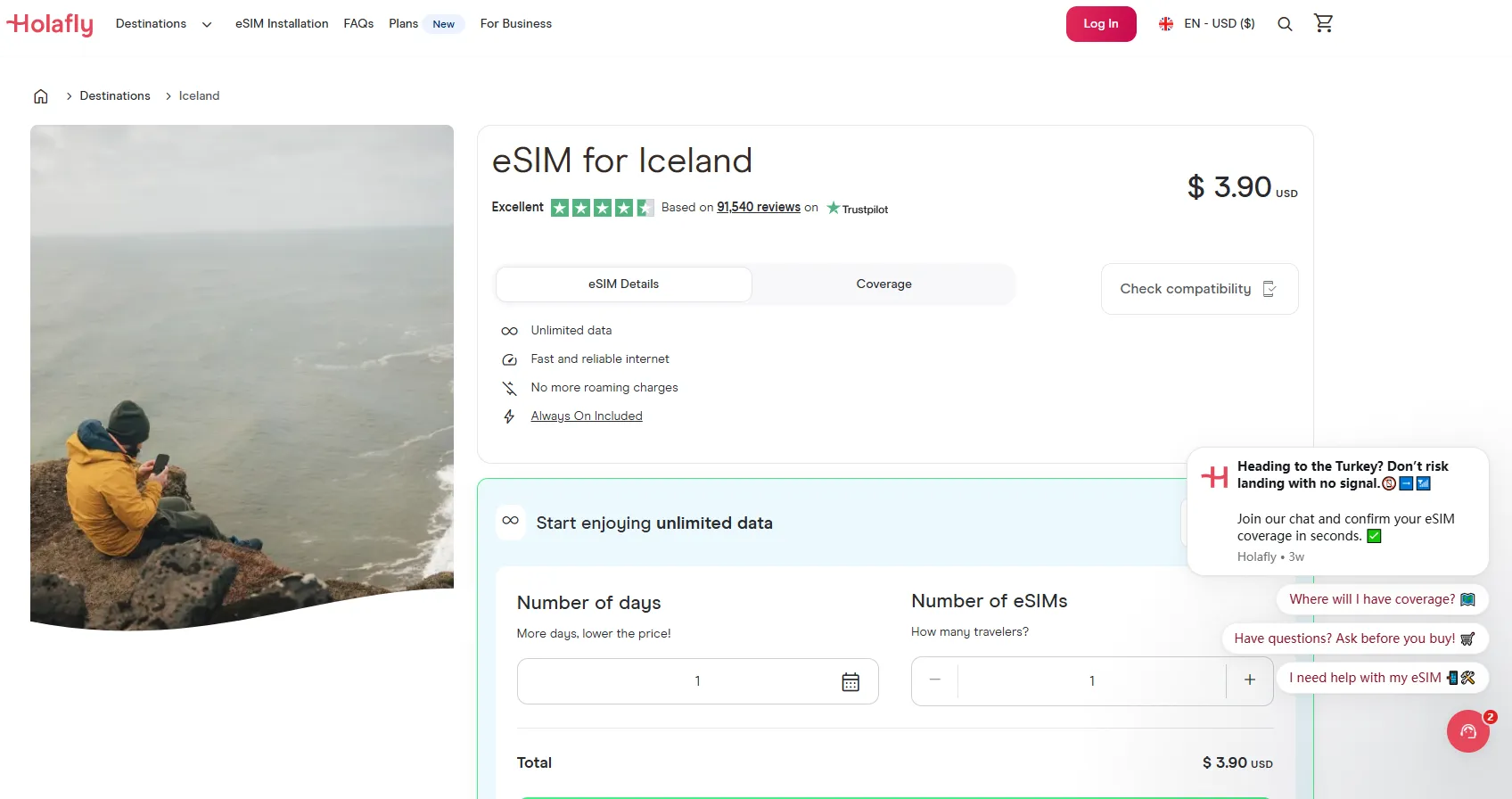
Iceland is incredibly photogenic. If you plan on uploading 4K reels to Instagram or FaceTime-ing home from every waterfall, a capped data plan will die before you reach Akureyri.Holafly focuses on unlimited data plans, making it ideal for heavy users who upload videos, stream content, or work remotely while traveling.
✔️ Pros:
-
Easy QR setup.
-
Truly unlimited data; no overage anxiety.
-
Works well for longer Iceland trips.
❌ Cons:
-
More expensive.
-
The "unlimited" data can be throttled after very heavy use (e.g., 4K streaming).
-
Hotspot sharing can be limited.
-
No local number for calls.
4. Nomad (Best Multi-Country Option)
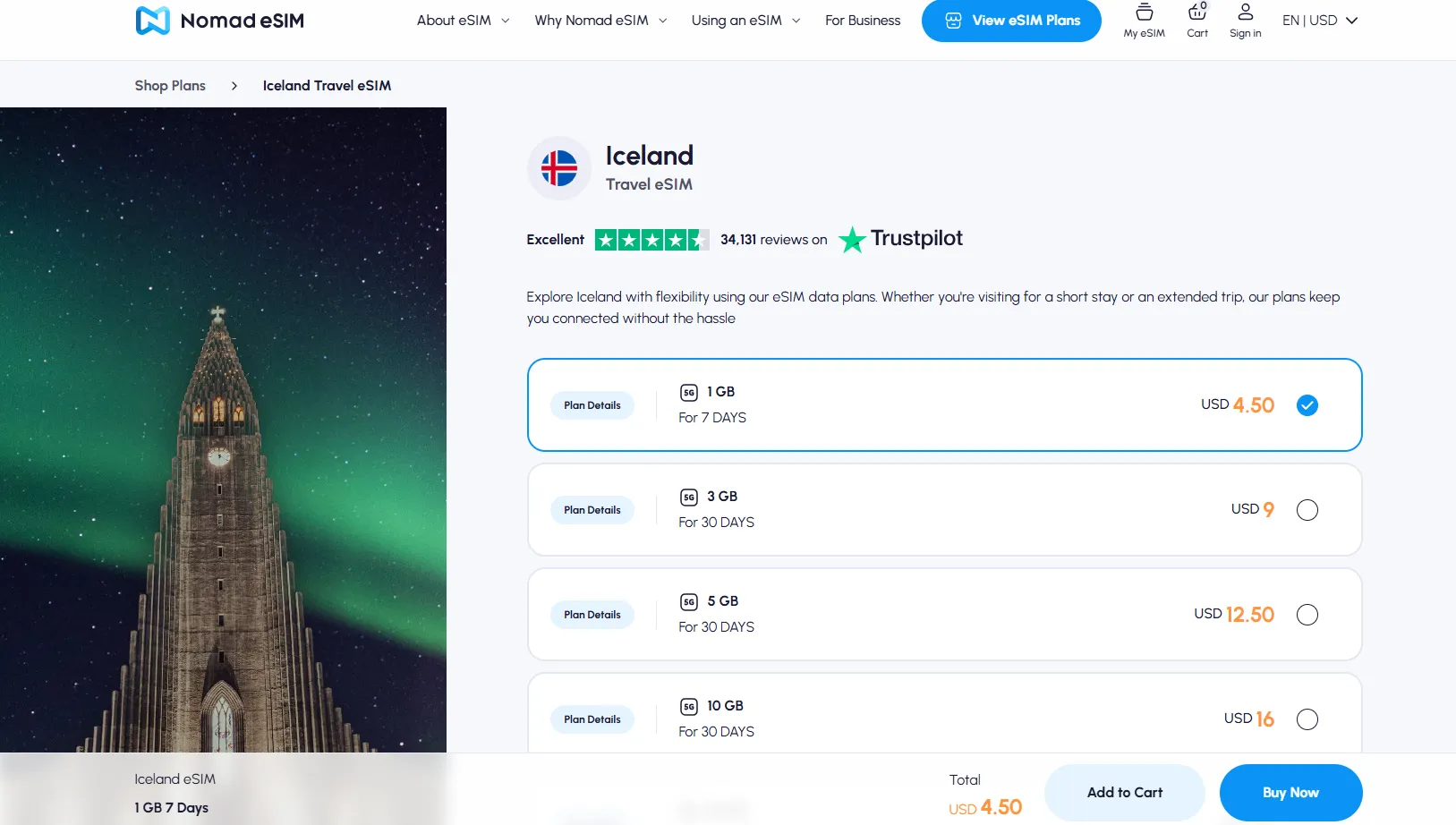
Nomad is a standout choice for Iceland in 2026, particularly for travelers who appreciate a clean interface and flexible regional options. While Airalo is often the "default" recommendation, Nomad frequently undercuts them on price for larger data buckets.Nomad stands out because hotspot sharing is consistently supported across its plans.
If your trip includes a stopover in London, Paris, or Copenhagen before hitting Reykjavik, Nomad’s "Europe" or "Nordic" regional plans are excellent.
✔️ Pros:
-
Reliable tethering.
-
Flexible short-term plans.
-
Clean app interface.
-
If you run out of data, you can "Top Up" directly in the app without installing a new eSIM.
-
Offers "One-Click" installation on many modern iPhones and Samsung devices (no QR code scanning required).
❌ Cons:
-
Coverage depends on partner networks.
-
Like its competitors, it provides no local phone number.
-
While generally good, they rely heavily on a ticket system rather than 24/7 live chat.
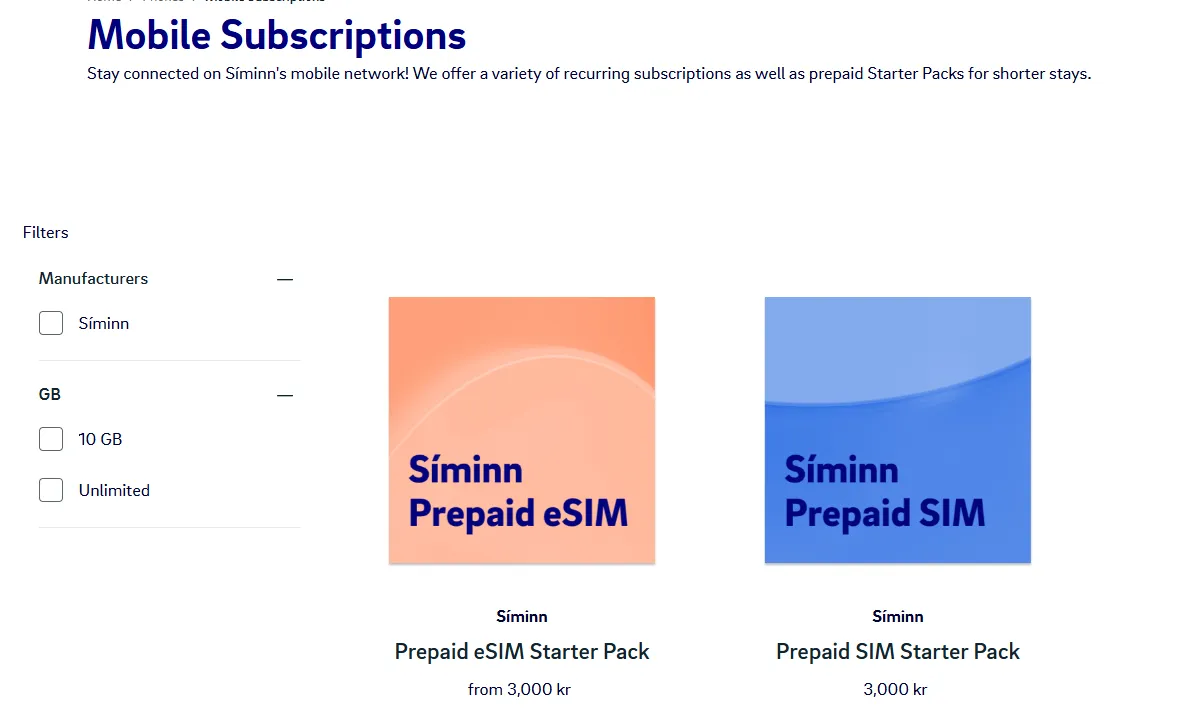
5. Siminn Prepaid eSIM (The "Gold Standard" for Coverage)
If you plan on driving into the Westfjords or taking detours into the Highlands (F-Roads), Siminn is non-negotiable. They own the most infrastructure in rural Iceland.While third-party eSIMs roam on Siminn, buying directly from Siminn often grants higher priority on towers during peak tourist season.
Unlike third-party eSIMs, these often include a local Icelandic phone number (+354), which is helpful for dinner reservations or calling local tour operators.
✔️ Pros:
-
Best coverage.
-
Includes a local (+354) number, which is useful for calling campsites or restaurants.
-
If you are heading to the mainland (Norway, Denmark, etc.) after Iceland, your Síminn data typically roams within the EEA at no extra cost.
-
Credit is easy to manage and top up online.
❌ Cons:
-
The "tourist" setup can be slightly more cumbersome than travel-specific apps.
-
Higher cost.
-
While digital, the QR code and setup instructions are not always delivered instantly; it can take up to a few hours or, in some cases, a day to arrive via email.
How Much Data Do You Need in Iceland?
|
Travel Style |
Recommended Data |
|
Light usage (maps + messaging) |
3–5GB |
|
Normal travelers |
10GB |
|
Heavy social media + hotspot |
20GB+ |
|
Remote work / streaming |
Unlimited |
For most 7–10 day Ring Road itineraries, 10GB is usually enough.
How to Activate an Iceland eSIM?
Activating an eSIM for Iceland in 2026 is a straightforward digital process, but the steps vary slightly depending on whether you are using a third-party provider (like Airalo, Ubigi, or Nomad) or a local carrier (like Síminn).
A. General Setup (iPhone & Android)
Regardless of the provider, your phone must be carrier-unlocked and connected to Wi-Fi to download the eSIM profile.
On iPhone:
-
Go to Settings > Cellular (or Mobile Data).
-
Tap Add eSIM.
-
Choose Use QR Code and scan the one sent to your email.
-
Label the new plan as "Iceland" or "Travel."
On Android (Samsung/Pixel):
-
Go to Settings > Connections (or Network & Internet).
-
Tap SIM Manager > Add eSIM (or SIMs > + Add).
-
Select Scan QR code from service provider and follow the prompts.
B. Provider-Specific Activation Steps
Airalo:
-
Installation: Most users prefer the "Direct" method via the Airalo app. Just tap "Install eSIM" and it handles the settings for you.
-
Activation: The plan activates the moment you connect to a supported network (Vodafone/Nova) in Iceland.
-
Important: Ensure Data Roaming is turned ON for the Airalo line once you land.
Ubigi:
-
The "Free" Profile: You can install the Ubigi eSIM profile for free before you even buy a plan.
-
Activation: Once you land, open the app, purchase the Iceland plan, and toggle the line to "On." It activates instantly.
Síminn (Local Prepaid):
-
Registration: Unlike third-party apps, local Icelandic law sometimes requires a quick digital registration (passport/ID) if your plan includes a local phone number.
-
APN Settings: Sometimes Síminn requires a manual APN update to work. If you have no data, go to your Cellular Data settings and ensure the APN field says internet.
-
Activation: Usually activates immediately upon scanning the QR code and connecting to a Síminn tower.
C. The "Landing in Keflavík" Checklist
Once the wheels touch down at KEF, follow these three steps to ensure you don't get hit with roaming fees from your home carrier:
-
Primary Data: Switch your "Cellular Data" setting to your Iceland eSIM.
-
Allow Data Switching: Turn this OFF. This prevents your phone from accidentally using your expensive home SIM if the Iceland signal dips.
-
Data Roaming: Turn this ON for the Iceland eSIM (most travel eSIMs require this to function), but keep it OFF for your home SIM.
⚠️ Troubleshooting Tips:
-
❶ No Signal? Toggle Airplane Mode on and off. If that fails, manually select a network in your settings (Try switching between Síminn and Vodafone).
-
❷ iMessage Issues: If your iMessage stops working, go to Settings > Messages > Send & Receive and ensure your home phone number is still checked, but the "Data" is coming from your eSIM.
-
❸ 5G Not Showing: Ensure your phone isn't in "Low Power Mode," which often throttles the connection to 4G/LTE to save battery.
Pro-Tips for the Ring Road
-
Download Offline Maps: Even with the best eSIM, the mountains near Vík or the fjords in the East can create "dead zones." Download the "Iceland" region on Google Maps before you leave.
-
The "SafeTravel" App: This is mandatory for Iceland. It provides real-time weather alerts and road closures, which can happen even in summer.
-
Check Compatibility: Ensure your phone is carrier-unlocked before you arrive. If your phone is still on a payment plan with a provider like AT&T or Verizon, they may have it locked.
-
Emergency Calls: In Iceland, you can dial 112 for emergencies even without a valid SIM card or active data plan, as long as your phone can reach any network tower.