If you’re planning a trip to Korea this year, you’ve probably noticed one thing: traditional roaming passes from major carriers are still painfully overpriced, and free Wi‑Fi doesn’t follow you onto the subway. That’s why savvy visitors are switching to MVNO‑powered eSIMs—not just for the cheaper gigabyte‑per‑won ratio, but also for the ability to secure a genuine local 010‑prefix number. That local line isn’t just a gimmick; it unlocks restaurant reservations, delivery apps, and ride‑hailing services that reject foreign numbers outright. In this guide, I’ll walk you through the most competitive MVNO eSIM offerings, from short‑stay data‑only deals to month‑long plans with voice and SMS, plus a step‑by‑step activation flow so you can get connected within minutes of touching down.
What is an MVNO?
An MVNO (Mobile Virtual Network Operator) — called alttteulpon (알뜰폰) in Korean — is a telecom provider that leases network capacity from major carriers (SKT, KT, or LG U+) and resells it at lower prices. They don't own the physical infrastructure but offer the same coverage at more competitive rates.
MVNOs are particularly attractive for:
-
Travelers needing short-term data plans.
-
Expats and students looking for affordable long-term options.
-
Anyone who wants a Korean local number without signing a long contract.
Staying connected in South Korea is essential—not just for navigation and translation, but for navigating the country’s heavily integrated digital society. While traditional airport roaming or international travel eSIMs (like Airalo or Nomad) are easy, they are relatively expensive and do not provide a local phone number.If you want a cheap local "010" number, unlimited high-speed data, and the ability to access local Korean services, using a Korean MVNO is the smartest and most cost-effective solution.
Why Choose an MVNO eSIM?
|
Benefit |
Explanation |
|
Lower monthly cost |
MVNO plans are significantly cheaper than direct carrier plans for the same data |
|
No physical SIM needed |
Activate digitally before you even land |
|
Foreigner-friendly |
Some MVNOs offer English support and prepaid options without deep Korean documentation |
|
No long contract |
Prepaid options let you avoid 12- or 24-month commitments |
|
Instant activation |
Scan a QR code and you're connected |
|
Multiple profiles |
Store multiple eSIM profiles on one device |
The Three Major Networks Behind Every Korean SIM
Every Korean SIM or eSIM runs on one of three nationwide networks:
|
Major Network |
Market Share |
5G Availability |
Best For |
|
|
~39% (The Market Leader) |
Widespread & Highly Reliable |
Overall coverage, rural/hiking reach |
|
|
~24% |
Widespread & High Speed |
Max raw speed in urban centers |
|
|
~20% |
Highest Availability (~90.3%) |
Most consistent 5G connection |



Network choice matters mostly for coverage edge cases in rural areas or specific buildings. For most of Seoul, Busan, and major cities, all three networks are equally practical. Some MVNOs, like Kimchi Mobile, source plans across all three networks.
Korea MVNO eSIM Requirements
In 2026, the South Korean Ministry of Science and ICT strictly enforces identity checks to combat voice phishing.
-
If you choose a global travel eSIM (e.g., Saily, Airalo, Nomad): No identity verification is needed, but you only get high-speed data. You cannot make regular calls, receive SMS, or use local apps that require a phone number.
-
If you choose a Local MVNO / Korean Carrier eSIM: You will get a real voice-and-text enabled number. However, you must submit a photo of your passport and complete a brief face scan verification during checkout or activation.
|
Situation |
Can Use MVNO eSIM? |
Korean Number? |
|
Tourist (passport only) |
Limited |
Sometimes |
|
Student with ARC |
Yes |
Yes |
|
Long-term resident with ARC |
Yes |
Yes |
|
Tourist using travel eSIM |
Yes |
Usually No |
The "Identity Verification" (본인인증 - Bonin-Injeung) Trap
Before buying an eSIM, you must understand how South Korea handles phone numbers. Telecom lines are strictly tied to your legal identity.
Many foreigners arrive in Korea expecting to use their passport-based "010" number to verify accounts on domestic apps like Coupang (delivery), KakaoT (taxis), CatchTable (restaurant queues), or local banking.
-
Passport-based numbers cannot be used for official identity verification.
-
You can receive basic SMS notifications (like taxi confirmations or queue alerts), but you cannot bypass the official carrier verification window used by Korean web services until your phone line is registered under a valid ARC (Residence Card).
|
Feature |
Passport-Registered eSIM (Tourist / <90 Days) |
ARC-Registered MVNO eSIM (Resident / >90 Days) |
|
Eligibility |
Anyone with a valid foreign passport |
Anyone with a physical Alien Registration Card (ARC) |
|
Local 010 Number |
Yes (often incoming-only; outgoing requires top-ups) |
Yes (fully functional postpaid or prepaid) |
|
Real-Name Identity Verification (본인인증) |
NO ❌ |
YES ✅ (Unlocks Coupang, KakaoPay, Toss, banking, etc.) |
Best Korea MVNO eSIM Providers
1. Chingu Mobile (친구모바일) — Best Overall Value
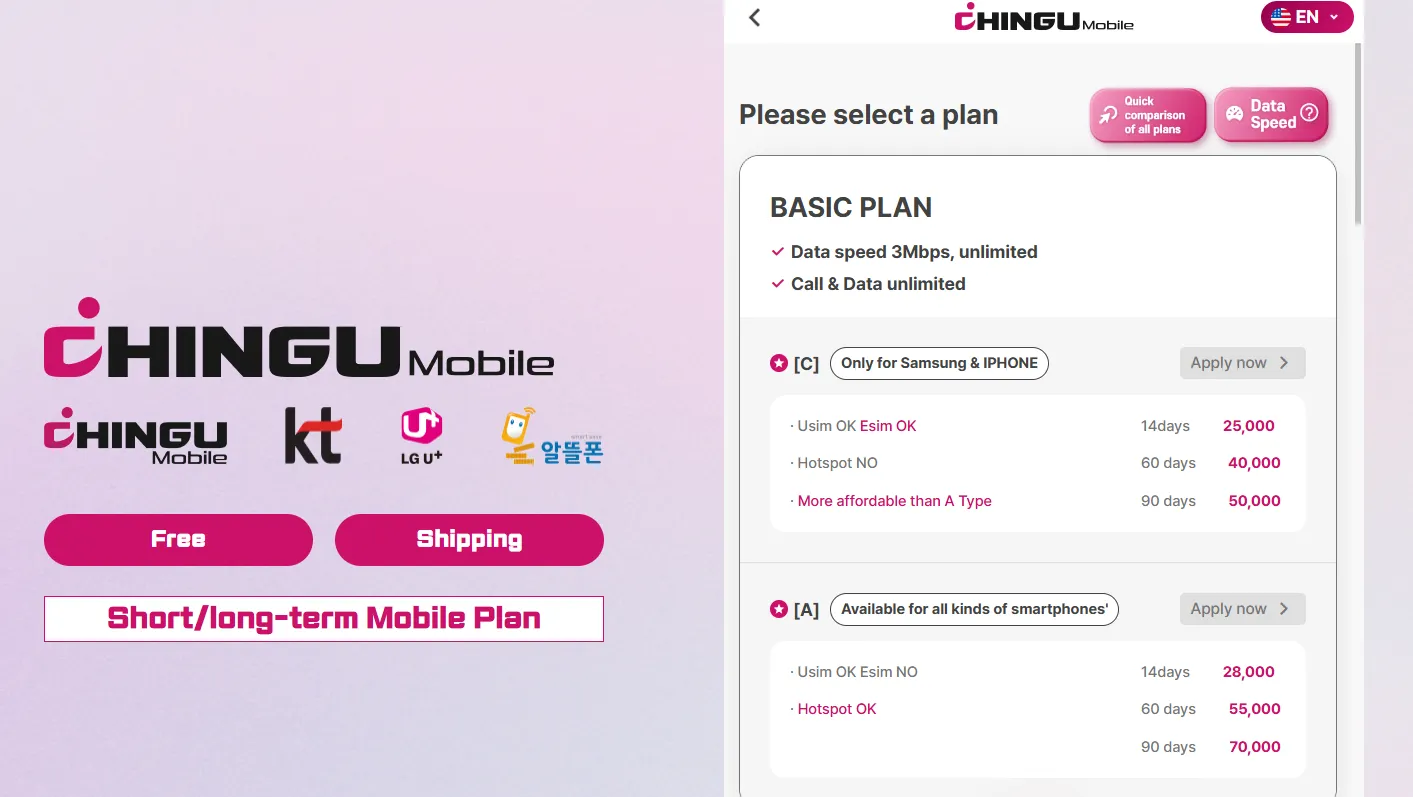
Chingu Mobile (친구통신) is widely considered one of the most budget-friendly, student-and-expat-approved options for mobile data in South Korea that provides affordable prepaid and postpaid SIM and eSIM plans. They are an MVNO that partners with the major networks (primarily KT / LG U+) to give you highly discounted rates.
Unlike standard tourist cards, their long-term plans allow you to register using your Alien Registration Card (ARC), enabling you to use everyday Korean services like banking, delivery apps, and identity verification.
✔️ Pros:
-
Highly competitive prices.
-
Simple online passport registration.
-
English website and support.
-
Passport-only options available.
-
Korean 010 numbers offered.
-
Multiple physical branches in Seoul (Hongdae, Sinchon, etc.) if you need in-person help.
❌ Cons:
-
Smaller carrier.
-
Some plans may have speed caps.
💰 Typical Plans & Pricing:
-
Basic Unlimited Data: ~25,000 KRW for 14 days, or ~30,000 KRW for 30 days. Unlimited data (usually 300MB/day at 4G LTE, followed by unlimited at 3Mbps—which is plenty fast for maps, social media, and YouTube streaming).
-
Basic Pro Pan: ~26,000 KRW for 14 days, or ~33,000 KRW for 30 days. 10GB at high speed, followed by unlimited data at 3Mbps.
2. Woori Mobile (우리통신) — Best for Medium Stays & Student Bridging
Woori Mobile is a specialized mobile service provider in South Korea that caters primarily to foreigners, expats, and international students. They offer physical SIM cards, eSIMs, and data-only plans that can be registered using a passport (before receiving an Alien Registration Card) or a standard Korean ARC.It uses the infrastructure of the country's major telecom providers, primarily KT and occasionally LG U+ or SK Telecom (SKT).
✔️ Pros:
-
Student-friendly plans.
-
Flexible contract lengths.
-
Exceptional English customer support via WhatsApp/Instagram.
-
Specialized "bridge" plans designed to transition you smoothly from passport registration to ARC registration.
❌ Cons:
-
Smaller physical presence.
-
Fewer eSIM options than major carriers.
- Not including a local number.
💰 Typical Plans & Pricing:
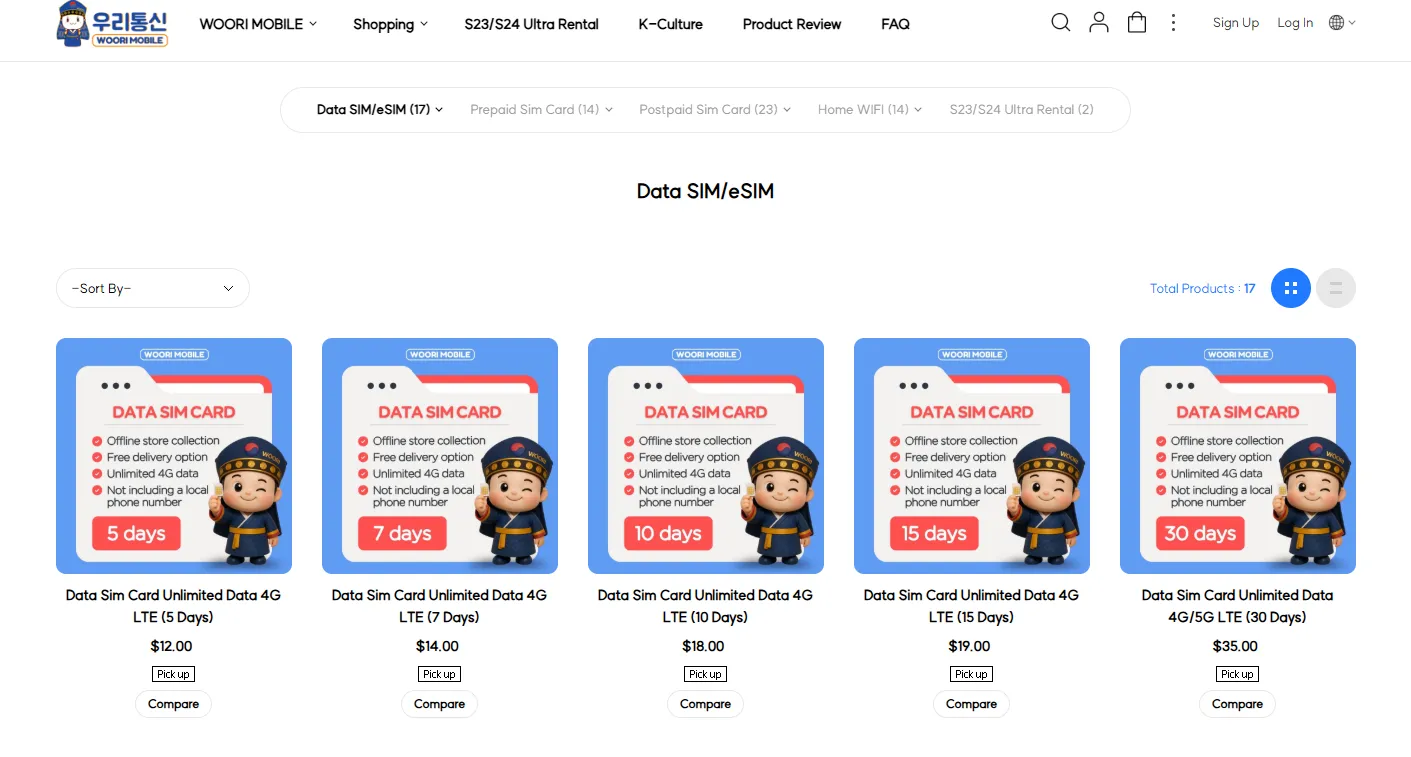
Woori Mobile only offer data only eSIM plan.If you are visiting Korea for a few days to a month and don’t need to make traditional phone calls, these plans give you high-speed data that activates instantly via a QR code.
-
5 Days: ~$12
-
10 Days: ~$18
-
30 Days: ~$35
3. KT M Mobile (국민 알뜰폰)
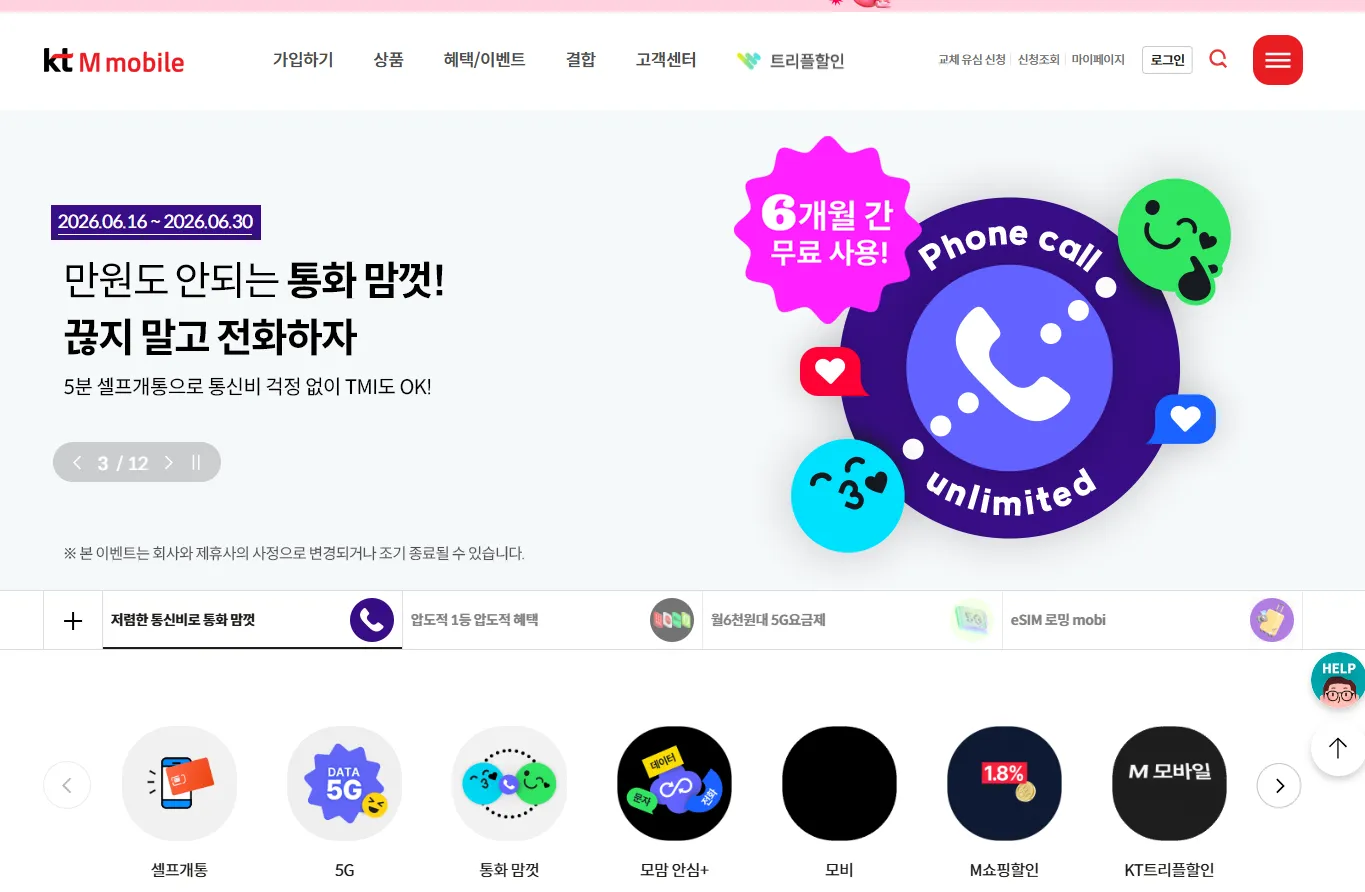
KT M Mobile (sometimes stylized as KTM) is the official budget MVNO subsidiary owned directly by KT (Korea Telecom). It provides highly affordable, contract-free wireless plans that utilize KT's premium nationwide 4G and 5G networks.As the largest MVNO in Korea, it caters to over 1.9 million subscribers, meaning roughly one in five budget-phone users relies on their network.
Unlike standard tourist providers, KT M Mobile does not offer a direct passport-based online sign-up for short-term visitors.Once you have your physical Alien Registration Card (ARC) and a local Korean bank account or credit card, KT M Mobile is one of the cheapest ways to get an identity-verified 010 eSIM line in Korea.
✔️ Pros:
-
Excellent KT coverage.
-
Offers some of the most competitive rates in South Korea, appealing to both locals and expats.
-
Features "self-opening" options online and same-day SIM delivery or pickup at convenience stores like 7-Eleven.
❌ Cons:
-
Only supported for foreign residents with ARCs online.
-
Limited English support.
💰 Typical Plans & Pricing:
If you have your ARC ready, these are the typical "no-contract" monthly plan options that dominate the MVNO market:
|
Plan Type |
Data Structure |
Calls & Texts |
Approximate Monthly Cost |
|
The Light User |
4.5 GB to 7 GB High-Speed (Then throttled to 1Mbps) |
Unlimited |
~₩15,000 to ₩19,000 ($11 – $14) |
|
The Sweet Spot |
11 GB High-Speed + 2 GB extra per day (Then throttled to 3Mbps) |
Unlimited |
~₩33,000 to ₩38,000 ($24 – $28) |
|
Heavy Streamer |
100 GB High-Speed 5G (Then throttled to 5Mbps) |
Unlimited |
~₩42,000+ ($31+) |
4. Kimchi Mobile
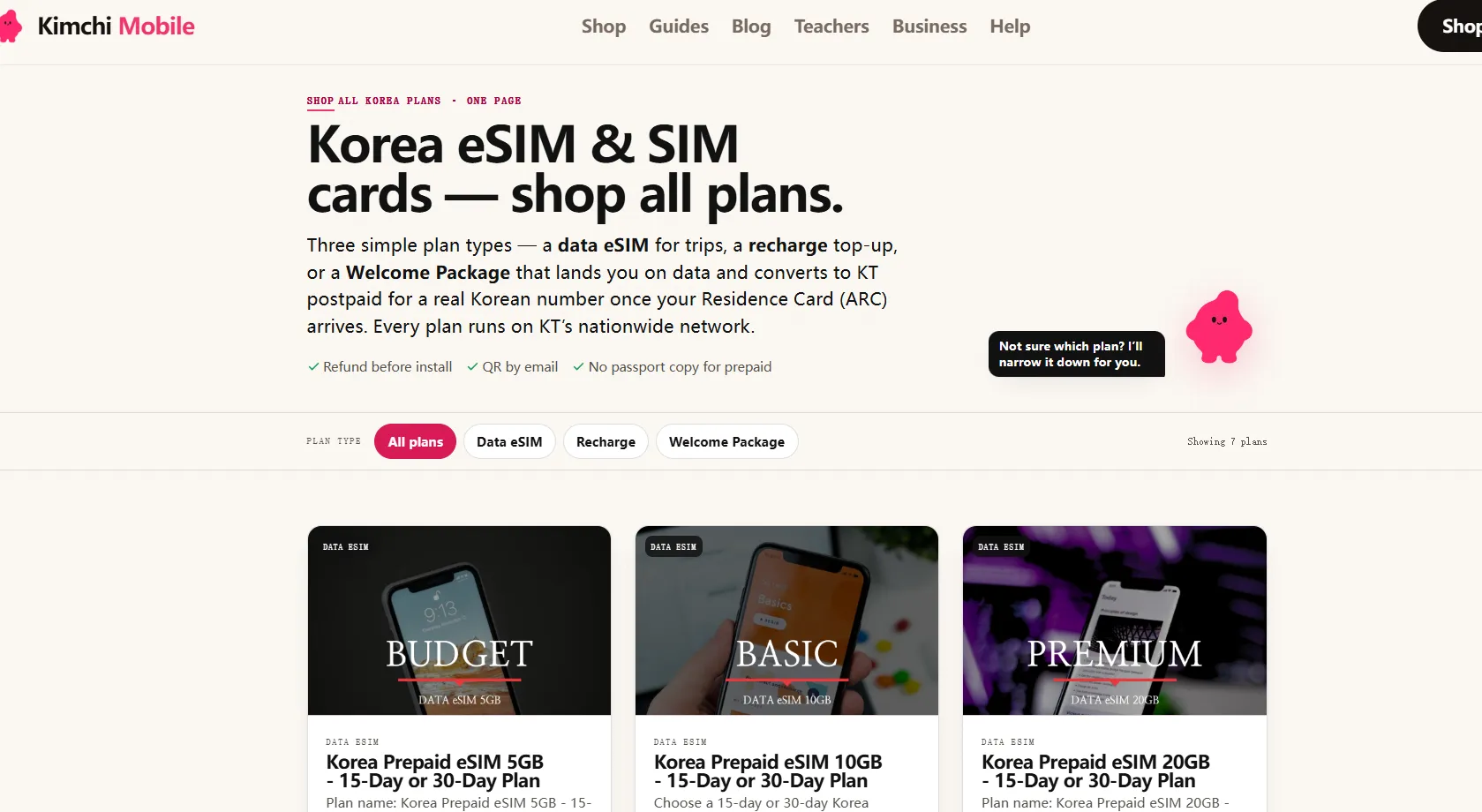
Kimchi Mobile is an incredibly popular MVNO platform tailored specifically for foreigners moving to South Korea, such as English teachers (E-2 visas), exchange students, and remote professionals. Operating entirely on KT’s (Korea Telecom) nationwide network, they have cornered the market by solving a major headache: bridging the painful 2-to-3-week gap between landing in Korea and waiting for your physical Residence Card (ARC) to arrive. Unlike other budget carriers that make it tough for foreigners to register, Kimchi Mobile operates fully in English and splits its eSIM plans into two simple categories.
✔️ Pros:
-
English support and ARC connection assistance.
-
Cost-effective.
-
Short-term or purely data-based tourist eSIMs typically do not allow for the local ID verification required to use certain Korean services (like local banking or some delivery apps).
❌ Cons:
- Many travel-specific eSIM plans do not include a traditional phone number or standard SMS. For voice calls and texting, you must rely on VOIP apps like WhatsApp, FaceTime, or KakaoTalk.
💰 Typical Plans & Pricing:
Kimchi Mobile offers three prepaid data eSIM tiers, all running on KT's LTE/5G network. Plans are available in 15-day or 30-day durations.
|
Plan |
Price |
High-Speed Data |
Validity |
Speed After Cap |
|
5GB |
$9.99 |
5 GB LTE |
30 days |
128 kbps |
|
10GB |
$19.99 |
10 GB LTE |
15 or 30 days |
128 kbps |
|
20GB |
$39.99 |
20 GB LTE |
15 or 30 days |
128 kbps |
Step-by-Step Setup & Activation Guide
Korean networks require precise device verification compared to western networks. Follow these steps to ensure your eSIM activates smoothly:
Step 1: Verify Hardware Compatibility
Not all foreign phones support Korean eSIMs.
-
Dial *#06# on your phone's dialer.
-
Ensure you see an EID (a 32-digit serial number). If there is no EID, your device does not have eSIM hardware.
-
Note: Some carrier-locked phones from North American providers must be manually unlocked before a Korean eSIM will download.
Step 2: Register Your Device's IMEI (Crucial)
Korea uses an IMEI whitelist database to prevent fraud and spam. For many domestic MVNO eSIMs, you must submit your device details to the carrier before the eSIM profile will activate.
-
You will be asked to provide:
-
IMEI 1 (for physical SIM)
-
IMEI 2 (for eSIM)
-
EID
-
WiFi MAC Address
-
-
Ensure you enter these exactly as they appear in Settings > About Phone. Even a one-digit typo will block your connection.
Step 3: Install the eSIM
-
Connect to a stable WiFi network (e.g., at Incheon Airport or your accommodation).
-
Go to Settings > Cellular (or Connections) > Add eSIM.
-
Scan the QR code sent to your email by your MVNO.
-
Set the new eSIM as your Primary Data Line.
Step 4: Complete the Network Registration
Native Korean SIM cards require a handshake with local towers to provision.
-
Disable Data Roaming on your home SIM to avoid unwanted roaming fees.
-
Turn on Mobile Data on your new Korean eSIM.
-
Restart your phone 2 to 3 times. If your signal bar says "No Service" or "SOS," simply toggle Airplane Mode on and off, or restart the phone while disconnected from WiFi. This forces the device to search for local SKT, KT, or LGU+ towers and download the carrier APN profiles.
Troubleshooting & APN Settings
If your eSIM is active but you have no internet connection, you may need to manually configure your APN (Access Point Name) settings. This is highly common on Android devices imported from overseas.
Manually configuring APN:
Go to Settings > Mobile Networks > Access Point Names and add the configuration matching your host network:
KT / KT MVNO APN:
-
Name: KT LTE
-
APN: lte.ktfwing.com
-
MMSC: http://mmsc.ktfwing.com:9082
SKT / SKT MVNO APN:
-
Name: SKT LTE
-
APN: lte.sktelecom.com
-
MMSC: http://omms.opendmec.co.kr:8002
LG U+ / LG U+ MVNO APN:
-
Name: LGU+ LTE
-
APN: internet.lguplus.co.kr
Crucial Insider Tips
-
One Passport, One Line: Korean law strictly limits the number of prepaid lines registered per person. You can only activate one active prepaid line per foreign passport per carrier network.
-
Do Not Delete the eSIM Profile: Once you scan and download an eSIM QR code, it is tied to your hardware's security module. If you delete the profile from your settings, you cannot scan the same QR code again. You will need to contact customer support and pay a replacement fee (typically ~2,750 to 7,700 KRW) to have a new QR code issued.
-
Keep your Home SIM Active: Most modern smartphones support Dual-SIM. Keep your foreign home-country SIM active (with data roaming toggled off!) so you can still receive bank verification codes from your home country, while using your cheap Korean MVNO eSIM for all local data and calls.