Staying connected in the Philippines is easier than ever, thanks to the growing availability of digital SIM technology. Whether you're exploring the beaches of Palawan, navigating the busy streets of Manila, or working remotely from Cebu, having reliable mobile data is essential for maps, ride-hailing apps, social media, and messaging.But with multiple telco options and data packages available, finding the right fit can be tricky. This comprehensive guide walks you through everything international travelers need to know — from choosing the right prepaid data package to setting up your mobile profile on arrival. You’ll also learn how to secure a Philippine phone number, compare major network providers, and avoid common activation issues. If you're planning a trip in 2026, this guide will help you stay online seamlessly from the moment you land.
Why Choose eSIM for the Philippines?
Choosing an eSIM for your trip to the Philippines isn't just about following a trend—it's about avoiding the specific "pain points" of Filipino travel.It's about making your entire travel experience smoother, safer, and more efficient. Here is a breakdown of why an eSIM is the superior choice over traditional roaming or physical SIM cards.

1️⃣ Instant Connectivity on Arrival
With eSIM, you purchase and install your plan before you leave home. The moment your plane touches down and you turn off airplane mode, you are connected. You can book your Grab (ride-hail) immediately, message your family "I've arrived safely," and pull up Google Maps to find your hotel—all before you even reach the baggage claim.
2️⃣ Keep Your Home SIM Active and Safe
Most modern phones support dual SIM (physical SIM + eSIM). You can set your phone to use the Philippines eSIM for mobile data, while keeping your home SIM active for calls and SMS. This means you can still receive those vital verification codes to log into your banking app without incurring international roaming charges for data.
3️⃣ The "SIM Registration Act" Convenience
In the Philippines, all SIMs must be registered with a passport and selfie by law.
-
Physical SIM: You often have to do this manually at a kiosk or struggle with a slow registration website after inserting the card.
-
eSIM: Most local providers (Globe/Smart) allow you to complete this digitally via their apps before you fly or using the airport Wi-Fi, making the "first hour" of your trip much smoother.
4️⃣ Cost-Effective and Transparent Pricing
International roaming from your home carrier can cost hundreds of dollars. Physical SIMs have hidden costs like the price of the SIM card itself plus the "load" (credit) you have to figure out how to buy.
With eSIM, you only pay a flat, upfront fee for a specific amount of data (e.g., 5GB for $10). There are no surprise bills when you get home. Furthermore, the competition between international eSIM providers and local carriers like DITO (which offers massive data for as low as $2) drives prices down, giving you amazing value.
5️⃣ Better Security
If your phone is stolen, a thief can easily pop out a physical SIM and put it in another device to access your accounts. An eSIM is embedded in the hardware; it cannot be removed, and it can be protected by your phone's biometric locks, making it much harder for someone to hijack your mobile identity.
6️⃣ Flexibility and Control
With a physical SIM, you're stuck with that one provider. If the signal is bad in a certain area, you can't switch.The eSIM Advantage: You can store multiple eSIM profiles on your phone. For example, you could have a primary eSIM from Smart (which has great coverage in the Visayas) and a backup from Globe (strong in Metro Manila), and switch between them in your phone's settings depending on where you are. You are in complete control.
Physical SIM vs. eSIM: Summary Comparison:
|
Feature |
Traditional SIM / Roaming |
eSIM |
|
Activation |
Upon arrival, requires ID, time, and effort. |
Instant, before you travel. |
|
Home SIM |
Must be removed; lose access to 2FA codes. |
Stays active for calls and security texts. |
|
Cost |
High roaming fees or confusing local "load." |
Transparent, flat-rate pricing. |
|
Convenience |
Must carry a paperclip and keep track of a tiny card. |
Digital only. No hardware required. |
|
Signal |
Tied to one provider. |
Can switch providers digitally if needed. |
Quick Checklist: Is Your Phone Compatible?
Before you buy an eSIM, you must ensure your smartphone is eSIM-compatible. Most flagship phones released after 2019 support eSIM, but it's always best to double-check:
-
iPhone Users: Go to Settings > Cellular (or Mobile Service). Look for an "Available SIM" or "Digital SIM" entry (iPhone XS, XR, and newer models support eSIM, except for some models sold in China) .
-
Android Users: Go to Settings > Connections > SIM card manager. If you see an option to "Add eSIM" or "Add mobile plan," your device is compatible.
-
The Universal Code: Open your phone's dialer and type *#06# . If your phone displays an EID number (a long digital code), it supports eSIM.
Here’s a 2026 list of phones that support eSIM — perfect if you’re planning to use an eSIM in the Philippines:
|
Brand |
Model |
|
Apple |
📌 Notes:
|
|
Samsung |
📌 Note: Samsung eSIM support may vary depending on the exact model variant and region — always check before buying. |
|
|
|
|
Other Android Brands |
Many other brands available in the Philippines now support local eSIMs:
|
⚠️Warning: Ensure your phone is carrier-unlocked. If your phone is locked to a specific network (like a T-Mobile or Verizon locked phone), you may not be able to add a foreign eSIM. Contact your home carrier to unlock it before you travel.
Where to Buy an eSIM for the Philippines?
You have two main options when purchasing an eSIM: local operators or international providers.The best choice depends on your budget and itinerary.
|
Feature |
Local eSIM (Globe/Smart/DITO) |
International eSIM (Airalo/Saily) |
|
Local Number |
✅ Included (+63 number) |
❌ Usually Data-Only |
|
Calls & SMS |
✅ Standard & Unlimited Promos |
❌ App-based only (WhatsApp/VoIP) |
|
Price |
Cheapest (approx. $1–$20) |
Moderate ($4–$50) |
|
Registration |
Required by law (Selfie + Passport) |
Often not required |
|
5G Access |
Widely available |
Depends on the provider |
Option A: Local Filipino Carriers (Best for a Local Number & Cheap Data)
✔️ Pros: Includes a local phone number (essential for Grab, FoodPanda, and Gcash), 5G access, and the cheapest "unli" data promos.
❌ Cons: Mandatory SIM Registration. By law, you must upload a photo of your passport, proof of address (hotel booking), and a selfie to activate the line.
The Philippines has three major telcos. Buying directly from them often gives you a local phone number (useful for Grab, food delivery, and local verification) and access to ultra-cheap "load" promos.
-
Globe: The largest provider with excellent coverage in cities (Luzon) and tourist spots. They have a robust app (GlobeOne) for managing promos.
-
Smart: Globe's main rival, often boasting better signal in remote areas and the Visayas and Mindanao regions. Excellent for island-hoppers.
-
DITO: The newest player, known for aggressive pricing and true 5G speeds in areas where they have coverage. Coverage is expanding but may not be as widespread as Globe/Smart in very remote islands.
|
Provider |
eSIM Price (Approx.) |
Sample Promo (as of 2026) |
Best For |
|
Globe |
~₱99 |
Varies; usually data packages via GlobeOne app. |
Urban areas, GCash users. |
|
Smart |
~₱99 |
Varies; often has "Unli Data" options. |
Remote islands, Visayas/Mindanao. |
|
DITO |
₱99 ( ~$2 ) |
9 GB data + unlimited texts + calls to DITO + 150 mins to other networks . |
Budget travelers who need calls/texts. |
How to get one:
-
Buy at an airport kiosk (NAIA, Clark, Cebu).
-
Or download carrier app (e.g., GlobeOne) and purchase a plan.
-
You must register the SIM/eSIM with a valid ID (passport).
⚠️Note: Some carriers may require a local phone number or address at signup (Smart has occasionally asked for this during online checkout).
Option B: International eSIM Providers (Best for Convenience & Multi-Country Trips)
✔️ Pros: No registration needed for most plans, buy online, 24/7 English support, easy-to-use apps.
❌ Cons: Data-only (usually no local +63 number). More expensive per GB than local plans.
These platforms allow you to buy data-only plans before you travel. They partner with local networks (Globe/Smart) to provide coverage.Below are some popular providers for 2026:
-
Airalo: A trusted global leader with various Philippine plans.
-
Holafly: Providing unlimited data eSIMs for international travel across 160+ destinations.
-
Nomad: Offers flexible data top-ups and connects to Globe's 5G network.
-
Ubigi: Known for reliable connections via the Smart network and has large data packages.
-
Slick: Offers competitive weekly and monthly deals specifically tailored for travelers.
How to get one:
Purchase via website of app, select "Philippines" as your destination, choose a data package, and pay. The eSIM (QR code) will be available instantly in the app.
-
Choose a provider and plan.
-
Pay online and get a QR code via email.
-
Scan the QR code on your phone (Settings → Add eSIM/Cellular plan).
Besides, websites like Trip.com, Traveloka, and Klook also sell eSIMs. These are often white-labeled solutions using the infrastructure of major providers like Smart or Globe and can be bundled with flight or hotel bookings
How to Install and Activate Your eSIM (Step-by-Step)?
The process is generally the same whether you buy from a local carrier like DITO or an international provider.
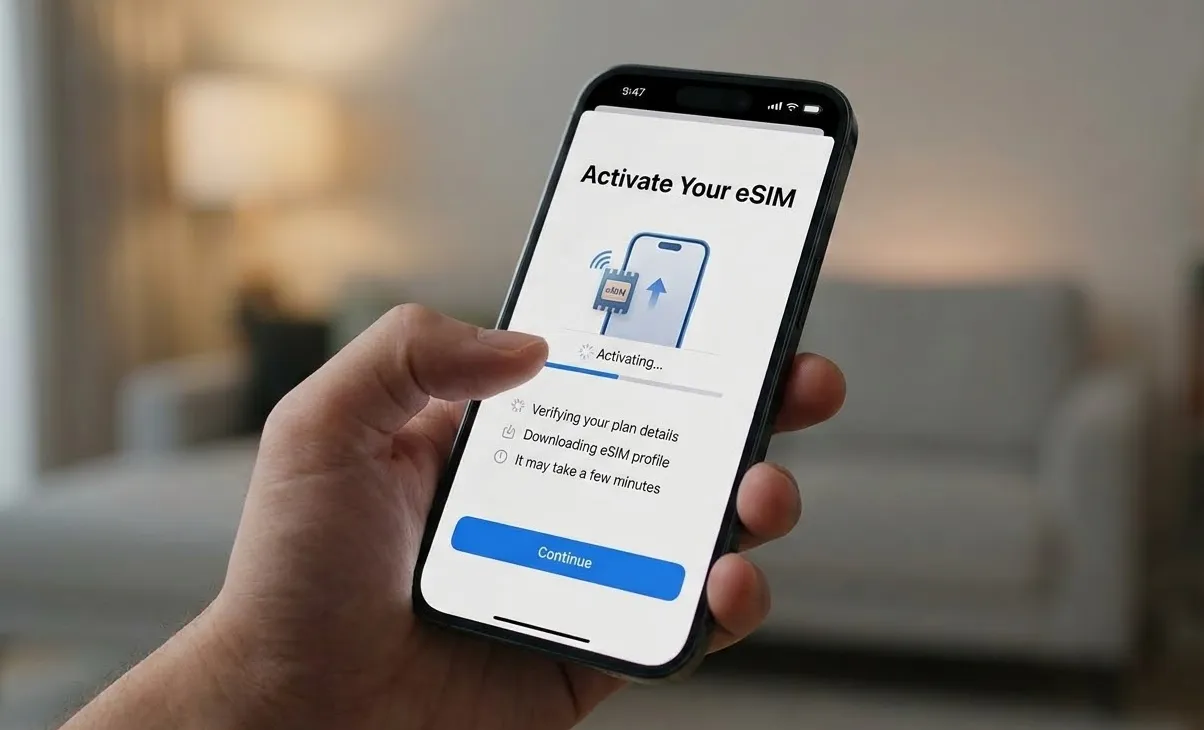
A. Activation Guide
1. Before You Land
You should install the eSIM onto your phone while you still have Wi-Fi at home. Do not wait until you land and have no internet. Most eSIMs can be installed pre-departure, but they usually activate only when you connect to a Filipino network upon arrival.
For iOS (iPhone):
-
Connect to Wi-Fi.
-
Go to Settings > Mobile Service > Add eSIM.
-
Scan the QR code you received via email .
-
Label the plan (e.g., "Philippines Data").
-
Set it as your Default Line for Data. Keep your primary line enabled for voice calls if you want to receive calls/SMS on your home number (be aware of roaming charges for this) .
For Android:
-
Connect to Wi-Fi.
-
Go to Settings > Connections > SIM Card Manager > Add eSIM .
-
Scan the QR code.
-
Follow the on-screen prompts to complete the installation.
-
Once installed, go to Mobile Networks and ensure Data Roaming is turned ON for the new eSIM line. This allows it to connect to the local towers.
🔔Pro Tip: If scanning the QR code fails, look for an option to "Enter Details Manually" in your phone's settings. You can input the SM-DP+ address and activation code provided in your email.
2. On Arrival
-
Turn on data roaming for the eSIM you want to use.
-
Restart your phone if it doesn’t connect automatically.
B. The "SIM Card Registration" Law
The Philippines has a SIM Card Registration Act. This applies to eSIMs too. If you buy a local eSIM directly from Globe, Smart, or DITO (which gives you a local phone number), you will be required to register it.
-
What you need: Your passport.
-
Process: After installing the eSIM, you will usually be redirected to a registration website or prompted by the carrier's app. You must fill out the form and upload a photo of your passport and a selfie.
-
Deadline: You must register to activate the line permanently. Failure to do so may result in the line being deactivated.
-
Good News: If you buy a data-only travel eSIM from an international provider (like Airalo or Nomad), you usually do not need to go through this registration, as these plans do not come with a local phone number.
C. Managing Your eSIM & Topping Up
-
For International eSIMs: Most are "one and done." Once the data runs out or the validity expires, you typically need to buy a new eSIM. Some apps like Nomad and Ubigi allow in-app top-ups .
-
For Local Carrier eSIMs (Globe/Smart/DITO): This is where having a local number is fun. You can buy "Load" (credits) via:
-
Carrier Apps: Download GlobeOne, Smart's GigaLife, or the DITO App. You can use a credit card to purchase data promos directly .
-
Physical Stores: You can go to any convenience store (like 7-Eleven or Ministop) and ask the cashier to load your number with a specific amount, then use that to subscribe to a promo via SMS.
-
Best eSIM Plans for Tourists
A. Online Travel eSIMs (Good for Data Only)
These are ideal if you want to skip the mandatory Philippine SIM registration process (though local laws in 2026 are increasingly requiring registration even for these). They do not usually come with a local phone number.
|
Provider |
Data |
Validity |
Price (approx) |
Notes |
|
1GB–Unlimited |
3–30 days |
€3.50-€63.50 |
Globe LTE network; affordable |
|
|
1–50 GB |
7–60 days |
$4.50-$60.90 |
Good mid-range options |
|
|
1GB–Unlimited |
7–30 days |
$4–$59 |
Data only; 5G on some plans |
|
|
1–20 GB |
7–30 days |
$4.50–$30 |
Competitive pricing |
✔️ Best for travelers who just need data for maps, messaging, and internet.
📌 Most of these don’t include calling/SMS, but you can use apps like WhatsApp or Telegram.
B. Local Carrier eSIMs (Local Number + Calls)
Local eSIMs are generally the best choice because they include a local (+63) phone number, which you will need for apps like Grab (transport/food) and GCash (payments).
|
Provider |
Plan Name |
Data / Validity |
Price |
Best For |
|
Smart |
24GB (30 Days) |
₱599 (~$10) |
Best Overall Speed/5G |
|
|
Globe |
80GB (30 Days) |
₱1,750 (~$30) |
High Data / Reliable Coverage |
|
|
DITO |
9GB (15 Days) |
₱99 (~$1.75) |
Extreme Budget (Cities only) |
|
|
GOMO |
30GB (No Expiry) |
₱449 (~$8) |
Occasional / Repeat Visitors |
📌 These prices typically exclude the one-time ₱99 eSIM fee. You can purchase these directly through the GlobeOne, Smart App, or DITO apps.
Which one should you pick:
-
If you're visiting Boracay, Palawan, or Siargao: Pick Globe. They have historically better reach in rural island areas.
-
If you're staying in Manila, Cebu, or Davao: Pick Smart. Their 5G infrastructure is generally the fastest in urban centers.
-
If you're on a strict budget: Get a DITO eSIM for ₱99. It’s unbeatable value, provided you stay within their coverage map.
-
If you're only staying 3 days: Use Airalo or Ubigi. It’s not worth the hassle of local registration for a 72-hour trip.
Frequently Asked Questions (FAQs)
Q: Can I still use my home SIM for calls while using a Philippine eSIM for data?
A: Yes! This is called Dual SIM Dual Standby (DSDS). You set your home line for voice and your eSIM for data. Just be sure to turn off Data Roaming on your home line to avoid accidental charges .
Q: What is the internet speed like?
A: Major cities and tourist destinations have excellent 4G/LTE and expanding 5G coverage. However, in remote islands or mountainous areas, speeds may drop. All major providers (Smart, Globe, DITO) offer fast connections in their coverage areas .
Q: My eSIM isn't working after landing. What do I do?
A: Don't panic.
- Toggle Airplane Mode on and off.
- Go to Cellular Settings and ensure the line is turned On.
- Ensure Data Roaming is On for the eSIM line (this is necessary for it to connect to foreign towers).
- Manually select the network provider (go to Network Selection and choose Smart or Globe) .
Q: Is eSIM better than pocket Wi-Fi?
A: For solo travelers or couples, YES. eSIM is cheaper, you don't have to carry an extra device, and it has better battery life than a pocket Wi-Fi hotspot.
Q: Do I need a passport to buy a Philippine eSIM?
A: If you purchase a local carrier eSIM, you may need to register it with a valid passport due to the Philippines’ SIM registration law. However, most international travel eSIM providers do not require local SIM registration.
Q: When should I install my eSIM?
A: You can install the eSIM before your trip while connected to Wi-Fi. Most plans activate automatically once your phone connects to a mobile network in the Philippines. Installing it early ensures you have internet access as soon as you land.
Q: Will eSIM work everywhere in the Philippines?
A: eSIM coverage depends on the local mobile networks. In major cities like Manila and Cebu City, you can expect reliable 4G or 5G coverage. However, signal strength may vary in remote islands or mountainous regions.
Q: Can I use eSIM and my regular SIM at the same time?
A: Yes. Most modern smartphones support dual SIM functionality, allowing you to use your regular SIM for calls and your eSIM for data simultaneously. This is helpful if you want to keep your home number active during your trip.
Q: Can I use my eSIM as a hotspot?
A: Yes, local Philippine eSIMs allow tethering/hotspots. This is a great way to share your 5G connection with a laptop or other family members' phones.