Staying connected in France is much easier today thanks to digital SIM technology. Whether you’re visiting for a short trip, studying abroad, or living in Europe long-term, choosing the right mobile solution can save you time and money. Free Mobile is one of France’s most popular telecom providers, known for flexible pricing, strong coverage, and simple online setup.In this guide, you’ll discover how to get started with a Free Mobile virtual SIM, set it up on your phone, switch devices smoothly, and compare the most practical prepaid options. From airport arrivals to daily data use, this article helps you stay online without the hassle of physical cards or long contracts.
Why Choose Free Mobile eSIM?
Free Mobile is widely known for its aggressive pricing and high data allowances.For travelers and residents alike, their eSIM option is the fastest way to get connected.Unlike many international travel eSIMs that only provide data, a native Free Mobile plan gives you a French phone number, high-speed 5G, and generous roaming throughout Europe and beyond.Here is why Free Mobile stands out:
1. Massive Data for Minimal Cost
Most travel eSIM providers (like Airalo or Nomad) sell data in small chunks (e.g., 5GB or 10GB). Free Mobile’s flagship €19.99 plan gives you 350 GB of 5G data in France.You often pay the same price for 10GB with a travel app that you pay for 350GB with Free.No commitment, monthly subscription.
2. Fantastic "Free" Roaming Benefit
For travelers, this is a killer feature. Your domestic plan's generous data allowance (the 25GB) works seamlessly in over 70 destinations (the EU, US, Canada, and many others) at no extra cost. You land and your phone just works.
3. "Sans Engagement" (Total Freedom)
Free was the pioneer of no-contract plans in France.
-
For Residents: You can cancel at any time via your online portal.
-
For Tourists: You can go to a Borne Free (Kiosk), pay for exactly one month, and the line will automatically expire at the end of the 30 days. No paperwork, no "unsubscribing" later.
4. Simplified Management via App
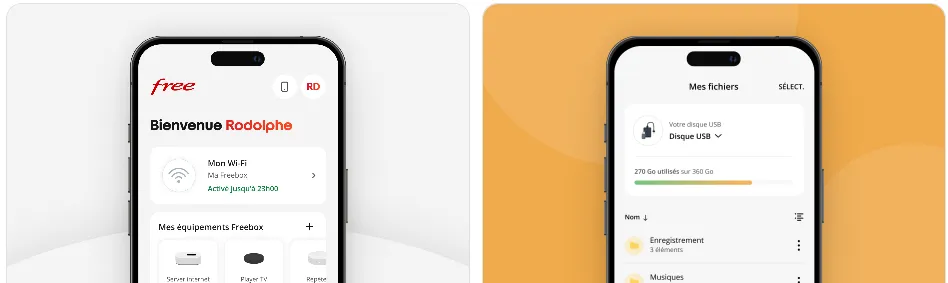
You can subscribe, activate your eSIM, manage your plan, and get support entirely through their well-designed app, avoiding stores.
5. Reliable Network in France
Free Mobile operates on its own network and has extensive roaming agreements with Orange France. In cities, coverage is excellent. In very rural areas, it can be less consistent than Orange or SFR, but for most users, it's perfectly fine.
6. A Real Phone Number
Unlike many travel eSIMs which are data-only, a Free Mobile eSIM provides a French phone number (+33).You can make unlimited calls and SMS within France/Europe, receive bank 2FA codes, and make restaurant reservations—things a data-only eSIM can't do.
7. Instant 24/7 Availability
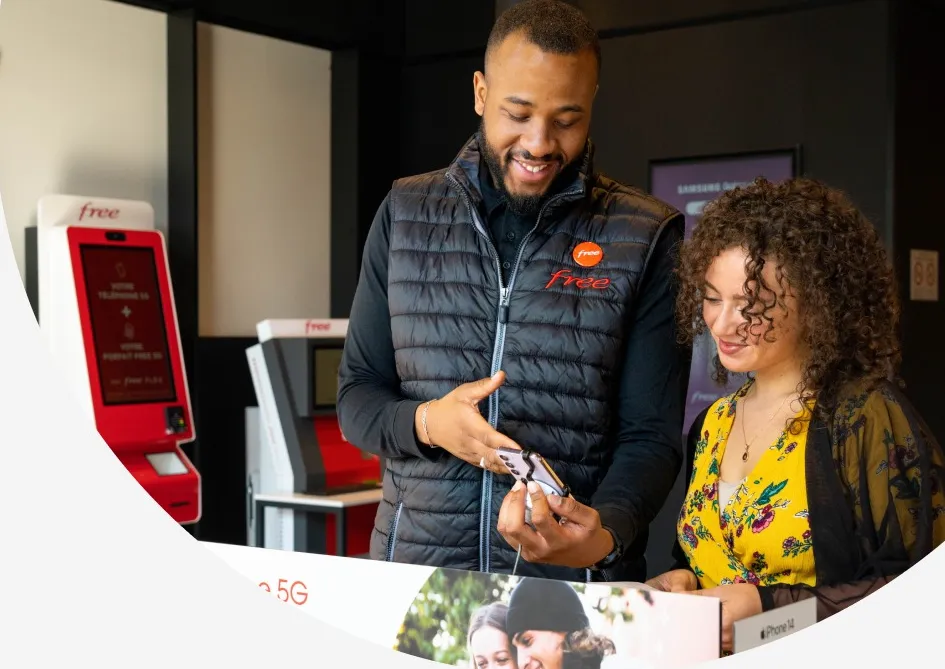
With over 830 kiosks (Bornes) across France, you don’t need to wait for a store to open or speak to a representative.You can walk up to a kiosk at a train station at 11:00 PM, scan your ID, pay by card, and have an active eSIM QR code printed/emailed to you in under 3 minutes.
In short: For its target audience in France, Free Mobile's eSIM offer is exceptional and a top-tier choice.
🎯Who Is Free Mobile eSIM Best For?
-
Expatriates moving to France: This is arguably the best value plan for someone setting up life in France.
-
French residents who want to switch to eSIM for convenience without changing their cheap, generous plan.
-
Frequent travelers between France and the EU/US/Canada who want seamless, no-extra-cost roaming.
-
Students in France needing a lot of data at a low price.
🔸Comparison: Free Mobile vs. Other eSIM Types
|
Feature |
Free Mobile eSIM (Resident Plan) |
Travel eSIM (e.g., Airalo) |
Local French Prepaid eSIM (e.g., Orange) |
|
Best For |
Living in France |
Short-term tourism |
Short/medium stay, no French bank account |
|
Price (Example) |
€19.99/month |
€18 for 5GB/7 days in France |
€20-40 for a prepaid package |
|
Data in France |
210GB |
1-10GB packages |
5-100GB packages |
|
Roaming |
25GB in 70+ destinations |
Usually local-only or separate plan |
Limited or expensive |
|
Activation Hurdle |
Requires French ID/address |
Easy, online in 5 mins |
Easy, buy at store/online |
|
Commitment |
Monthly, cancel anytime |
One-off, expires |
Prepaid, top-up |
Phones Supporting Free Mobile eSIM
To use a Free Mobile eSIM, your device must be carrier-unlocked and equipped with an eSIM chip. As a general rule, most flagship phones released from 2019 onwards (and mid-range models from 2023 onwards) are compatible.
Here's a current list of mobile devices that support eSIM and should work with Free Mobile’s eSIM in France — meaning your phone can install and use a Free Mobile eSIM.
|
Brand |
Model |
|
Apple |
All models from the iPhone XS, XS Max, and XR up to the latest iPhone 17 series (including 17 Pro, 17 Pro Max, and 17 Air). ⚠️Note: US-model iPhones (14 and later) are eSIM-only. Non-US models still support a physical SIM alongside an eSIM. |
|
Samsung |
⚠️Note: Most US, Korean, and Chinese versions of the S20/S21 do not support eSIM. |
|
|
All models from the Pixel 3 up to the Pixel 10 series (including Pro, XL, and Fold models). ⚠️Note:Pixel 3a bought in Japan or via Verizon usually does not support eSIM. |
|
Other Popular Brands |
|
- Locked Phones: If your phone is still under a payment plan with a carrier (like AT&T, Verizon, or EE), they may have "locked" the eSIM slot. You must ask them to unlock it before Free Mobile's eSIM will work.
-
China/Hong Kong Models: iPhones and many Samsung devices manufactured for Mainland China, Hong Kong, or Macao often have two physical SIM slots and no eSIM capability.
How to Get a Free Mobile eSIM?
There are two primary ways to purchase a Free Mobile eSIM.
Option A: At a "Borne Free" (Kiosk) — Best for Immediate Use
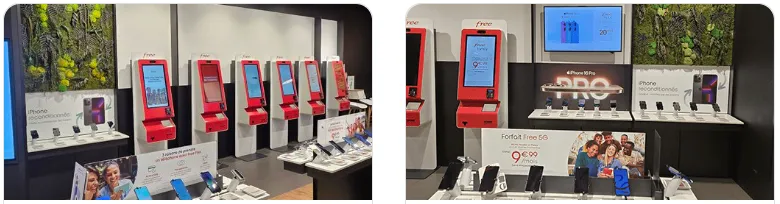
This is the best method for tourists. There are over 260 shops and 830 kiosks in France (found in Free stores, "Maison de la Presse," and "Relay" shops at airports/train stations).
- Process:
-
Locate a Kiosk: Use the Free Store Locator to find one.
-
Select a Plan: Choose between the 1-month "No Commitment" (Sans engagement) plans.
-
Choose eSIM: During the process, select eSIM instead of a physical SIM.
-
Payment: You must pay via a credit/debit card (Visa/Mastercard). The kiosk will charge a €10 activation fee plus the first month of the plan.
-
Receive QR Code: The kiosk will print a receipt with your phone number, and the QR code for activation will be sent to your email immediately.
-
-
Cost: There is typically a €10 fee for the eSIM (same as a physical SIM).
Option B: Online via the Website/App — Best for Residents
-
Download "Free Mobile" from Apple App Store or Google Play Store or visit mobile.free.fr on your browser.
-
Select your plan and click "S'abonner."
-
Enter your details and a French shipping address (required for validation, even for eSIM).
-
Choose the eSIM option (€10 fee).
-
Validate your identity (if prompted) and pay. The QR code will appear in your "Espace Abonné" (Customer Area).
Steps to Activate Your Free Mobile eSIM
Activating a Free Mobile eSIM is a digital process that can be completed in just a few minutes, whether you are a resident or a traveler.
1. Prerequisites
Before you begin, ensure you meet these three requirements:
-
Unlocked Device: Your phone must be carrier-unlocked (not tied to a contract with a provider like AT&T or Vodafone).
-
Wi-Fi Connection: You must be connected to Wi-Fi to download the eSIM profile to your phone.
-
QR Code: You should have your Free Mobile QR code ready (either printed from a kiosk or open on a laptop/tablet screen).
2. Activation Process
Once you’ve obtained the eSIM (either at a store or through your account), you need to install it on your phone:
For iPhone Users:
-
Go to Settings > Cellular (or Mobile Service).
-
Tap Add eSIM.
-
Select Use QR Code.
-
Scan the QR code provided by Free Mobile.
-
Follow the prompts to label your new line (e.g., "France Data") and choose it as your Primary Data Line.
For Android Users (Samsung, Pixel, etc.):
-
Go to Settings > Connections > SIM Manager (or Network & Internet > SIMs).
-
Tap Add eSIM (or the + icon).
-
Select Scan QR code from carrier (or Download a SIM instead).
-
Scan the QR code provided by Free Mobile.
-
Once the profile is downloaded, ensure the "Free" line is toggled to ON.
🔐PIN Code: The default PIN for Free Mobile is usually 1234. It is highly recommended to change this in your phone settings immediately.
3. Important Post-Activation Settings
Once the eSIM is installed, check these settings to ensure it works immediately:
-
Data Roaming: If you are outside of France (in the EU or other roaming zones), make sure Data Roaming is toggled ON for the Free eSIM.
-
Default Data: Set your phone to use the Free eSIM for Cellular Data to avoid accidental roaming charges on your home SIM.
-
Restart: If you don't see a signal after 5 minutes, restart your phone. This often triggers the "handshake" with the local network.
⚠️Troubleshooting Common Issues:
-
"QR Code Already Used": A Free Mobile eSIM QR code can usually only be scanned once. If you delete the profile by accident, you will need to log into your Espace Abonné and pay €10 for a replacement.
-
EID Errors: If a kiosk asks for your EID, dial *#06# on your phone's dialer. A long 32-digit number will appear—this is what the machine needs to identify your device.
-
No Signal: Check that the "Free" network is selected. In some areas, you may need to manually select a carrier (like Orange or SFR) if the automatic selection fails.
Transferring or Converting Physical SIM to eSIM
If you already have service on a physical SIM, you can convert to eSIM via your account or customer service. There may be a small fee (≈ €10).Converting to eSIM does not change your plan's features. If you are on the €19.99 plan, your 5G access remains exactly the same.
Always perform the transfer while connected to a stable Wi-Fi network. If your connection drops during the download, the eSIM profile might get "stuck," requiring you to contact support.Here’s a clear, practical guide on how to convert your Free Mobile physical SIM to an eSIM while keeping the same number and plan.
Method 1: Via the Free Mobile App/Website (All Devices)
This is the official method for all customers and ensures your account is properly updated.
-
Log in: Access your Espace Abonné or the Free Mobile app.
-
Navigate: Go to Mon compte (My Account) > Mon offre (My Plan) > Changer de SIM (Change SIM).
-
Choose eSIM: Select the eSIM option from the list of formats.
-
Payment: You will be charged a €10 fee. This is standard for any SIM swap (physical to eSIM or vice versa).
-
Activate & Download: After payment, your QR code will be generated.
-
You can scan it immediately or find it later under Ma SIM > Ma eSIM in your portal.
-
Once scanned and activated, your physical SIM card will be deactivated automatically.
-
Method 2: iPhone "Convert to eSIM" Feature
If you have an iPhone (XR or newer) running recent iOS versions, Free Mobile supports Apple’s native conversion tool.
-
Go to Settings > Cellular (or Mobile Service).
-
Tap on your Free line.
-
Look for Convert to eSIM. If you don't see this option, your specific plan or device may not be eligible for this shortcut, and you should use Method 1.
-
Confirm the conversion. This process usually prompts you to "Double-Click" the side button to authorize.
-
Fee: Note that the €10 fee may still be billed to your next invoice even if done through the iPhone settings.
Once you convert to eSIM, your physical SIM is dead. If you ever want to go back to a physical SIM, you must order a new one (another €10) and wait for it to arrive by mail or get it from a kiosk.
Best Free Mobile Prepaid Plans
Free Mobile doesn't offer "prepaid" in the traditional sense of scratch-off cards or credit top-ups. Instead, they provide "Sans Engagement" (No-Contract) plans. These are essentially pay-as-you-go subscriptions that you can cancel at any time, or if bought at a kiosk, can be set to automatically expire after one month.
Here are the best Free Mobile plans for residents and travelers:
1. The Heavyweight: Forfait Free 5G+ Plan
This is arguably the best-value mobile plan in Europe for high data users and international travelers.
-
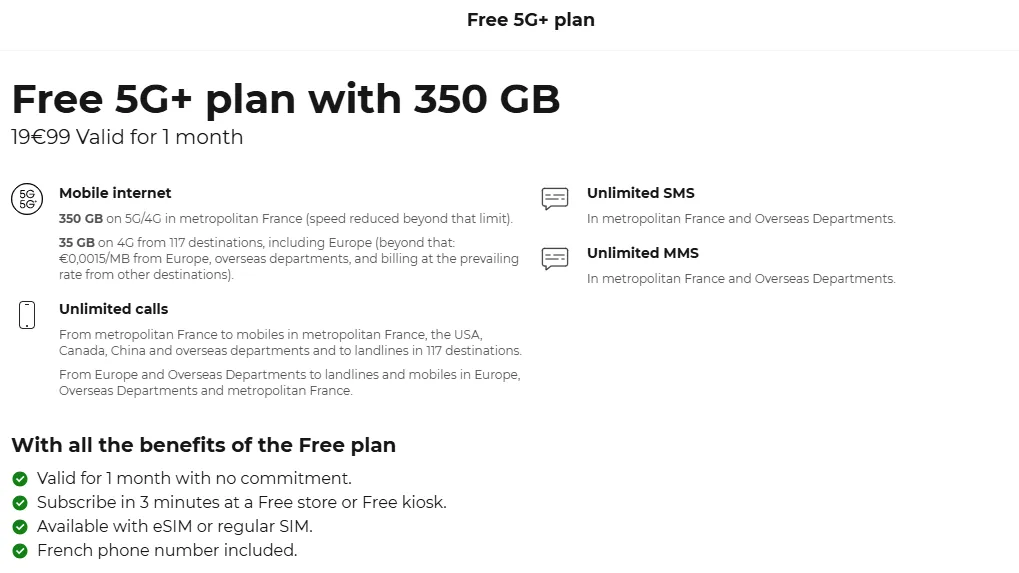
Price: €19.99/month (or €9.99 for Freebox Pop subscribers).
-
Data in France: 350 GB of 5G/5G+ (Unlimited for Freebox subscribers).
-
Roaming Data: 35 GB usable in over 110 destinations (including USA, Canada, Australia, China, and all of Europe).
-
Calls/SMS: Unlimited to mobiles and landlines in France, USA, Canada, and China, plus unlimited to landlines in 100+ countries.
-
Best for: Tourists on a long trip, digital nomads, and heavy streamers.
2. The Mid-Tier: Série Free
This is a promotional plan that sits between the basic and premium offers. Its data allowance and price change slightly every few months.
-
Price: Usually around €8.99 to €12.99/month.
-
Data in France: Typically 110 GB to 140 GB (4G/5G).
-
Roaming Data: ~30 GB in Europe and French Overseas Territories (DOM).
-
Note: After 12 months, this plan automatically converts into the €19.99/month 5G plan.
-
Best for: Residents or students staying in France for a year or less.
3. The Minimalist: Forfait 2€
The famous "Plan that hasn't changed price since 2012."
-
Price: €2/month (Free for Freebox subscribers).
-
Data in France: 50 MB (often includes a "Booster" option for 5GB or 20GB for a few extra euros).
-
Calls/SMS: 2 hours of calls and unlimited SMS/MMS.
-
Best for: People who primarily use Wi-Fi, kids' first phones, or keeping a French number active while abroad.
🔸Comparison of Free Mobile Plans:
|
Feature |
Forfait 2€ |
Série Free |
Forfait Free 5G+ |
|
Price |
€2.00 |
~€9.99 |
€19.99 |
|
Data (France) |
50 MB |
110 GB - 140 GB |
350 GB (5G+) |
|
Roaming Data |
50 MB |
~30 GB (EU) |
35 GB (110+ countries) |
|
Calls |
2 Hours |
Unlimited |
Unlimited |
|
Contract |
None |
None |
None |
🔸Quick Buying Guide:
-
For Tourists (No ID needed for IBAN): Go to a Borne Free (Kiosk) at the airport or a newsstand. Select the €19.99 plan and choose the "Valid for 1 month" option. You pay by credit card, and the line simply stops working after 30 days—no cancellation required.
-
For Residents: Sign up online to have the monthly fee automatically debited from your bank account.
-
eSIM Fee: Regardless of the plan, there is a one-time €10 fee for the eSIM or physical SIM card at the time of purchase.
Frequently Asked Questions (Q & A)
Q: Can I activate my Free Mobile eSIM while I'm still in my home country?
A: It is highly recommended to activate it in France. While technically possible to download the profile abroad, the initial "handshake" with the network is most reliable when you are in range of Free's towers. If you scan the QR code before you travel, the eSIM may show "Activating" or "No Service" until you land in France.
Q: What happens if I accidentally delete my eSIM profile?
A: Unlike a physical SIM, you cannot simply "re-scan" the original code. You must log into your Espace Abonné and request a new eSIM. This will cost €10 and generate a new, unique QR code.
Q: Does Free Mobile eSIM support 5G?
A: Yes. If you have the €19.99 plan and a 5G-compatible device, you will have access to Free's extensive 5G network (700 MHz and 3.5 GHz bands) at no extra cost.
Q: Can I use Hotspot/Tethering with a Free eSIM?
A: Yes. Free Mobile allows tethering on all its plans. With the 350GB allowance on the flagship plan, it is a popular choice for digital nomads using their phones as a primary Wi-Fi source.
Q: Do I need a French bank account (IBAN) to buy an eSIM?
A:
-
Online: Yes, usually a European IBAN is required for the recurring monthly subscription.
-
At a Kiosk (Borne Free): No. You can use any international Visa or Mastercard. This is the preferred method for tourists.
Q: Can I keep my home SIM active at the same time?
A: Yes. Most modern phones (iPhone 11+, Pixel 4+, Galaxy S20+) support Dual SIM functionality. You can keep your home physical SIM in the tray for texts and calls while using the Free eSIM for all cellular data.
Q: How do I cancel my plan if I'm just visiting for a month?
A: If you buy at a kiosk, select the "Valid for 1 month" option. The plan will simply stop working after 30 days—no further action is needed. If you signed up for a subscription, you must cancel it via your online portal or by sending a registered letter (lettre recommandée), though the portal is much easier in 2026.
Q: My QR code won't scan. What should I do?
A:
1. Increase your screen brightness on the device displaying the code.
2. Clean your phone's camera lens.
3. If it still fails, you can enter the details manually in your settings using the SM-DP+ Address and Activation Code provided in your confirmation email or subscriber area.
Q: Can I transfer a Free Mobile eSIM to a new phone?
A: Not directly. If you change phones, you usually need to re-issue a new eSIM from your Free account and scan a new QR code on the new device.
Q: Can I use Free Mobile eSIM outside France?
A: Yes. Free Mobile plans include EU and international roaming data. For example, higher plans allow tens of GB across Europe. Always check your plan’s roaming limits before traveling.