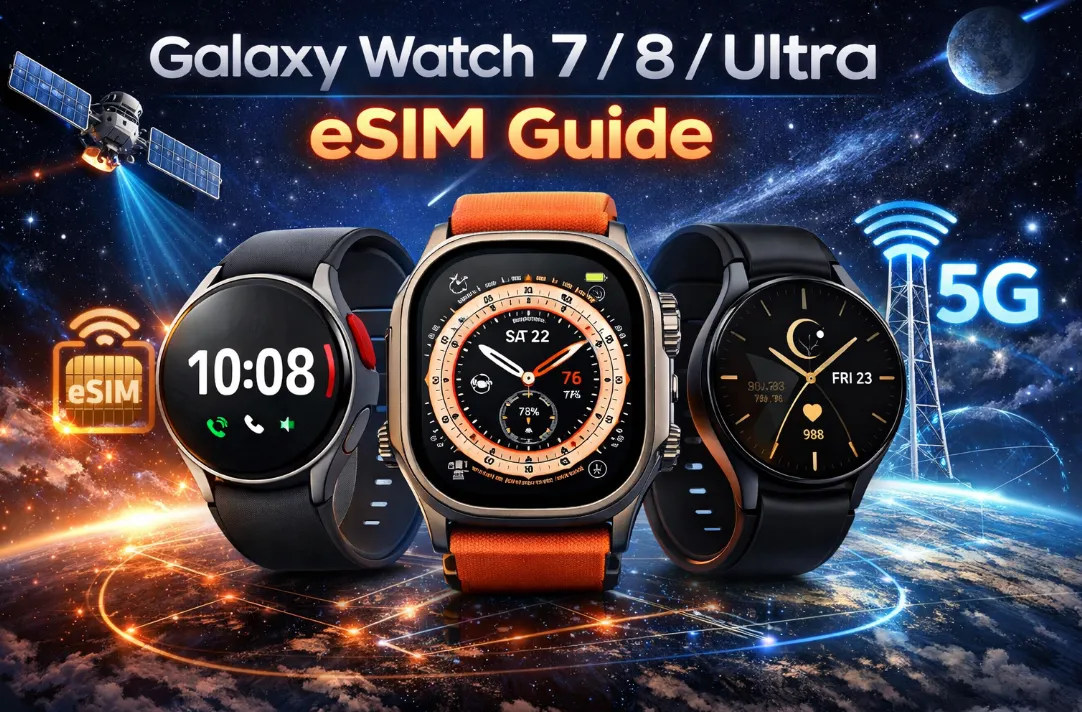
Smartwatches have evolved far beyond simple fitness trackers, and cellular connectivity is now a game-changer. The Galaxy Watch 7, Watch 8, and the premium Watch Ultra represent the pinnacle of Samsung’s wearable ecosystem. To truly unlock their "Untethered" potential—making calls, streaming music, and using GPS without your phone—a properly configured eSIM is essential, especially when it comes to activation, carrier compatibility, and plan selection. This guide covers everything for the Galaxy Watch 7, 8, and Ultra models in 2026: clear instructions for adding a mobile plan, transferring your eSIM to a new watch, and finding the best-value data packages for standalone use. No jargon, just practical steps to help you go phone-free with confidence.
What Is eSIM on Galaxy Watch?
Think of an eSIM (embedded SIM) as a permanent, digital version of the physical plastic SIM card you slide into a phone. In the Galaxy Watch 7, 8, or Ultra, this "card" is a tiny chip soldered directly onto the watch's motherboard.

1. How It Works
Unlike a phone, where you might swap cards, an eSIM is rewritable. When you "activate" a plan on your Galaxy Watch, your carrier sends a digital profile over the air (via encrypted data) that tells that internal chip how to connect to their cellular towers.
2. Key Benefits
-
True Independence: You can leave your phone at home while you go for a run or to the store. You will still receive texts, take calls, and stream music directly through the watch.
-
Number Sharing: Most carriers use technology (like Samsung’s "NumberShare") so your watch and phone share the same phone number, even though they are two separate devices.
-
Space Saving: Because there is no bulky SIM tray, Samsung can use that extra space for a larger battery or the advanced sensor arrays found in the Watch Ultra.
- Safety Net: Stay connected in emergencies or quickly share your location from your wrist, even if you're away from your phone.
Requirements Before Setup
Before activating eSIM on your Galaxy Watch, make sure you have:
✔️ Device & Software
You must have an LTE model of the Galaxy Watch 7, 8, or Ultra. Bluetooth/Wi-Fi-only models do not support cellular connectivity.
-
Galaxy Watch 7 / 8 / Ultra (LTE version).
-
A Samsung Galaxy phone running Android 12.0 / One UI 6.0 or higher is recommended for the smoothest "Number Share" experience.
-
Latest software updates installed.
- Ensure both the watch and phone have at least 50% battery.
✔️ Carrier Support
Not all carriers offer eSIM plans for smartwatches. Confirm with your chosen carrier that they support Galaxy Watch LTE models before starting the activation process.
Most major carriers (like Verizon, AT&T, T-Mobile) require you to have an active smartphone plan on the same account to add a wearable plan. However, some alternative carriers may offer standalone plans.
✔️ Connectivity
-
Wi-Fi or mobile data during setup.
-
Bluetooth connection between phone and watch.
Standalone vs. Shared Plan
Choosing between a Shared Plan and a Standalone Plan depends entirely on whether you want your watch to be a "mini-me" of your phone or its own independent device.
A. Shared Plan (NumberShare / DIGITS)
This is the most common setup for most users. Your watch and phone act as a single unit.
-
The Number: Your watch shares the same phone number as your smartphone.
-
How it Works: When someone calls your mobile number, both your phone and your watch ring simultaneously. When you text from your watch, it shows up on the recipient's phone as coming from your usual number.
-
Best For: Runners, gym-goers, or anyone who wants to leave their phone at home but stay reachable via their primary contact info.
-
Requirement: Your watch must be on the same carrier account as your phone.
B. Standalone Plan
This treats your Galaxy Watch as a completely separate mobile device with its own unique identity.
-
The Number: The watch is assigned its own dedicated phone number.
-
How it Works: It functions like a tiny phone on your wrist. It doesn't care what your "main" phone is doing. You can call the watch directly without the phone ever ringing.
-
Best For:
-
Family Link/Samsung Kids: Giving a watch to a child who doesn't have a phone yet.
-
Seniors: Using the "Safety and Emergency" features of the Watch Ultra without needing a smartphone paired at all times.
-
International Travel: Buying a local data-only eSIM (like Airalo) for your watch while keeping your home SIM in your phone.
-
-
Requirement: Can be on a different carrier than your phone.
‼️Comparison at a Glance:
|
Feature |
Shared Plan |
Standalone Plan |
|
Phone Number |
Same as your phone |
Unique to the watch |
|
Syncing |
Texts/Calls perfectly synced |
Operates independently |
|
Carrier |
Must match your phone |
Can be any provider |
|
Monthly Cost |
~$5 - $15 add-on |
~$10 - $25 (Separate line) |
|
Main Use Case |
Exercise / Errands |
Kids / Seniors / Travel |
⁉️Which one should you choose:
-
Choose Shared if you have a Samsung phone and just want to be able to go for a run without a brick in your pocket. It's cheaper and keeps your digital life organized.
-
Choose Standalone if you are setting the watch up for someone else (via Samsung's Family Setup), or if you are a "digital nomad" using a specialized data-only eSIM for global roaming.
Best eSIM Plans for Galaxy Watch
While many carriers advertise eSIM plans for phones, plans for smartwatches like the Galaxy Watch are a specific category. Here is a detailed look at the best eSIM plans for your Galaxy Watch in the US and UK.
A. United States Watch eSIM Plan
These are shared plans where your watch uses your existing phone number. They are typically add-ons to your current mobile bill.
|
Provider |
Plan Name |
Monthly Cost |
Best For |
|
Watch Plan |
$10 - $15 |
The Best Value. The $15 "Plus" version includes 5GB of international data and unlimited texting in 215+ countries. |
|
| Unlimited / Unlimited Plus for Apple &Android watches |
$7.50 - $12.50 |
The Power User. Price drops to $7.50 if you have a top-tier "Unlimited Ultimate" phone plan. Includes 5G Ultra Wideband. |
|
|
Unlimited Wearable |
$10.99 |
Simplicity. Flat rate for unlimited talk/text/data. ⚠️Note: Some older plans saw a price hike in early 2026. |
Best Budget & Alternative Plans:
If you want to save on monthly fees, these MVNOs (Mobile Virtual Network Operators) are the top picks:
-
Google Fi Wireless ($0 / Free): If you are already a Google Fi subscriber, adding a Galaxy Watch 7/8/Ultra is free. It shares your phone's data bucket at no extra monthly "line fee."
-
Visible by Verizon ($5 - $10):
-
Visible+ Plan: Includes one smartwatch line for free.
-
Standard Visible: A $5/month add-on. Taxes and fees are always included in the price.
-
B. UK Watch eSIM Plan
All UK carriers use the same model: a watch plan is an add-on to an existing phone plan. It’s not a separate service. They all use Number Sharing technology to give your watch the same number as your phone. Here’s how the two main approaches work in practice:
-
Service Add-On (EE & O2): Your watch gets a unique eSIM for billing purposes, but calls and texts from your main number are automatically forwarded to it. This means you can’t use it completely separately—if your phone is off, the watch plan’s independent connection takes over, but the line is still tied to your main account. EE’s watch plans are typically around £7 for 10GB.
-
Shared Allowance (Three & Vodafone): Your watch eSIM is directly paired to your main plan, drawing from its data, minutes, and text allowance. This gives you more flexibility. Even if you leave your phone behind, your watch continues using the shared allowance as if it were your phone.
Here is a comparison of the major carriers offering Galaxy Watch eSIM plans in 2026:
|
Carrier |
Plan Name |
Monthly Cost |
Key Requirement |
Number Sharing |
|
Watch Plan |
£7 - £9 |
EE pay monthly phone plan |
Yes (NumberShare) |
|
|
Smartwatch Plan |
£5 |
O2 pay monthly phone plan (and a compatible Samsung phone) |
Yes |
|
|
Smartwatch Pairing Plan |
£5 - £7 |
Three pay monthly plan |
Yes (Shares plan allowance) |
|
|
OneNumber |
£7 |
Vodafone pay monthly plan |
Yes (Shares plan allowance) |
Most popular budget networks like Giffgaff, Sky Mobile, and Tesco Mobile still do not support smartwatch cellular plans as of early 2026. If you are on these networks, your watch will work via Bluetooth/Wi-Fi only.
Step-by-Step Setup & Activation Guide
Method 1: Via Galaxy Wearable App (Recommended)
This is the easiest method used by most users.Follow these general steps to set up your Galaxy Watch eSIM. The exact process may vary slightly depending on your carrier.
-
Pair Your Devices: Ensure your Galaxy Watch and smartphone are paired via Bluetooth using the Galaxy Wearable app.
-
Start Mobile Plan Setup: In the Galaxy Wearable app, go to Watch Settings → Mobile plans (or a similarly named option) to initiate the process.
-
Scan/Search: The app will automatically scan for available plans from your current carrier.
-
Enter Confirmation: If prompted, enter the confirmation code or ePIN provided by your carrier.
-
Complete Download: The eSIM profile will download to your watch. This process may take a few minutes.
-
Confirm Activation: Once complete, you should see a confirmation message on your watch or in the app. You may also receive a confirmation SMS from your carrier.
Method 2: QR Code Activation
If you are using a standalone plan or a secondary travel eSIM:
-
In the Mobile Plans section, tap "Use code" or "Add plan via QR code."
-
Point your phone’s camera at the QR code provided by your eSIM provider.
📌 Note: Some carriers issue a new QR code after reset.
To ensure the activation worked perfectly:
-
Turn off Bluetooth on your phone (or walk far away from it).
-
On the watch, swipe down to the Quick Panel.
-
Look for the LTE signal bars.
-
Try sending a text or asking the Assistant a question. If it works, you are officially "untethered."
Transferring eSIM (Watch 7 to Watch 8/Ultra)
If you upgrade your watch, your eSIM will not transfer automatically. Here's what you need to do:
Automatic Transfer via Smart Switch:
-
When setting up your new Galaxy Watch 8 or Ultra, choose the option to "Restore from backup" via Smart Switch.
-
The app will detect the active eSIM on your old watch and ask if you want to "Move plan to new watch."
-
The old watch will receive a 6-digit verification code. Enter this on the new phone/watch.
-
The profile will deactivate on the old device and activate on the new one.
Manual "Hidden" QR Activation (If Transfer Fails):
If your carrier doesn't support instant transfer, you may need to manually enable the QR scanner:
-
In the Galaxy Wearable app, go to About Galaxy Wearable.
-
Tap the title "Galaxy Wearable" 5 times quickly to open the Hidden Menu.
-
Go to Module Test > Eg Test > Toggle QR TestMode to ON.
-
Return to Mobile plans, and you will now see an option to scan a generic QR code from your carrier.
Troubleshooting Common Issues
Issue: "Couldn't set up mobile plan" (Xfinity/Comcast specific).
- Fix: Ensure your primary phone line is active and in good standing. Clear the cache of the Galaxy Wearable app. Request a new QR code from the carrier (codes often expire in 24 hours). If all fails, escalate to a supervisor or corporate support.
Issue: Phone calls work, but SMS/Data fails.
- Fix: This is often an APN or "Data Switching" conflict. On your phone, go to Settings -> Connections -> Mobile Networks. Ensure the primary SIM card (the one paired to the watch) is set as the default for mobile data, not the secondary SIM.
Issue: The watch drains battery extremely fast.
- Fix: Cellular connectivity drains the battery. A Galaxy Watch 7/8/Ultra will generally last 24-36 hours with LTE on, but significantly less if the signal is weak. Disable "Auto LTE" or switch to "Always Off" when you have your phone nearby.
Issue: Emergency calls only.
- Fix: This usually means the eSIM profile downloaded but hasn't been provisioned by the carrier yet. Restart both your phone and watch.
Issue: Plan not supported.
- Fix: Ensure your phone plan is "Postpaid." Many "Prepaid" plans still do not support secondary eSIMs for wearables.
Frequently Asked Questions (FAQ)
Does the Galaxy Watch 7/8/Ultra support eSIM?
Yes, all LTE models of the Galaxy Watch 7, Watch 8, and Watch Ultra support eSIM technology.
Can I use a different carrier for my watch than my phone?
Typically, for major carriers like Verizon, AT&T, and T-Mobile, your watch must be on the same account as your phone to use their NumberShare features. However, some alternative providers may offer standalone smartwatch plans.
Will my watch have a different phone number?
If you use your carrier's "NumberShare" or similar service, your watch will share your existing phone number. If you get a standalone plan, it will have its own number.
How much data does a smartwatch plan need?
Smartwatches use very little data compared to phones. Most "unlimited" wearable plans offer sufficient data for notifications, calls, and occasional music streaming.
Does Galaxy Watch support dual eSIM?
No. Only one active mobile plan at a time.
Can I use travel eSIM on Galaxy Watch?
Rarely. Most are phone-only.
Does an eSIM use more battery?
Using LTE on your watch consumes significantly more battery than using Bluetooth. In 2026, the Galaxy Watch 8 and Ultra have optimized this, but it is still best to rely on your phone's connection when it's nearby to preserve the watch's charge.
Can I switch carriers on my watch eSIM?
Yes, you can. You would need to delete the existing eSIM profile from your watch and then download a new one by scanning a QR code from your new carrier.