Choosing a mobile network in the UK can be overwhelming, especially with more providers now offering QR-based activation instead of traditional plastic cards. Among the major operators, O2 remains one of the most popular choices for flexible data plans, wide coverage, and reliable speeds.If you're considering O2’s embedded SIM service, this guide explains everything you need to know — from purchasing a plan online to setting it up on your device and moving your number across phones.
Why Choose O2 UK eSIM?
An eSIM (embedded SIM) is a digital SIM profile built into many modern smartphones and devices that lets you activate mobile service without a physical SIM card. It works just like a normal SIM but you download it via QR code or in-device setup.
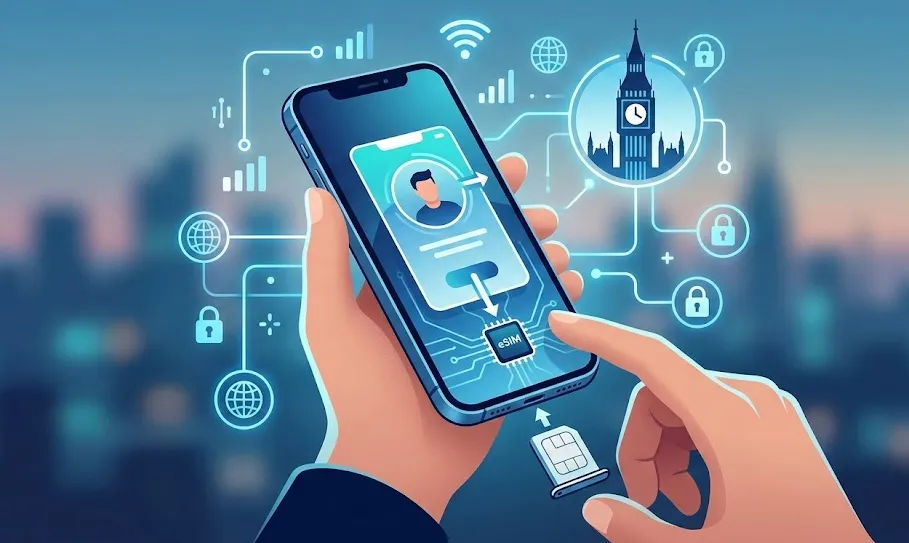
Here’s why many people choose an O2 UK eSIM — and what makes it a compelling option if you’re considering digital SIM service on the O2 network:
1. The "Only Network" Roaming Advantage
O2 remains the only major UK network that has not reintroduced daily roaming charges in Europe.
-
EU Roaming: You can use up to 25GB of your data at no extra cost in over 40 European destinations.
-
Global Reach: If you choose a Plus or Ultimate plan, you get the "O2 Travel Inclusive Zone," which covers up to 75–123 destinations (including the USA, Australia, and Mexico) for free.
2. O2 Priority & Rewards
This is often the deciding factor for UK residents. Having an O2 eSIM gives you full access to the O2 Priority app, which includes:
-
Early Access: Buy concert and event tickets 48 hours before the general public.
-
Daily Treats: Free weekly coffees (often via Greggs or Nero), cinema discounts, and high-street shopping vouchers.
-
Airtime Rewards: Earn money off your phone bill simply by shopping at partner retailers.
3. Advanced Network Features
-
O2 Satellite Connectivity: New for 2026, O2 offers satellite-to-mobile messaging for emergencies in "black spots" where there is no cell signal.
-
5G+ Coverage: O2 has heavily invested in "Small Cell" technology in urban centers (over 1,800 sites), providing high-density 5G+ speeds in crowded areas like stadiums and shopping centers.
-
Volt Benefits: If you are also a Virgin Media customer, your eSIM data is automatically doubled for free, and your home broadband speed is boosted.
4. Flexible, No‑Contract Options
Many O2 eSIM plans — especially prepaid or third‑party offerings — are 30‑day rolling contracts you can cancel or change anytime, with no long‑term commitment.This flexibility is great if you don’t want to be locked into a 12‑ or 24‑month deal.
5. Sustainability & Security
-
Eco-Friendly: Since there is no plastic card, no packaging, and no delivery truck involved, an eSIM is the "greenest" way to connect.
-
Anti-Theft: Unlike a physical SIM, a thief cannot remove your eSIM to stop you from tracking a stolen phone via "Find My" services. It is digitally locked to your device and O2 account.
6. Seamless Dual-SIM Setup
An eSIM allows you to use your phone's physical slot for something else. This is ideal for:
-
Work/Life Balance: Keeping a business number on the eSIM and a personal number on a physical SIM.
-
Travelers: Keeping your O2 number active for 2FA/banking texts while using a local physical SIM for cheap data in non-roaming countries.
Phones Supporting O2 UK eSIM
To use a O2 eSIM, your device must be carrier-unlocked and equipped with an eSIM chip. Most flagship and mid-range smartphones released in the last few years are compatible with O2's eSIM. O2 has also expanded support to the latest hardware, including the newly released iPhone 17 and Samsung Galaxy S26 series.
Here’s a current list of phones that support O2 UK eSIM:
|
Brand |
Model |
|
Apple |
📌 Note: Some region‑specific models (e.g., China variants) may omit eSIM support even if the model name matches — always check in device settings (“Add eSIM”) for confirmation. |
|
Samsung |
📌 Note:eSIM support can vary by region and exact handset firmware — check in Settings if you don’t see “Add eSIM.” |
|
|
|
|
Other Manufacturers |
|
How to verify if your specific phone is ready?
If your phone isn't on the list above, you can check for eSIM readiness yourself:
-
Check for an EID: Dial *#06# on your keypad. if an EID number (32 digits) appears, your hardware supports eSIM.
-
Settings Menu:
-
iPhone: Go to Settings > Mobile Service. If you see "Add eSIM," you're good.
-
Android: Go to Settings > Network & Internet > SIMs. Look for "Download a SIM" or "Add eSIM."
-
🔔 Pro Tip: Devices purchased in mainland China (even iPhones) often lack eSIM hardware entirely, favoring dual physical SIM slots instead. If your phone was imported from China, it likely won't support an O2 eSIM.
How to Buy an O2 eSIM?
The method for getting an eSIM depends on whether you are a new or existing customer.
A. For New Customers (Pay Monthly)
You can select an eSIM as your delivery method when purchasing a SIM Only plan or a new handset via the O2 Online Shop.
-
SIM Only: When ordering a phone or SIM-only deal on the O2 website, you can select "eSIM" instead of a physical SIM during the checkout process.Your digital profile will be delivered via the My O2 app or a QR code in your account.
-
New Handsets: If you buy an eSIM-compatible phone on a Pay Monthly contract, you can opt for an eSIM to be pre-installed or sent as a digital "Quick Connect" profile.
B. For Existing Customers (Switching from Physical SIM)
If you already have a plastic O2 SIM,you can swap your current physical SIM for an eSIM via the My O2 app or website. Go to 'Manage my device' > 'Replace your SIM' and select 'eSIM'.
-
Log in to the My O2 website or app.
-
Navigate to "Phones, SIMs and devices" -> "Manage my device".
-
Select "Replace your SIM" and choose "eSIM".
-
Follow the prompts to confirm. Your physical SIM will deactivate shortly after the eSIM is generated.
⚠️ Note on Pay As You Go (PAYG): As of early 2026, O2 typically limits eSIMs to Pay Monthly and Business customers. Standard PAYG plans often still require a physical SIM, though specialized travel eSIM providers (like eSIM.net) offer O2-powered prepaid travel plans.
Activation Guide
Once you have your eSIM "profile" ready, activation is usually quick but requires a Wi-Fi connection.
Method A: The My O2 App (Easiest)
-
Open the My O2 app on the device where you want the eSIM.
-
Tap the notification that says 'You have an eSIM profile ready for installation'.
-
Tap 'Install Now' and follow the on-screen prompts.
Method B: QR Code (Standard)
-
Log in to My O2 on a different device (laptop or tablet) to display your QR code.
-
On your phone, go to Settings > Mobile Service (iPhone) or Network & Internet (Android).
-
Select Add eSIM or Download a SIM.
-
Scan the QR code and follow the instructions to activate.
⚠️ Note: Activation usually takes a few minutes but can take up to 24 hours in some cases. Do not delete the eSIM profile if it doesn't work immediately.
Transferring eSIM to a New Phone
O2 supports "eSIM Quick Transfer" for certain devices:
-
iPhone to iPhone: Use Apple’s eSIM Quick Transfer. Ensure both phones are on the latest iOS (currently iOS 19 or 20 in 2026), have Bluetooth on, and are near each other. Go to Settings > Mobile Service > Add eSIM and choose 'Transfer From Nearby iPhone'.
-
Android to Android: Many modern Android devices (Samsung S24/S25/S26 series) now support Google's eSIM transfer tool during the initial setup.
-
Cross-Platform (iPhone to Android or vice-versa): You cannot "transfer" directly. You must log in to My O2, request a "Replacement SIM" (eSIM), and scan the new QR code on your new device.
Best O2 Plans for eSIM
O2 is highly rated for its roaming benefits, being the only major UK provider that has not reintroduced EU roaming fees (up to 25GB).
|
Plan Type |
Data |
Contract |
Price |
Key Benefit |
|
Value SIM |
40GB |
24 Months |
Lowest entry price for eSIM |
|
|
The All-Rounder |
250GB |
24 Months |
£19 |
Roam freely in the EU |
|
Unlimited Plus |
Unlimited |
24 Months |
£22.99 |
Roaming in 75 destinations (incl. USA/Aus) |
Troubleshooting & Tips
-
Wi-Fi is Mandatory: You cannot download an eSIM profile over cellular data; you must be connected to a stable Wi-Fi network.
-
"No Service" after activation: It can take up to 24 hours for a SIM swap to fully complete, though it usually happens within 30 minutes. Restart your phone if signal doesn't appear.
-
The "One-Time" Rule: Most O2 QR codes are for single use. If you factory reset your phone or delete the profile, you must request a new eSIM through My O2 or visit an O2 store with ID.
-
Security: If your phone is stolen, the eSIM cannot be "removed" by a thief as easily as a plastic SIM, adding a layer of security to your Find My Phone features.
O2 UK eSIM – Frequently Asked Questions (Q&A)
Can I get an O2 eSIM on Pay As You Go (PAYG)?
Yes, but it is still not available to order online. You must visit an O2 retail store with photo ID to get a PAYG eSIM pack. If you want a contract-free eSIM without going to a store, O2’s sister network Giffgaff allows you to set one up entirely through their app in minutes.
Does O2 support Apple’s "eSIM Quick Transfer"?
Yes. As of 2026, O2 supports native iPhone-to-iPhone and Android-to-Android (on select Pixel/Samsung devices) transfers. During the setup of your new phone, simply choose "Transfer from nearby phone." If this fails, you can always trigger a manual swap via the My O2 app.
What happens if I delete my eSIM profile by mistake?
Don't panic, but your service will stop immediately. You will need to log in to the My O2 website on a desktop or another device to retrieve your QR code again. If the code is marked as "already used," you will need to contact O2 customer service (dial 202 from another O2 phone) or visit a store to have a new one "pushed" to your account.
Can I use 5G and Wi-Fi Calling on an O2 eSIM?
Absolutely. An eSIM provides the exact same features as a physical SIM, including 5G+, Wi-Fi Calling, and 4G Calling (VoLTE). It also works perfectly with O2 Priority.
I’m traveling to the UK. Can I buy an O2 eSIM before I arrive?
For tourists, it is often easier to use a third-party provider like eSIM.net (which sells official O2 UK plans) or a travel eSIM like Airalo. These can be bought and installed while you are still at home, so you have data the second you land at Heathrow or Gatwick.
Does O2 charge extra for an eSIM?
No. There is no additional monthly fee or "activation fee" for choosing an eSIM over a physical one.
Can I use my O2 eSIM when I travel abroad?
Yes. All O2 Pay Monthly plans come with EU roaming included, allowing you to use up to 25GB of your data in EU destinations at no extra cost. For travel outside the EU, you can use O2's travel add-ons or purchase a separate data eSIM from a third-party provider to use alongside your O2 number.
How do I get a new QR code if I reset my phone or switch devices?
You cannot reuse the original QR code. You will need to request a new one from O2. The easiest way is to sign in to My O2 or contact O2 customer service directly (via phone or chat). Some users find it quicker to visit an O2 store with photo ID.