As more travelers and remote workers switch to digital connectivity, Xiaomi smartphones are becoming increasingly popular for their eSIM capabilities. Whether you're planning an international trip, looking to avoid expensive roaming charges, or simply want the convenience of managing multiple mobile profiles on one device, understanding how Xiaomi's embedded SIM technology works can save both time and money.So how to install and activate an eSIM on a Xiaomi phone?Which Xiaomi devices are eSIM compatible?In this guide, you'll learn which Xiaomi devices can use digital SIM services, how to get connected with international data providers, and the steps required to configure your mobile network successfully. We'll also compare popular worldwide data options and answer common questions to help you stay connected wherever you go.
Benefits of Using eSIM on Xiaomi
For International Travel
-
No physical SIM needed – Activate a data plan in minutes without visiting a local shop.
-
Keep your primary number active – Your physical SIM remains active for calls and texts while the eSIM handles data abroad.
-
50–80% cheaper than carrier roaming – Travel eSIM plans are significantly more affordable than international roaming day passes.
For Daily Use
-
Multiple profiles – Store 5–10 eSIM profiles on your device (depending on model) and switch between them instantly.
-
Dual SIM flexibility – Many Xiaomi models support “dual SIM dual standby” with one physical SIM + one eSIM active simultaneously, with some newer models like the Xiaomi 14T Pro supporting 2 active eSIMs.
-
Instant provider switching – Change carriers digitally without waiting for physical SIM cards.
Xiaomi Phones That Support eSIM
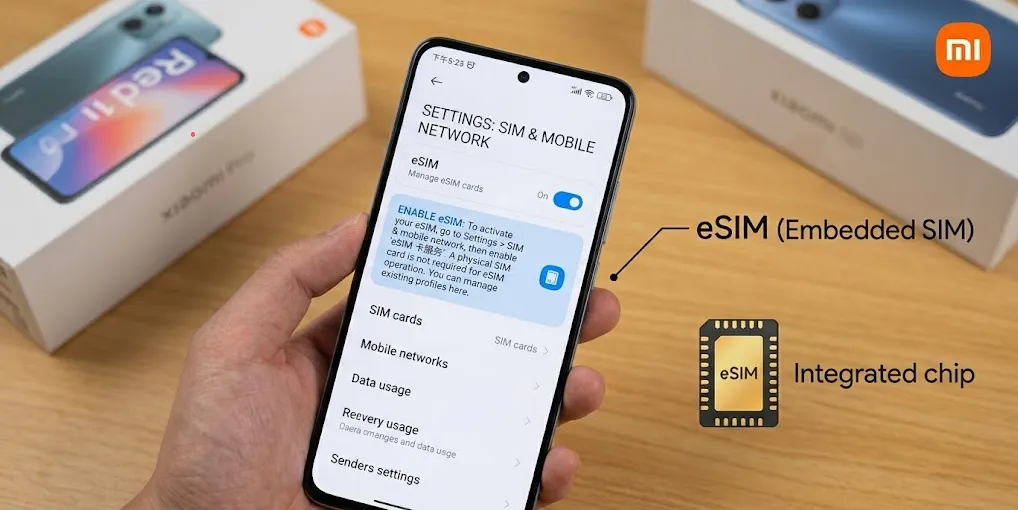
Not every Xiaomi phone supports eSIM. The majority of Xiaomi, Redmi, and POCO devices do NOT support eSIM out of the box. eSIM availability depends heavily on three factors:
-
Device model – Primarily found in flagship and high-end models.
-
Region version – Global versions support eSIM; China/Hong Kong/Macau versions generally DO NOT.
-
Carrier support – Your device must be unlocked (not carrier-locked) to use third-party eSIMs.
Xiaomi has steadily integrated eSIM hardware into its lineup. While historically limited to ultra-flagships, eSIM support is now available across several mid-range T-series, Redmi, and POCO models.The table below lists confirmed eSIM-compatible Xiaomi devices as of 2026.
|
Series |
Model |
eSIM Support |
Notes |
|
Xiaomi 17 Series |
Xiaomi 17 |
✅ Yes |
First China version with eSIM (via OTA) |
|
Xiaomi 17 Pro |
✅ Yes (expected) |
Upcoming Q2 2026 |
|
|
Xiaomi 17 Ultra |
✅ Yes |
Upcoming |
|
|
Xiaomi 17T Pro |
✅ Yes |
Confirmed specs |
|
|
Xiaomi 16 Series |
Xiaomi 16 Ultra |
✅ Yes |
Rumored |
|
Xiaomi 15 Series |
Xiaomi 15 / 15 Pro / 15 Ultra |
✅ Yes (Global) |
Latest flagships, full eSIM support |
|
Xiaomi 14 Series |
Xiaomi 14 |
✅ Yes (Global) |
1 physical SIM + 1 eSIM |
|
Xiaomi 14 Pro |
✅ Yes (Global) |
||
|
Xiaomi 14 Ultra |
⚠️ Limited |
Not supported in most variants |
|
|
Xiaomi 14T |
✅ Yes |
1 SIM + eSIM or 2 eSIMs |
|
|
Xiaomi 14T Pro |
✅ Yes |
1 SIM + eSIM or 2 eSIMs |
|
|
Xiaomi 13 Series |
Xiaomi 13 |
✅ Yes (Global) |
1 physical SIM + 1 eSIM |
|
Xiaomi 13 Pro |
✅ Yes (Global) |
||
|
Xiaomi 13 Lite |
✅ Yes |
1 SIM + 1 eSIM |
|
|
Xiaomi 13T / 13T Pro |
✅ Yes |
||
|
Xiaomi 13 Ultra |
⚠️ Limited |
Region dependent |
|
|
Xiaomi 12 Series |
Xiaomi 12T Pro |
✅ Yes |
First global Xiaomi with eSIM support |
|
Xiaomi 12 Pro |
✅ Yes (Select versions) |
Global/European versions only |
|
|
Redmi Series |
Redmi Note 13 Pro+ |
✅ Yes |
1 physical SIM + 1 eSIM |
|
Redmi Note 14 Pro |
✅ Yes |
1 physical SIM + 1 eSIM |
|
|
Redmi Note 14 Pro+ |
✅ Yes |
||
|
Redmi Note 11 Pro 5G (Japan) |
⚠️ Conditional |
eSIM only on models sold in Japan |
|
|
POCO Series |
POCO X7 Pro |
⚠️ Limited |
Region-specific only |
|
POCO F8 Pro / F8 Ultra |
✅ Yes |
eSIM dual standby |
Global vs China Models: The Most Important Difference
Before buying an eSIM plan, verify whether your device is a Global or Chinese version.
Global Version:
-
Usually supports eSIM if the model includes eSIM hardware.
-
Compatible with most travel eSIM providers.
-
Works with carrier QR-code activation.
Chinese Version (CN):
-
Usually lacks eSIM hardware entirely.
-
Flashing Global ROM does not add eSIM capability.
-
eSIM cannot be enabled through software modifications.
This is one of the most common reasons users fail to activate eSIM on Xiaomi devices.
How to Check If Your Xiaomi Device Supports eSIM?
If your phone is not on the list, or if you purchased a regional variant, you can quickly verify eSIM compatibility on your actual device.
Method 1: The EID Code Lookup (Most Reliable)
The EID (Embedded Identity Document) is a unique 32-digit serial number associated with the physical eSIM chip inside your phone. If your phone has an EID, it supports eSIM.
-
Open your phone's dialer app.
-
Dial *#06#.
-
Look at the prompt that pops up. If you see an EID barcode or number, your device is eSIM-compatible. If you only see IMEI numbers, your device does not have an eSIM chip.
Method 2: System Settings Check
-
Go to Settings > SIM cards & mobile networks (or Mobile networks on older MIUI versions).
-
Look for an option that says "Add eSIM", "Manage eSIM", or "Download SIM".
-
If this menu option is visible, your device supports eSIM.
Step-by-Step: How to Activate eSIM on Xiaomi
 ‼️ Prerequisites:
Before starting, ensure you have:
-
A stable Wi-Fi connection.
-
Your phone charged to at least 20% battery.
-
An unlocked device (not carrier-locked).
-
Your eSIM QR code or activation code from your chosen provider.
Because newer Xiaomi devices run Xiaomi HyperOS (which replaced MIUI), the menu layout is modern and streamlined. Follow these steps to install your profile:
Step 1: Enable eSIM Functionality
On some Xiaomi models, you must first enable the eSIM feature, which temporarily disables physical SIM Slot 2.
-
Go to Settings > SIM cards & mobile networks.
-
Scroll down and toggle "Use eSIM" to On.
-
Confirm the prompt warning you that this may change your dual-SIM setup.
Step 2: Download your eSIM Profile
Make sure you are connected to a stable Wi-Fi network before initiating this step.
-
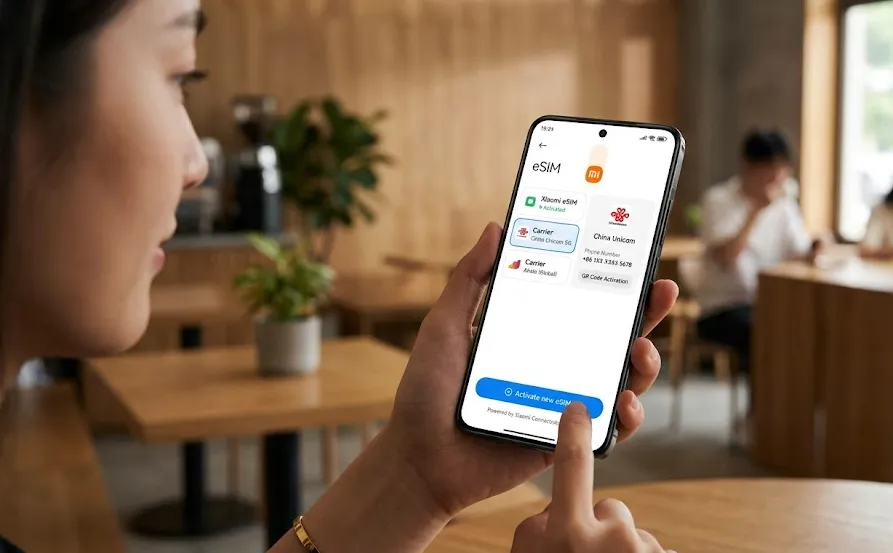
Tap Manage eSIM (or Add eSIM).
-
Tap "Add plan" or "Download eSIM".
-
Your camera will open. Scan the QR Code provided by your eSIM carrier. (If you received your QR code on the same device, you can usually select "Enter Activation Code" manually to copy/paste the SM-DP+ Address and Activation Code).
-
Wait for the download to complete. This can take up to 2 minutes.
Step 3: Configure the Network Settings
Once downloaded, you must tell the operating system how to route your data:
-
Under Settings > SIM cards & mobile networks, select your newly added eSIM profile.
-
Label it clearly (e.g., "Travel Data - Europe").
-
Set your Default Data card to the newly added eSIM. Keep your physical home carrier SIM set as the default for Calls and SMS so you can still receive verification texts.
Step 4: Turn on Data Roaming
Because travel eSIMs route data through third-party international backbones, you must enable data roaming for the eSIM to fetch a network signal:
-
Tap your eSIM plan in the settings menu.
-
Scroll to Data Roaming and toggle it to Always or On.
⚠️ Note: Ensure roaming is kept OFF on your primary physical SIM card to avoid unexpected fees from your home carrier.
Best Global eSIM Providers for Xiaomi Users
When choosing an eSIM for international travel or daily backup data, look for companies offering regional or global bundles so you don't have to keep switching profiles.
|
Provider |
Best For |
Typical Coverage |
Key Strengths in 2026 |
|
Frequent travelers & nomads |
200+ countries |
Offers long-term plans (up to 365 days), ultra-reliable tier-1 networks, and optional voice/SMS routing. |
|
|
Budget-focused users |
200+ countries |
An aggregator that displays competing plans, offering the absolute lowest price-per-gigabyte rates. |
|
|
High-speed European & global trips |
150+ countries |
Excellent multi-regional coverage utilizing Orange's ultra-fast native networks. |
|
|
Heavy data users |
160+ countries |
Uncapped, unlimited data plans. Great for streaming and video calling, though tethering (hotspotting) may be restricted. |
|
|
Short-to-mid-term regional trips |
200+ countries |
Clean app interface with excellent regional bundles. Features the "Nomad Pass" subscription for low-cost baseline data. |
🔔 Purchasing Tips:
-
Buy before you depart – Installation requires an internet connection. Purchase your eSIM plan while still at home and install it before your flight.
-
Check activation timing – Some eSIMs activate upon installation; others activate when first connecting to a local network. Always read the provider’s terms.
-
Keep your primary SIM active – Your physical SIM remains usable for calls/SMS while the eSIM handles data.
Managing Multiple eSIMs on Xiaomi
Xiaomi devices typically support storing 5–10 eSIM profiles, but only one eSIM can be active at a time alongside one physical SIM in most models. However, newer devices like the Xiaomi 17 and Xiaomi 14T Pro support dual eSIM active – meaning two eSIM profiles can be active simultaneously without a physical SIM card.
To Switch Between eSIMs
-
Go to Settings → SIM cards & mobile networks.
-
Tap the eSIM profile you want to disable.
-
Toggle OFF the active profile.
-
Toggle ON the desired profile.
-
Set your preferred default for calls, SMS, and data.
Deleting an eSIM Profile
Go to Settings → SIM cards & mobile networks → tap the eSIM profile → Delete or Remove. Note that some carriers lock eSIM profiles to prevent deletion—contact your carrier if you cannot remove a profile.
Troubleshooting Common Xiaomi eSIM Issues
Issue 1: "No Service" or Network Not Registering
-
Fix 1: Toggle Aeroplane Mode. Toggle Aeroplane Mode on for $10$ seconds and then off to force the modem to scan for local partner networks.
-
Fix 2: Manually Select Network. Go to Settings > SIM cards & mobile networks > [Your eSIM] > Mobile networks and turn off Automatically select network. Choose one of the displayed local carriers manually.
-
Fix 3: Confirm APN Settings. Some eSIM providers require a manual Access Point Name (APN) setting. Check your provider's instructions, go to Access Point Names (APNs) under your eSIM card settings, and add the designated APN value.
Issue 2: Can't Enable eSIM / Toggle is Greyed Out
-
Fix: Ensure that physical SIM Slot 2 is either empty, or that you are comfortable with it being disabled. On dual-SIM Xiaomi phones, you cannot always run two physical SIMs and an eSIM simultaneously. The system operates in a dual-standby configuration: either Physical SIM 1+ Physical SIM 2 or Physical SIM 1 + eSIM.
Issue 3: Carrier Lock Error
-
Fix: If you receive a "Profile cannot be installed because the device is locked" error, your Xiaomi phone is carrier-locked. You must contact your purchasing network carrier (e.g., Vodafone, T-Mobile, Orange) to officially unlock your phone's modems before you can install third-party travel eSIMs.
Frequently Asked Questions (FAQs)
Can I use my physical SIM and eSIM at the same time?
Yes. Most Xiaomi phones support dual-active standby. You can receive SMS and calls on your primary physical SIM card while pulling mobile internet data from your eSIM.
How many eSIM profiles can I store on my Xiaomi phone?
You can store between 5 and 10 inactive eSIM profiles on modern Xiaomi storage. However, you can only run one eSIM profile active at any single time.
If I reset my phone, will I lose my eSIM?
When performing a factory reset on HyperOS/MIUI, you will see a prompt asking if you want to "Keep eSIM profiles" or "Delete eSIM profiles". Make sure to select Keep unless you are intentionally erasing the device to sell it.
Does Xiaomi 15 Ultra support eSIM?
Yes. The global version officially supports eSIM and can store multiple eSIM profiles.
Do Chinese Xiaomi phones support eSIM?
In most cases, no. Chinese-market variants generally lack eSIM hardware.
Can I convert a non-eSIM Xiaomi phone into an eSIM phone?
No. eSIM requires dedicated hardware and cannot be enabled through software alone.