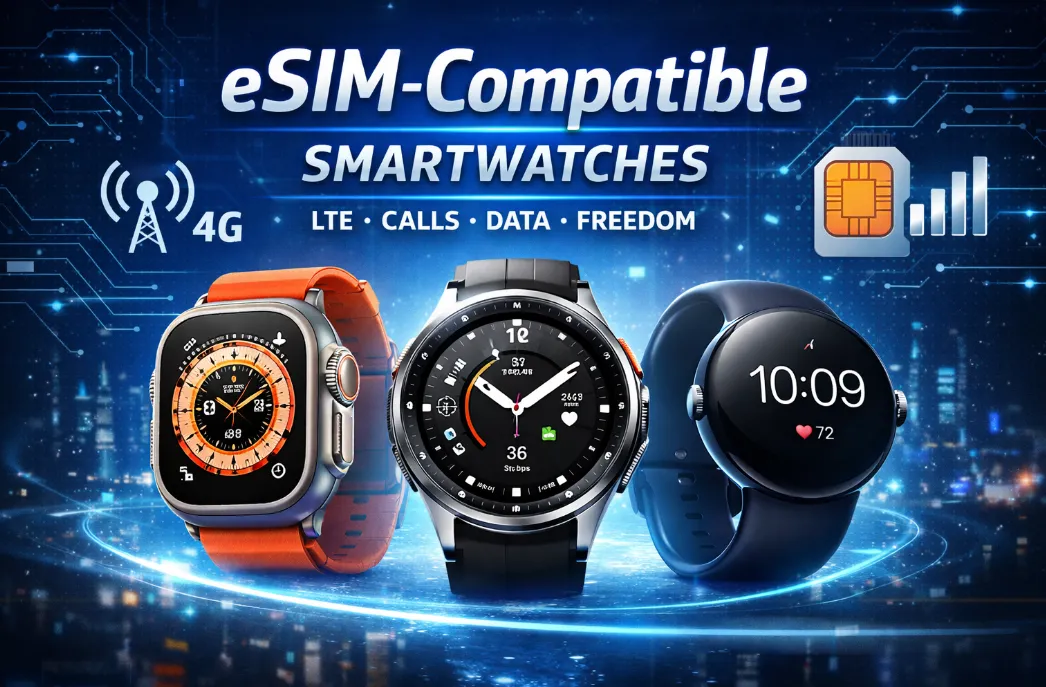
In 2026, the dream of leaving your bulky smartphone at home while staying fully connected is no longer a luxury—it’s the new standard. As cellular infrastructure transitions toward broader 5G support, the latest generation of eSIM-enabled wearables has redefined what "standalone use" truly means. Whether you're a trail runner needing emergency SOS or a professional taking high-clearity calls mid-commute, finding a device that balances cellular reliability with decent longevity is crucial. However, not all models offer the same level of independence or endurance.To help you navigate the crowded market, I’ve compiled a comprehensive LTE compatibility directory featuring the heavy hitters from Apple, Samsung, and specialized fitness brands,highlighting the top performers that finally bridge the gap between untethered freedom and all-week power.
Why Use an eSIM in Smartwatch?
An eSIM (embedded SIM) is a digital SIM that's built into the smartwatch's hardware, allowing it to connect to cellular networks by downloading carrier information digitally rather than using a removable plastic card. If you’ve ever wanted to leave your phone behind but still stay connected, an eSIM smartwatch can make that possible. With an active eSIM, your watch connects directly to a mobile network. That means you can take calls, send messages, stream music, use maps, or check notifications even if your phone is nowhere nearby.However, it also has a few drawbacks. For example, battery consumption in smartwatches with eSIM support tends to be higher compared to standard models.
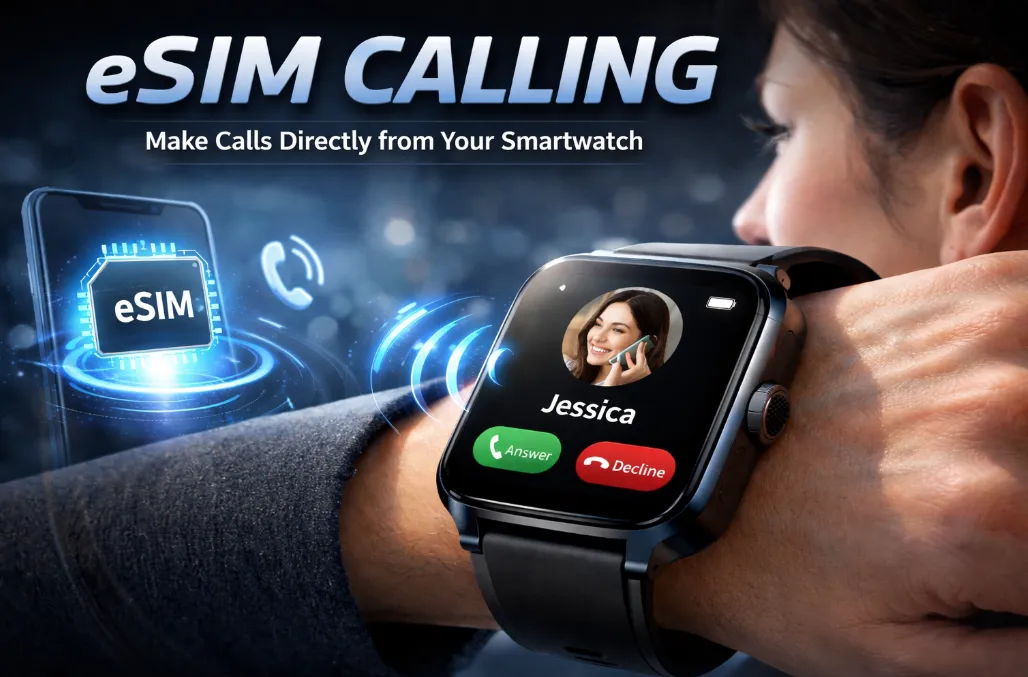
Key Benefits of eSIM in Smartwatches
-
Improved Design: Eliminates the need for a physical SIM tray, allowing for sleeker, more compact designs and better water resistance.
-
Phone-Free Independence: The biggest advantage is running apps, streaming music, taking calls, and getting messages directly from your wrist, even if your phone is at home or dead.
-
Enhanced Safety: Acts as a lifeline; Emergency SOS and Fall Detection can work independently to contact help without your phone nearby.
-
Simplified Carrier Management: Switch mobile providers or plans digitally without needing new physical SIM cards, a more modern and flexible experience.
-
Seamless Setup: Digital provisioning makes activation and managing your line simple and quick.
-
Better for Fitness & Travel: Perfect for runners or travelers who don't want to carry a bulky phone, providing music and connectivity on the go.
Full List of eSIM-Compatible Smartwatches (LTE/4G/5G)
Here’s a comprehensive list of smartwatches that support eSIM — meaning they can connect to LTE/4G cellular networks independently without needing your phone nearby. Availability and carrier support can vary by region and operator, so always check before buying or activating.For these brands, you must specifically buy the "LTE," "Cellular," or "4G/5G" version, as most also sell cheaper GPS-only models.
|
Brand |
Model |
|
Apple |
|
|
|
|
|
Samsung |
|
|
Xiaomi |
|
|
Oppo |
|
|
Huawei |
|
|
TicWatch |
|
|
Fossil |
|
|
Others |
|
Standalone Use: What You Need to Know
1. Variant Check
Some brands sell Bluetooth-only and LTE/eSIM versions of the same model — only the LTE ones support eSIM.
2. Carrier Limitations
Most smartwatches require a "NumberShare" or "OneNumber" plan from your primary carrier. Before buying, confirm with your carrier what they offer.
-
Number Share (Dual-SIM/eSIM): The most common method. Your primary phone number is shared to the watch via your carrier's network (using an eSIM profile). The watch and phone ring simultaneously. This is what most "LTE watches" use. It requires carrier support.Apple/Samsung/Google usually require a monthly add-on fee ($5–$15/mo) to share your existing phone number with the watch.
-
OneNumber: The watch has its own cellular identity (its own phone number or data-only line). You can leave your phone at home.Brands like Huawei and Xiaomi in international markets often support "Standalone Mode," where the watch gets its own unique phone number and data plan.
3. Battery Drain
LTE typically drains battery life more than use without cellular connectivity, so factor this usage into your decision.Battery life varies a lot depending on how you use LTE:
-
Standard use: 18–36 hours.
-
Continuous LTE Streaming/Calls: 3–6 hours.
Always-on LTE halves (or worse) the rated battery life. If you need LTE always on for hours, plan for nightly charging.If you plan to be away from your phone for a full day of hiking or transit, the Apple Watch Ultra 3 or Pixel Watch 4 (45mm) are the only mainstream "all-day" LTE performers.
4. App Ecosystems
Apple & Samsung offer the most "standalone" apps (Spotify, Maps, Uber, WhatsApp) that work without the phone nearby.
5. International Roaming
Only the latest generations (Apple Watch Series 8+ and Galaxy Watch 5+) support international roaming on LTE. Older models are usually region-locked to your home carrier's bands.
6. Your Primary Use Case
-
Safety & Sports: Garmin is unbeatable.
-
Full Smartphone Replacement: Apple Watch or Samsung Galaxy Watch.
-
Just for Calls/Texts: Consider a smaller, cheaper LTE watch or even a specialized device like the Apple Watch SE.
7. Price
LTE smartwatches can be expensive. They tend to cost more outright, with a monthly data plan also tacked on. Think carefully about whether you will use the extra features.
8. Phone Pairing
Apple Watches require an iPhone to activate and use eSIM. Wear OS watches (Google, Samsung, Oppo, etc.) generally need an Android phone for setup, though LTE once activated can run independently.
Top Picks for Standalone Use & Longest Battery Life
A. Top Picks for Standalone Use
These watches offer the best "phone-free" experience thanks to robust app support, fast LTE/5G modems, and built-in assistants.
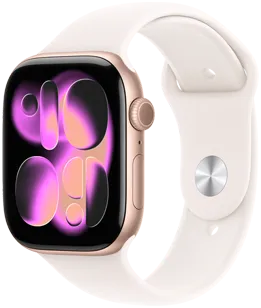
1. Best Overall (iPhone): Apple Watch Series 11
-
Price: From $399 >>buy
-
Why: Latest Apple flagship with faster 5G LTE support and enhanced health features.It is the first to feature a 5G modem, providing much more reliable cellular connectivity in crowded areas compared to older 4G models.
-
Standalone Features: Full Apple Music/Podcast streaming, Maps, and "Family Setup" (allows a child/senior to use the watch without owning an iPhone).
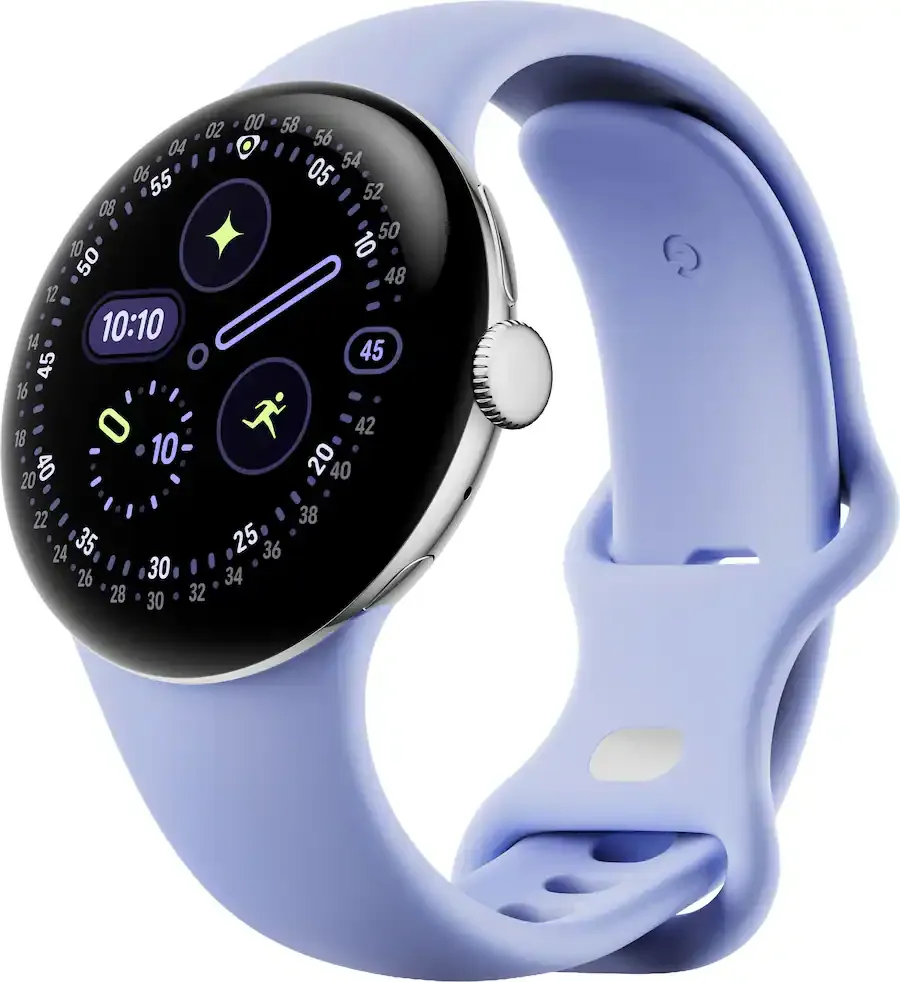
2. Best Overall (Android): Google Pixel Watch 4 LTE
-
Price: From $299.99 >>buy
-
Why: Features the most advanced integration with Google Gemini. You can ask the AI to summarize emails or start specific workouts entirely over LTE.
-
Standalone Features: Includes 2 years of basic Google Fi data (in some regions) and features Satellite SOS for emergencies when you are outside cellular range.Includes Gemini AI & Satellite SOS. Deep Fitbit integration.
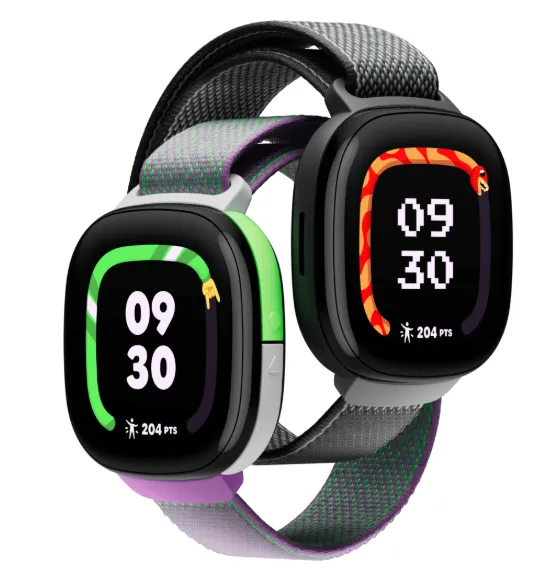
3. Best for Kids: Fitbit Ace LTE
-
Price: $99.99 >>buy
-
Why: Unlike standard smartwatches, this is built for standalone use without a phone. It uses a gamified interface to encourage movement and includes LTE for parent-child messaging and GPS tracking.
B. Top Picks for Longest Battery Life
These models are the outliers that can survive multi-day trips without a charger.
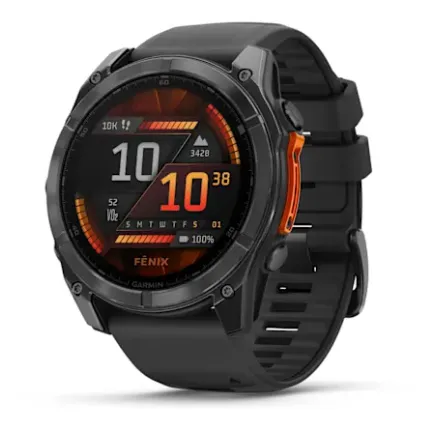
1. The Battery King: Garmin Fenix 8 Pro
Focused on safety and live tracking rather than calls.
-
Price: From $1,099.99 >>buy
-
LTE Battery: While it uses LTE-M (focused on safety/tracking rather than full voice calls), it can last for weeks in smartwatch mode and several days even with active GPS and cellular tracking.
-
Best For: Ultra-runners and hikers who need a "safety net" connection.
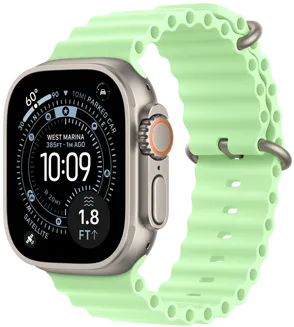
2. Best Standalone Endurance: Apple Watch Ultra 3
Premium rugged Apple watch with LTE, ideal if you want max durability + standalone features.
-
Price: From $799 >>buy
-
LTE Battery: Rated for up to 36-48 hours of normal use, but can stretch to 72 hours in Low Power Mode while still maintaining cellular pings.
-
Best For: iPhone users who want a watch that doesn't need to be charged every single night.
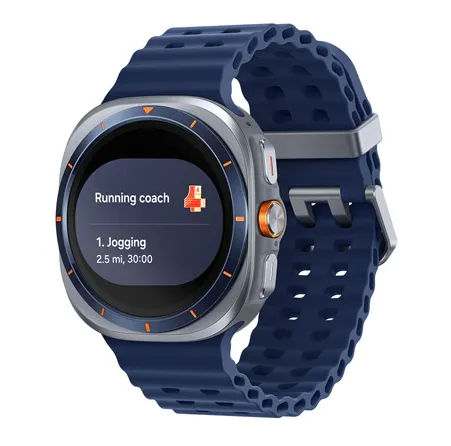
3. Best Android Endurance: Samsung Galaxy Watch Ultra
Great for outdoor/adventure use with extended endurance and robust LTE connectivity.
-
Price:$549.99 >>buy
-
LTE Battery: Features a massive battery that easily clears 48-60 hours even with LTE enabled.
-
Best For: Samsung users who want the "Ultra" experience and a rugged build.
How to Activate eSIM on Your Smartwatch?
Each brand has an application that synchronizes the smartwatch with your smartphone. You need to download and run this application on your device. Then scan the QR code that will be displayed on the watch to activate the service. After that you only have to choose a data plan for mobile Internet in the country you need. The activation will take place automatically, so there is no need to call the operator.
Activating eSIM on Apple Watch
-
Pair Apple Watch with iPhone
-
Open the Watch app on iPhone
-
Complete initial pairing
-
-
Open Cellular Settings
-
Watch app → Cellular
-
Tap Set Up Cellular
-
-
Sign in to Your Carrier
-
Log in using your carrier account
-
Choose or add a smartwatch plan
-
-
Confirm & Activate
-
Follow on-screen instructions
-
Activation usually completes in a few minutes
-
-
Restart (if prompted)
-
Some carriers require a restart to finish setup
-
📌 Notes:
-
Apple Watch must be paired with an iPhone.
-
Most carriers charge a monthly smartwatch add-on fee.
-
Roaming support varies by carrier.
Activating eSIM on Samsung Galaxy Watch
-
Install & Open Galaxy Wearable App
-
On your Android phone
-
-
Pair the Watch
-
Complete initial setup
-
-
Go to Mobile Plan
-
Galaxy Wearable → Watch settings
-
Tap Mobile plan or Connections > Mobile networks
-
-
Add eSIM Plan
-
Choose Add plan
-
Scan a QR code or log in to your carrier
-
-
Confirm Activation
-
Wait for network registration
-
Restart watch if required
-
📌 Notes:
-
Samsung sells Bluetooth and LTE versions—only LTE supports eSIM.
-
Works best with Samsung phones, but many Android phones are supported.
Activating eSIM on Google Pixel Watch
-
Install Pixel Watch App
-
On your Android phone
-
-
Pair the Watch
-
Follow initial setup prompts
-
-
Set Up LTE
-
Pixel Watch app → Mobile network
-
Tap Set up carrier
-
-
Sign In or Scan QR Code
-
Carrier login or QR code provided by operator
-
-
Finish Activation
-
Activation usually completes within minutes
-
📌 Notes:
-
Pixel Watch LTE requires carrier compatibility.
-
Google Fi, T-Mobile, Verizon, AT&T commonly supported (region-dependent).
Smartwatches & eSIM – Frequently Asked Questions (FAQ)
How do I check if my smartwatch supports eSIM technology?
In the gadget's settings, go to the "Connectivity" section, go to the "SIM Manager" subsection. If after selecting this subsection you see "Add mobile data plan", your watch supports eSIM.
Are smartwatches compatible with all phones?
Smartwatches can work on more than one phone model. However, they must have compatible operating systems. The most used are Android and iOS. If the smartwatch is compatible with any of these, you can use it on your phone without problems.
How do I make calls with my smartwatch?
Some devices have this function included, and most use voice commands. Some assistants are activated with specific words such as “Hey Google,” then you indicate that you want to call, followed by saying the contact’s name as saved or dictating the phone number to call.
What is LTE connectivity?
It’s the standard for wireless broadband connections, ranging from 4G onwards. Usually, this type of technology is related to 4G, so it’s common to see it as LTE 4G.
Do I need a separate plan for a smartwatch eSIM?
Yes. Most carriers require a smartwatch add-on plan, usually:
-
Linked to your phone number (number sharing).
-
Billed monthly (commonly $5–$15 depending on region).
Does Apple Watch eSIM work with Android?
No. Apple Watch Cellular models require an iPhone for setup and ongoing use. They do not support Android phones.
Can Android eSIM smartwatches work with iPhone?
Generally no. Samsung, Google, Xiaomi, and other Wear OS watches require an Android phone for setup and management.
Is eSIM available worldwide on smartwatches?
Not always. eSIM support depends on:
-
Your country
-
Your mobile carrier
-
The watch model
Some regions limit smartwatch eSIM activation even if the hardware supports it.
Can I use an international or travel eSIM on a smartwatch?
Usually no.Most smartwatches only support carrier-issued eSIM profiles and do not accept third-party travel eSIMs (like phone eSIMs).
Can I transfer an eSIM from my phone to my smartwatch?
No. Phone eSIMs and smartwatch eSIMs are different profiles. You must activate a separate smartwatch eSIM plan.
Can one eSIM plan be used on multiple smartwatches?
No. Each smartwatch requires its own eSIM profile and activation.
Can I use eSIM on a GPS-only model later?
No. eSIM hardware is physically present only in Cellular/LTE models. GPS-only models cannot be upgraded.
What happens if I change my phone?
If you switch phones, you will likely need to re-transfer your eSIM profile.
-
On an iPhone, this is handled during the "Quick Start" setup.
-
On Android, you may need to "Reset" the watch and re-add the mobile plan through the Galaxy Wearable or Pixel Watch app on your new device.