Navigating connectivity while traveling across Europe can be a challenge, with the hassle of hunting for local SIM cards or facing exorbitant roaming fees now a thing of the past. The advent of eSIM technology has revolutionized the way we stay online abroad, offering a seamless, digital solution. Here’s a complete English-language guide to buying and using an eSIM when travelling in Europe — how and where to buy, which operators support it, how to install and activate, what to check before travel, and useful tips.Get ready to enjoy reliable, high-speed internet from the Eiffel Tower to the Colosseum, making your journey stress-free and hyper-connected.
What Is eSIM & Why Use It in Europe?
An eSIM (embedded SIM) is a digital SIM.You can buy and activate a mobile plan online by scanning a QR code, which connects your phone to the network instantly. It functions just like a traditional SIM but is entirely digital, so there's no physical card to handle.It's the perfect solution for travelers wanting instant connectivity and for residents looking to simplify their device setup.
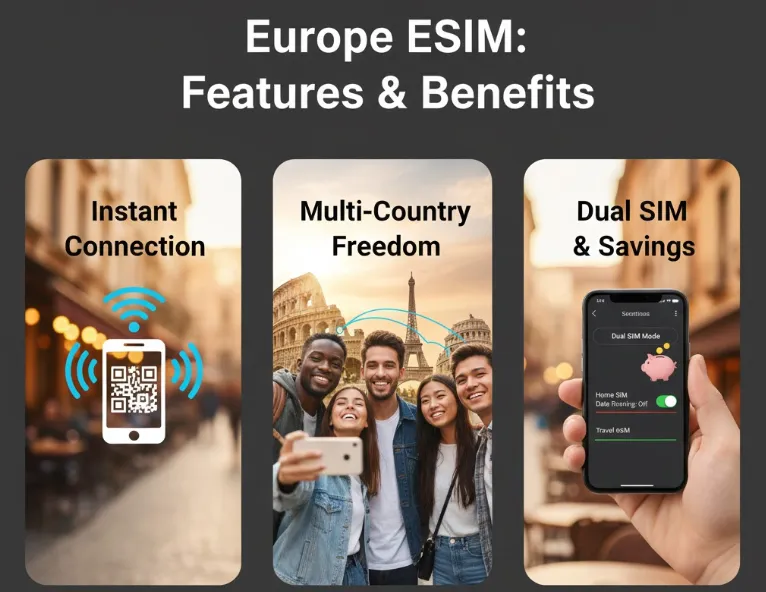
Top 5 Reasons to Use an eSIM in Europe
Using an eSIM in Europe lets you avoid roaming fees, easily switch networks, and connect right when you arrive — or even before you leave.
-
Instant Activation: Buy and install your plan before you even board the plane. The moment you land, you're online.
-
Multi-Country Travel Made Easy: Many eSIMs offer seamless "Europe-wide" coverage, so crossing from France to Germany to Italy doesn't require a new SIM each time.
-
Cost-Effective: Drastically cheaper than traditional carrier roaming. You pay a flat, transparent fee upfront.
-
Dual SIM Functionality: Keep your home number active for calls/texts and use the eSIM for high-speed data. Perfect for receiving 2FA codes.
-
Flexibility: Easily purchase and install multiple plans for different legs of your trip or top up data as needed.
‼️ eSIM vs. Physical SIM Card:
|
Feature |
eSIM |
Physical SIM Card |
|
Multi-Country |
One regional eSIM covers 30-42 countries. |
Usually requires buying a new card in each country or paying high roaming fees. |
|
Convenience |
Instant delivery (QR code). Install anywhere, anytime (with Wi-Fi). |
Requires finding a store upon arrival, inserting a tiny card, and risking loss. |
|
Dual SIM |
Keep your home SIM active to receive SMS/calls (e.g., bank verification) while using the eSIM for data. |
Must remove your home SIM, risking loss or missing crucial texts. |
|
Activation |
Simple QR code scan. |
Manual card swap and potential manual network selection. |
Where to Buy / Which Providers Support Europe eSIM?
You have two main avenues to purchase a travel eSIM. The best choice depends on your priorities.
1. Dedicated eSIM Apps & Providers (The Most Popular Choice)
The most common and convenient way for travelers to purchase an eSIM for multi-country trips in Europe is through a Global eSIM Marketplace. These platforms offer regional plans that cover numerous European countries under a single package, eliminating the need to switch SIMs in each country.
-
Pros: Competitive pricing, wide variety of plans, easy-to-use apps, instant delivery.
-
Cons: May not include a local phone number (data-only plans are common).
Here are some of the most reliable & traveler-friendly global eSIM providers for Europe:
|
Provider |
Key Feature |
Coverage |
Purchase Method |
Price Example (30-day) |
Best For |
|
Reliable, wide coverage (e.g., Eurolink plan) |
~42 European countries |
App/Website |
|
Travelers prioritizing broad coverage and ease of use. |
|
|
Unlimited Data plans available |
~33 European countries |
App/Website |
|
Heavy data users and those who stream frequently. |
|
|
Good pricing, strong security features |
~35 European countries |
App/Website |
|
Privacy and security (NordVPN backed). |
|
|
Competitive pricing, flexible data-only plans, sometimes with 5G support across supported countries. |
~36 European countries |
App/Website |
|
Budget-conscious travelers needing flexible data packages and top-up options. |
|
|
Offers flexible plans and good regional coverage, often with competitive pay-as-you-go rates. |
~37 European countries |
App/Website |
|
Long-term or global travelers. |
2. European Mobile Operators
You can buy an eSIM directly from a European carrier like Orange (France), Vodafone (Multi-country), or TIM (Italy). This is often done via their website or in-store upon arrival — depends on country and operator.
-
Pros: Potentially includes a local number and voice/SMS.
-
Cons: Less convenient pre-trip setup, language barriers, may require registration with a passport.
Here are some of the largest carriers in key European countries that offer prepaid eSIMs:
|
Country |
Major Carriers Supporting eSIM |
|
France |
|
|
Germany |
|
|
Italy |
|
|
Spain |
|
|
United Kingdom |
|
|
Austria |
|
|
⚠️ Note: The purchasing process on these sites can sometimes be more complex and may require a European address. |
|
💡 Tip: If you're just traveling (tourist/short stay) — providers like Airalo, Holafly, Nomad, eSIM.net or Sim Local are often easiest: you buy online, receive a QR-code or activation instructions, and install before or right after arriving in Europe.
Key Considerations for European eSIMs
1. Data-Only vs. Voice/SMS
Most marketplace eSIMs (Airalo, Holafly, Nomad) are Data-Only. You must use apps like WhatsApp, WeChat, or VoIP for calling.If you need a local number for hotel/tour calls, choose local providers that include voice/SMS.
2. Plan Type
-
Regional (Europe-Wide): The best value for multi-country trips. One plan works across 30+ countries in the EU and Schengen area.
-
Country-Specific: Slightly cheaper if you're only visiting one country (e.g., only Italy).
|
Your Travel Needs |
Recommended Plan Type |
Example Providers |
|
Visiting 3+ countries |
Regional Europe eSIM |
Airalo, Holafly, Nomad |
|
Staying in 1-2 countries |
Local Country eSIM |
Airalo, or a local carrier (e.g., Ora |
3. Validity Period & Data
-
For Short Trips (7 days or less) and Low Data (Under 5GB): Look at Airalo or Saily's smaller plans (1GB/7 days or 3GB/30 days) for the cheapest upfront cost.
-
For Standard 1-2 Week Trips and Medium Data (10GB - 20GB): Nomad often has the best price per GB in the 20GB range. This is usually the sweet spot for most tourists.
-
For Heavy Use or "Unlimited" Needs: Consider Holafly or the unlimited plans from Saily or Nomad. Crucially, read the fine print! "Unlimited" typically means a daily high-speed cap (e.g., 1-3GB/day), after which the speed drops significantly (throttles). Sim Local is also noted for a high daily cap (10GB).
-
For Long-Term (1 Month+) : Look for the larger, multi-month plans from providers like Ubigi (up to 12 months) for the best long-term value.
4. Unlimited Data Speed
Providers offering "Unlimited" (like Holafly) often have a Fair Usage Policy (FUP). After a daily limit (e.g., 500MB - 1GB), speed may be reduced (throttled).Check the FUP carefully. Unlimited is great for peace of mind, but not always truly "unlimited high-speed."
5. Hotspot/Tethering
Some providers/plans (especially unlimited ones) restrict or prohibit tethering/hotspot use.Some global eSIM providers allow tethering, making them better if you need to share data with a laptop or companion.
6. Top-Up Options
If you run out of data, you need to know if you can easily purchase a Top-Up on the same eSIM profile or if you have to buy a completely new eSIM.Most major providers (Airalo, Nomad) offer easy in-app top-ups.
Step-by-Step Purchase & Activation Guide
Follow these five steps to ensure a smooth transition to your Europe eSIM.
Phase 1: Before Your Trip (At Home/With Stable Wi-Fi)
1. Check Device Compatibility
First, ensure your phone is eSIM-compatible (most modern smartphones, like iPhone XR/XS and newer, and recent Samsung/Google Pixel models, are) and is unlocked from your home carrier.
Supported Smartphones (Partial List):
|
Manufacturer |
Model Requirements (Generally) |
Key Exceptions/Notes for HK Models |
|
Apple iPhone |
iPhone XS, iPhone XS Max, iPhone XR, and all subsequent models (iPhone 11, 12, 13, 14, 15 16,17 series). |
iPhones sold in Mainland China, Hong Kong, and Macao are often physical dual-SIM models and DO NOT SUPPORT eSIM, except for a few models (e.g., iPhone 12 mini, 13 mini, SE 2/3). Verify your device's origin! |
|
Samsung Galaxy |
Galaxy S20 series, Note 20, Z Flip/Fold, or later. |
Samsung devices purchased in Hong Kong, China, or Taiwan often do not support eSIM. Please verify your specific model's country of origin. |
|
Google Pixel |
Pixel 3 (excluding 3a/3a XL) and later models. |
Generally compatible, as long as the device is unlocked. |
|
Other Brands |
Huawei P40/Mate 40 Pro, Oppo Find X series, Xiaomi 12T Pro/13 series, Motorola Razr/Edge series, and others. |
Compatibility varies significantly by model and region. Always check the eSIM provider's compatibility list. |
>>Search for more phones that support eSIM
⁉️ How to Check:
Method 1: Check Settings
Go to your phone's settings:
-
iPhone: Settings > General > About. Look for a section called "Digital SIM" or "Add Cellular Plan."
-
Android: Settings > Network & Internet (or Connections) > SIM card manager. Look for an "Add eSIM" or "Add mobile plan" option.
If you see an option to "Add Cellular Plan" by scanning a QR code, your phone supports eSIM.
Method 2: Dial a Code (Quick Check)
-
Open your phone's dialer (where you make calls).
-
Dial *#06#
-
A screen will pop up showing IMEI numbers. If your phone supports eSIM, you will also see the EID number listed. If you see the EID, your phone is compatible.
2. Choose & Purchase the Plan
-
Select a provider (e.g., Airalo, Holafly, or Orange).
-
Choose a regional Europe plan that covers your travel dates and data needs (e.g., 5GB for 15 days).
-
Complete the purchase on the provider's website or app. You will typically receive a confirmation email containing the installation QR code or manual activation details.
3. Install the eSIM Profile
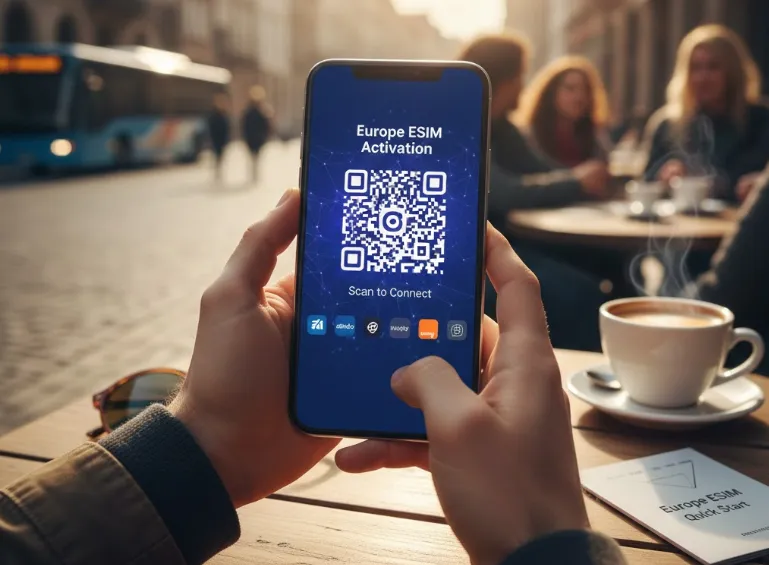
Do this while you still have reliable Wi-Fi.
-
Go to your phone's Settings (Cellular/Mobile Data Service).
-
Choose Add Cellular Plan (or Add eSIM).
-
Scan the QR code provided by your eSIM vendor (use another device or printout to display the code). Alternatively, use the manual entry details.
-
Follow the prompts to label the new plan (e.g., "Europe Data").
⚠️ Important: Do NOT set the plan as your active line for data yet. Keep it installed but turned OFF.
Phase 2: Upon Arrival in Europe
1. Activate the Line
When you land in the first European country, go to Settings (Cellular/Mobile Data section).
-
Go to Settings > Cellular/Mobile Data.
-
Select your new "Europe Data" eSIM line.
-
Set this line as your Primary Data Source.
-
Toggle Data Roaming > ON for the new eSIM line. (This is necessary for regional plans to connect across multiple countries.)
2. Manage Your Home Line (Dual SIM Management)
-
To save money, ensure Data Roaming is OFF for your home/primary physical SIM card.
-
Keep your home line ON (enabled) to receive critical SMS/calls (like bank codes or WhatsApp verification).
Your phone should connect to a local network automatically within minutes!
Pro Tips & Troubleshooting
-
Buy Before You Go: Install on a strong, familiar Wi-Fi network to avoid issues.
-
Double-Check Compatibility: This is the #1 reason for activation failures.
-
Keep Your Home SIM Active: This allows you to receive 2FA codes for banks etc., via your original number.
-
Troubleshooting Common Issues:
-
"No Service" after activation?
-
✅ Ensure "Data Roaming" is ON for the eSIM line.
-
✅ Manually select a network:
Settings > Cellular > [Your eSIM] > Network Selection> Turn off "Automatic" and choose an available network. -
✅ Restart your phone.
-
-
QR Code won't scan?
-
✅ You can often manually enter the SM-DP+ Address and Activation Code from your confirmation email.
-
-
Slow Speeds?
-
✅ You may be on a congested network. Try manually selecting a different carrier.
-
✅ Check if your "unlimited" plan has a Fair Use Policy that throttles speeds after a certain cap.
-
-
By following this guide, you can bypass the stress of staying connected and focus on enjoying your European adventure. Safe travels
Quick FAQ
Can I buy & install the eSIM before I travel?
Yes — you can buy online, receive the QR code (or activation instructions) by email, and install the eSIM before you depart.
Can I keep my home SIM (phone number) active and use eSIM for data only?
Yes — many modern phones support dual-SIM (physical SIM + eSIM) or dual eSIM. So you can continue receiving calls/SMS on your home SIM, while using the eSIM for data when abroad.
Will my eSIM still work if I travel to multiple European countries?
Usually yes — many eSIM “Europe” / “regional” plans are designed to work across multiple countries.
Which is better: a regional Europe eSIM or a local country eSIM?
It depends on your itinerary:
-
Choose a Regional eSIM (e.g., from Airalo, Holafly) if you are visiting three or more countries. It's simpler and often more cost-effective than buying a new SIM in each country.
-
Choose a Local eSIM (e.g., an Orange France eSIM) if you are spending most or all of your time in just one or two countries. It can be cheaper and may offer more data.
Can I use my eSIM as a hotspot for my laptop or tablet?
In most cases, yes. The vast majority of eSIM data plans allow tethering. However, it's always a good idea to double-check the plan's details before purchasing, as a few very cheap plans might restrict it.
Do I need to turn on "Data Roaming" for my eSIM?
YES, this is critical. Many people are trained to turn off roaming to avoid bills. For your European eSIM, you must turn Data Roaming ON for it to connect to local networks. You are not roaming on your home plan; you are using a local European plan.