As mobile connectivity continues to transition away from physical SIM cards, eSIM technology has become a vital feature for global travelers, business professionals, and tech enthusiasts. Huawei's ecosystem—powered by EMUI for international markets and HarmonyOS for domestic and updated devices—fully supports eSIM on key flagship smartphones and wearables.However, because Huawei devices navigate complex regional configurations and carrier limitations, setting up and using eSIMs requires specific steps.In this article, you'll discover which Huawei models are compatible, how digital SIM activation works, the steps involved in moving your mobile profile, and the most reliable international options to consider in 2026. Whether you're a frequent traveler or simply seeking greater flexibility, this guide is designed to simplify your decision-making process.
Complete List of eSIM-Compatible Huawei Devices
Huawei's ecosystem—powered by EMUI for international markets and HarmonyOS for domestic and updated devices—fully supports eSIM on key flagship smartphones and wearables.However, regional availability varies greatly. Chinese domestic models often restrict native cellular eSIMs for phones due to local regulatory guidelines, whereas global models (model numbers typically ending in LX9 or NX9) ship with full eSIM functionality.
Huawei Phones Natively Supporting eSIM
|
Feature |
Models |
|---|---|
|
China Mainland Domestic Models |
|
|
International / Global Models |
|
⚠️ Note: Mid-range series like Nova, Enjoy, or Lite models do not natively feature eSIM hardware.Always verify your exact model number before purchasing. A global version may support eSIM, while the Chinese version of the same device may not.
⁉️ How to Check Your Phone Directly?
To confirm 100% that your hardware has an embedded eSIM chip, look for your EID (eSIM ID) number:
-
Open Settings > About Phone.
-
Tap Show EID (or look for an EID serial number).
-
Alternative: Dial *#06# on your keypad. If an EID barcode/number appears alongside your IMEI, your phone is eSIM-capable.
Huawei Smartwatches Supporting eSIM
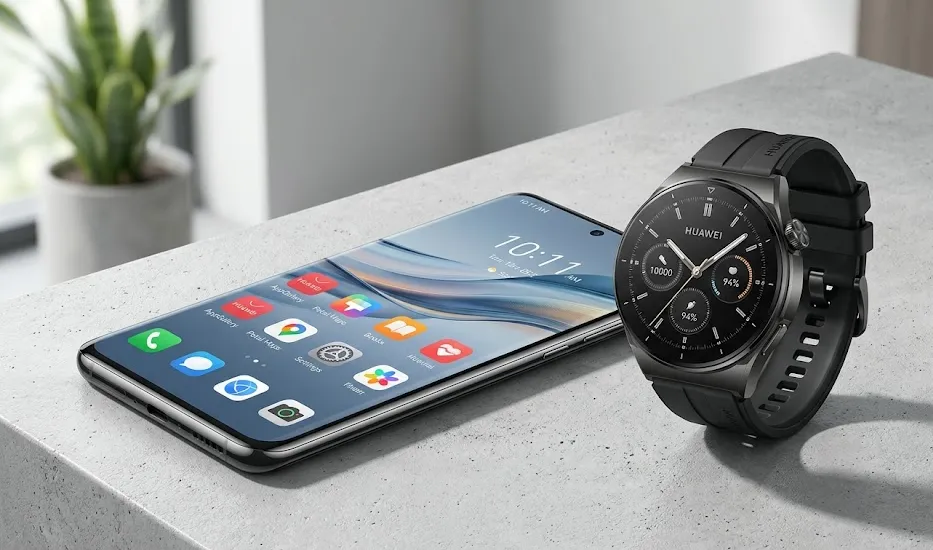
Huawei watches are renowned for their standalone eSIM capability, allowing you to leave your phone at home and still receive calls, stream music, and send messages.
-
HUAWEI WATCH 5 Series (Watch 5, Watch 5 Pro)
-
HUAWEI WATCH 4 Series (Watch 4, Watch 4 Pro, Watch 4 Space Edition)
-
HUAWEI WATCH 3 Series (Watch 3, Watch 3 Pro, Watch 3 Active 4G)
-
HUAWEI WATCH Ultimate Series (Ultimate 2, Ultimate Design Royal Gold / Spring Editions)
Best Global eSIM Plans for Travelers
Huawei eSIM phones adapt to eSIM network access in over 190 countries and regions worldwide, supporting both domestic carrier eSIM services and overseas eSIM connections.
When traveling with your Huawei device, choosing the right digital carrier can save you hundreds of dollars in roaming fees. These top-tier providers work seamlessly with global Huawei devices:
1. MobiMatter (Best Value & Dual-SIM Management)
-
Best for: Budget-conscious travelers and power users.
-
Why it’s great for Huawei: MobiMatter offers highly competitive regional packages (such as Europe-wide or Asia-Pacific bundles). Its high-speed 5G profiles pair beautifully with the advanced modem capabilities of the Kirin chips in the Mate and Pura series.
2. Airalo (Most Reliable & User-Friendly)
-
Best for: First-time eSIM users.
-
Why it’s great for Huawei: Airalo has an incredibly clean app interface and offers coverage in over 200 countries. You can manually copy-paste the activation code details into your EMUI/HarmonyOS settings if the app's direct-install feature experiences regional restrictions.
3. Holafly (Best for Unlimited Data)
-
Best for: Heavy data consumers, streamers, and remote workers.
-
Why it’s great for Huawei: Holafly offers truly unlimited data plans across dozens of regions. If you use your Huawei device as a mobile hotspot for your laptop, Holafly's extensive local networks ensure steady throughput.
4. Roamless (Best Pay-As-You-Go / Non-Expiring Data)
-
Best for: Frequent short-trip travelers.
-
Why it’s great for Huawei: Instead of buying 7-day or 30-day plans, you load a single global wallet from Roamless. The data never expires, and you are only charged for what you consume in each destination.
5. Nomad (Flexible Local Rates)
-
Best for: Budget-conscious travelers & Asia plans.
-
Why it’s great for Huawei: Nomad offers transparent pricing with competitive rates. Plans start around $4 for 1GB, making it one of the cheapest eSIM options available. Particularly strong for regional plans in Asia. Coverage in 170+ destinations.
How to Activate eSIM on Huawei Devices?
Before starting, ensure your Huawei device is connected to a stable Wi-Fi network and that your device is carrier-unlocked.
On Huawei Smartphones (EMUI 13 / 14 & HarmonyOS 4 / Next)

-
Go to Settings > Mobile Network > SIM Management.
-
If your device supports eSIM, you will see an option for eSIM or Add eSIM. (If you do not see this, your specific regional variant does not have native eSIM hardware—consider using a 5ber adapter instead).
-
Touch Add eSIM (or the + icon).
-
Scan the QR Code provided by your eSIM carrier. If you cannot scan it (e.g., if the QR code is on the same phone screen), select Enter manually and paste the SM-DP+ Address and Activation Code provided by your carrier.
-
Follow the on-screen instructions to download the profile.
-
Once downloaded, toggle the eSIM profile to Enabled. Give it a descriptive label (e.g., "Travel - Europe") to easily distinguish it from your primary physical SIM.
On Huawei Smartwatches (via the Huawei Health App)
-
Open the HUAWEI Health app on your phone.
-
Navigate to Devices, select your watch, and go to eSIM Management.
-
Tap Activate eSIM and select Scan QR Code.
-
Scan the QR code provided by your carrier.
-
Follow the security and configuration prompts. Once downloaded, your watch can connect directly to cellular networks even when your phone is powered off.
How to Transfer eSIM to a New Huawei Device?
Unlike the iOS ecosystem, which supports seamless Bluetooth-based device-to-device eSIM transfers, transferring an eSIM between Android/HarmonyOS devices (or from an iPhone to a Huawei device) is not fully automated.You must go through your carrier. This is one of the key limitations of eSIM technology on Huawei devices—if you plan to switch phones frequently, be aware that transferring eSIMs currently cannot be completed by yourself.
Standard eSIM Transfer Process
Step 1: Deactivate eSIM on Old Device
-
Go to Settings > Mobile Network > SIM Management.
-
Tap on the eSIM you want to remove.
-
Select “Delete” or “Remove eSIM”.
Step 2: Deactivate Carrier eSIM Service
-
Contact your carrier to cancel or deactivate the eSIM service on your old device.
-
For China Mobile/China Unicom/China Telecom: Call their hotline (10086/10010/10000 respectively) to deregister the eSIM service.
-
Note: Deregistering only deletes eSIM information from your watch/phone—it does NOT automatically cancel your carrier‘s eSIM service. If you do not cancel the carrier service, you may continue to be billed. Contact your carrier hotline to confirm cancellation.
Step 3: Activate eSIM on New Device
-
On your new eSIM-compatible Huawei device, follow the standard activation steps (see Section 6 above).
-
Scan a new QR code or enter activation details from your carrier.
-
For domestic carrier eSIMs: This must be done at a physical carrier store with your ID.
Step 4: Reset eSIM Settings (if applicable)
-
Go to Settings > Mobile Network > SIM Management > eSIM Advanced Settings > eSIM Reset if needed.
Watch-to-Watch eSIM Transfer
For HUAWEI Watch users: If replacing your watch or changing your eSIM number, you must first cancel the active eSIM service, perform a reset in the watch‘s eSIM management interface, and then reactivate the service on the new watch.
Troubleshooting Common Huawei eSIM Issues
Issue 1: "Profile Download Failed" or "Network Error"
-
Cause: Your phone is not connected to a reliable internet source during the download, or the carrier has already marked the QR code as used.
-
Solution: Switch to a stable 2.4GHz/5GHz Wi-Fi network. Ensure you have disabled any active VPNs on your Huawei device before scanning the code, as strict security systems on carrier servers can block VPN IP addresses.
Issue 2: eSIM is Enabled but No Signal/No Data
-
Cause: Data Roaming is turned off, or the APN (Access Point Name) is misconfigured.
-
Solution:
-
Go to Settings > Mobile Network > Mobile Data and ensure Data Roaming is turned ON for your travel eSIM.
-
If there is still no data, look up your eSIM provider’s APN settings. Go to Mobile Network > Mobile Data > Access Point Names (APNs), create a new APN, and enter the details manually.
-
Issue 3: Unable to Toggle Between eSIM and Physical SIM
-
Cause: Hardware slot sharing limitations.
-
Solution: On older models like the P40 Pro, activating the eSIM automatically disables physical SIM Slot 2. If you want to use dual-SIM, ensure your primary physical card is placed in SIM Slot 1, leaving SIM Slot 2 free to be electronically overridden by your active eSIM.
Frequently Asked Questions
Do all Huawei phones support eSIM?
No. Only selected models and regional variants offer eSIM capability.
Do Chinese Huawei phones support eSIM?
Generally, no. Chinese-market versions usually lack eSIM functionality.
Can I use a travel eSIM on Huawei?
Yes, provided that:
-
Your Huawei phone supports eSIM,
-
The device is unlocked.
Can I have both a physical SIM and eSIM active?
Yes, many supported Huawei phones allow one physical SIM and one eSIM to operate together.
Can I use 5G on a Huawei eSIM?
This depends strictly on your specific phone model's hardware capabilities and the carrier plan you purchase. Due to past supply constraints, some global Huawei variants are locked to 4G/LTE networks. If your device has 5G capability and your eSIM provider supports it in your destination country, it will connect to 5G automatically.
Can I have multiple eSIMs active at the exact same time?
You can store multiple eSIM profiles on your Huawei phone (usually up to 5 or 10 depending on storage space), but only one eSIM profile can be active at any given moment. You can easily toggle between them in your SIM management settings.
What happens if I accidentally delete my eSIM profile?
If you delete the profile from your phone's settings, you completely wipe the cellular token. Because 95% of travel eSIM QR codes are single-use, you cannot simply re-scan the original QR code. You will need to contact your eSIM provider's customer support to issue you a brand new activation profile.
Do Huawei smartwatches share my phone's data plan?
This depends on your mobile carrier. Most major carriers offer a "One Number" / eSIM sharing service where your watch and phone share the exact same bucket of data and phone number for a small monthly add-on fee. Alternatively, you can buy a completely independent standalone smart device eSIM plan.