Staying connected while exploring Italy’s ancient ruins and vibrant piazzas is no longer a luxury—it’s a necessity for maps, translations, and sharing memories in real time. As we move into 2026, eSIMs have emerged as the undisputed champion of travel connectivity, but navigating the fine print of data allowances and carrier compatibility can be tricky for first-timers. This guide is designed to be your single source of truth for mobile internet in Italy. I’ll walk you through the entire process, from checking if your smartphone is compatible to choosing between a budget data plan and a feature-rich package with a local voice number. Read on to discover the best eSIM solutions for your Italian adventure, ensuring you get the fastest speeds and the best coverage without breaking the bank.
What Is an eSIM and Why Use It in Italy?
An eSIM (Embedded SIM) is a digital version of the physical SIM card you've used for years. Instead of a tiny piece of plastic that you have to swap out with a paperclip, an eSIM is a small chip already built into your phone's motherboard.Think of it like a software-based SIM. You "download" your carrier's information onto your phone via a QR code or an app, allowing you to activate a cellular plan instantly.
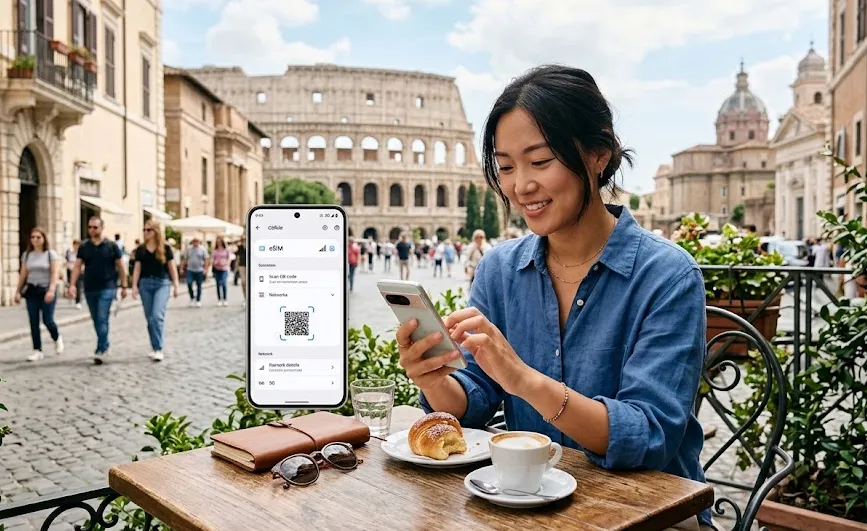
Using an eSIM in Italy is no longer just a "techy" luxury.t is the standard for savvy travelers. Here is why it beats the traditional physical SIM:
1. Instant Connectivity
Imagine landing at Rome's Fiumicino Airport (FCO) or Milano Malpensa (MXP). You turn off airplane mode, and your phone instantly connects to the internet. There's no hunting for a Wi-Fi password, no waiting in line at a shop for a physical SIM card, and no tiny card to lose. You're online the moment you step off the plane to get your train ticket, call a taxi, or open Google Maps.
2. Avoid Massive Roaming Bills
This is the classic problem. If you're from the US, UK, or other non-EU countries, using your home plan in Italy can lead to "bill shock" from high roaming fees. An eSIM lets you buy a cheap, local Italian data plan (like the ones we compared in the previous guide) for a flat, predictable price, often just a few dollars for your whole trip.
3. Incredibly Easy & Convenient
-
Buy Before You Go: You can research, compare, and purchase your eSIM plan from your couch weeks before your trip.
-
No Paperwork: You don't need to show your passport or fill out forms at an Italian mobile shop.
-
No Swapping: You keep your home physical SIM card safely in your phone. This means your main number (for iMessage, WhatsApp, banking 2FA codes) still works, while the eSIM provides the data.
4. Keep Your Phone Number Active
This is a huge perk. With a dual-SIM setup (your physical SIM + an eSIM), you can:
-
Use the eSIM for all your data (maps, browsing, social media).
-
Keep your home SIM active to receive crucial SMS texts (like banking verification codes) and iMessages.
5. Better Coverage (Carrier Switching)
If you buy an eSIM through a marketplace like Airalo or Ubigi, your phone can often "hop" between major Italian networks (TIM, Vodafone, and WindTre) to find the strongest signal. A physical local SIM locks you into just one provider's towers.
Phones That Support eSIM in Italy
To use an eSIM in Italy, your smartphone needs to be unlocked and hardware-compatible. The good news is that almost all modern phones from major brands support this technology . Here is a detailed breakdown of compatible devices and how to check your specific phone.
|
Brand |
Model |
|
Apple |
⚠️Note: iPhones from Mainland China and some from Hong Kong/Macao do not support eSIM; they feature two physical SIM slots instead. |
|
Samsung |
⚠️Note: "FE" (Fan Edition) models typically do not support eSIM, with a few specific regional exceptions (like the S23 FE). |
|
|
|
|
Other Major Brands |
|
How to Verify Your Phone's Compatibility:
If you're unsure about your specific model, here are two foolproof ways to check:
-
Check for an EID Number (The Surefire Way): The most reliable method is to open your phone's dialer and type *#06# . If your screen displays an EID number (a long string of digits), your phone is eSIM-compatible . If you only see an IMEI number, your phone likely does not support eSIM.
-
Check Your Phone's Settings: You can also navigate to your phone's settings menu. The exact path varies slightly, but it's usually in a similar place:
-
iPhone: Go to Settings > Cellular or Mobile Data. If you see an option "Add Cellular Plan" , your iPhone supports eSIM.
-
Android: Go to Settings > Connections > SIM Card Manager. Look for an option to "Add eSIM" or "Add mobile plan" .
-
Even if your phone model supports eSIM, it must be unlocked by your home carrier . A "locked" phone is programmed to work only with that specific carrier's network and will not be able to use an Italian eSIM.
-
If you bought your phone outright: It is almost certainly unlocked.
-
If you are still paying off your phone via a contract: It may be locked. You should contact your mobile carrier to request an unlock before you travel. They can often do this remotely.
Once you've confirmed your phone is unlocked and eSIM-compatible, you're all set to enjoy the convenience of instant connectivity on your Italian adventure.
Where to Buy Italy eSIM?
You have three distinct "paths" for buying an eSIM for Italy. Your choice depends on whether you want the absolute lowest price, a local phone number, or the convenience of setting it up before you leave your couch.
A. Buy from Travel eSIM Providers
This is the most popular choice for tourists. You buy via an app, scan a QR code, and have data the second you land. These are data-only (no local phone number).Below are some popular providers for 2026:
|
Provider |
Key Features |
|
Created by the Nord Security team.Includes built-in ad-blocking and web protection, which helps save data on media-heavy sites. |
|
|
Best if you want unlimited data and don't want to track gigabytes. |
|
|
The "old reliable." Very user-friendly app. |
|
|
Often cited as the best for 5G speeds in Italy; great if you're working remotely or uploading lots of video. |
|
|
Provides an international number via the Hushed app integration. |
How to Buy:
Purchase via website of app, select "Italy" as your destination, choose a data package, and pay. The eSIM (QR code) will be available instantly in the app.
-
Choose a provider and plan.
-
Pay online and get a QR code via email.
-
Scan the QR code on your phone (Settings → Add eSIM/Cellular plan).
B. Buy from a Local Italian Carrier
If you need an Italian number (+39) for restaurant reservations or local calls, you should go with a major Italian provider. ⚠️Note: You will need to provide your passport for registration.
Italy has several major mobile networks that power both local SIM cards and travel eSIM services:
|
Provider |
Key Features |
Best For |
|
The Reliable VeteranTIM remains the "gold standard" for coverage. If your itinerary includes Tuscany’s rolling hills, the Dolomites, or the Amalfi Coast, TIM is the most likely to keep you connected in those tricky "dead zones." |
Rural & Remote Areas |
|
|
Vodafone offers arguably the best 5G experience in major hubs like Rome, Milan, and Florence. Their Dolce Vita plan is often the best value for money in 2026 because it includes generous international minutes to call back home (US, UK, etc.). |
High-Speed Urban 5G |
|
|
It currently claims the largest 4G/5G footprint in Italy. It’s a fantastic middle-ground option and very reliable on the high-speed trains (Frecciarossa). |
Best National Footprint |
|
|
It is the favorite for students and digital nomads. You buy their SIM/eSIM from a "Simbox" (vending machine). It offers the most data for the lowest price, but they don't have a specific "tourist" plan—you're buying a standard monthly contract (which you can cancel). |
Budget / Monthly Stays |
How to Buy:
1. In-Store (Best for TIM, Vodafone, WindTre)
Visit an official store in any city center or major airport.
-
The Process: Hand over your passport. The agent will scan it, take your payment, and print a QR code for your eSIM.
2. Iliad "Simbox" (Best for Budget Travelers)
Iliad uses automated vending machines called Simboxes located in malls, train stations, and their flagship stores.
-
The Process: You scan your passport and record a short video of yourself on the machine's camera to verify your identity.
3. Online (Pre-Arrival)
Both WindTre and TIM now offer "Tourist Pass Digital" options on their websites.
-
The Process: You upload your passport scan and pay online. They will email you a QR code.
💡Important Rules for Local SIMs:
-
Passport Required: A driver's license is not accepted. You need a physical passport.
-
"Codice Fiscale" (Tax Code): You do not need an actual Italian tax ID. Most tourist plans are specifically designed for those with a "Foreign Tax Code," which the system generates automatically based on your passport info.
-
Non-Renewable: Most "Tourist" plans (like TIM and WindTre) are valid for 30 days and then self-destruct. You don't need to worry about canceling a subscription.
C. Buy at the Airport
If you land and realize your roaming isn't working, you can buy a SIM/eSIM at the airport.
-
Rome Fiumicino (FCO): Look in Terminal 3 (Arrivals). There are dedicated TIM and Vodafone stores.
-
Milan Malpensa (MXP): Located in the Arrivals hall of Terminal 1.
⚠️The "Airport Tax": Be aware that airport kiosks often charge a "convenience fee" or only sell premium tourist packages. You might pay €35 for a plan that costs €20 in the city center.
Best Italy eSIM Plans for Tourists
Based on the latest information for 2026, I've compared the top eSIM options for tourists. The best choice really depends on your specific needs—whether that's unlimited data, a local number, or the best overall value.
A. Best Data Plan
1. Ubigi — Best Overall Value & Speed
Ubigi remains the top recommendation for Italy because of its superior 5G coverage (using the WindTre network) and competitive pricing.
-
Best Plan: 25GB for $19 (30 days).
-
Why choose it: It offers one of the most stable 5G connections in the country and supports unlimited data sharing (hotspotting).
2. Saily — Best for Budget & Simplicity
Saily is the "no-fuss" choice. It is incredibly easy to set up via their app and offers some of the lowest entry-level prices.
-
Best Plan: 10GB for $20.99 or 20GB for $28.99 (30 days).
-
Starter Plan: 1GB for as low as $3.99.
-
Why choose it: Great if you just need a reliable connection for maps and messaging without a high price tag.
3. Holafly — Best for Heavy Data Users
If you plan on streaming video or working remotely, Holafly's unlimited plans are the standard.
-
Price: Starts at $19.50 for 5 days, up to $74.90 for 30 days.
-
Why choose it: Truly unlimited data. No need to count gigabytes.
⚠️Note: Hotspot sharing is limited to 500MB per day on most unlimited plans.
4. Airalo (Mamma Mia) — Most Reliable for Beginners
Airalo is the most famous eSIM provider and offers excellent 24/7 support and a very intuitive app.
-
Best Plan: 10GB for €17.50 or 20GB for €24.50.
-
Why choose it: It allows you to switch between multiple networks (TIM/WindTre/Vodafone) to find the best signal in rural areas.
B. Best Plans with a Phone Number
Most of the apps above are data-only. If you need a local number to call restaurants or receive SMS, consider these:
-
aloSIM: One of the few travel eSIMs that offers an option for a phone number and international calling credits.
-
Plan: 20GB for $29 (30 days).
-
-
Orange Holiday Europe: A premium "all-in-one" choice.
-
Plan: 20GB of data + Unlimited calls/SMS within Europe for $29.99 (14 days).This plan often provides a French (+33) number that works perfectly for calls across Italy.
-
How to Install and Activate Your eSIM (Step-by-Step)?
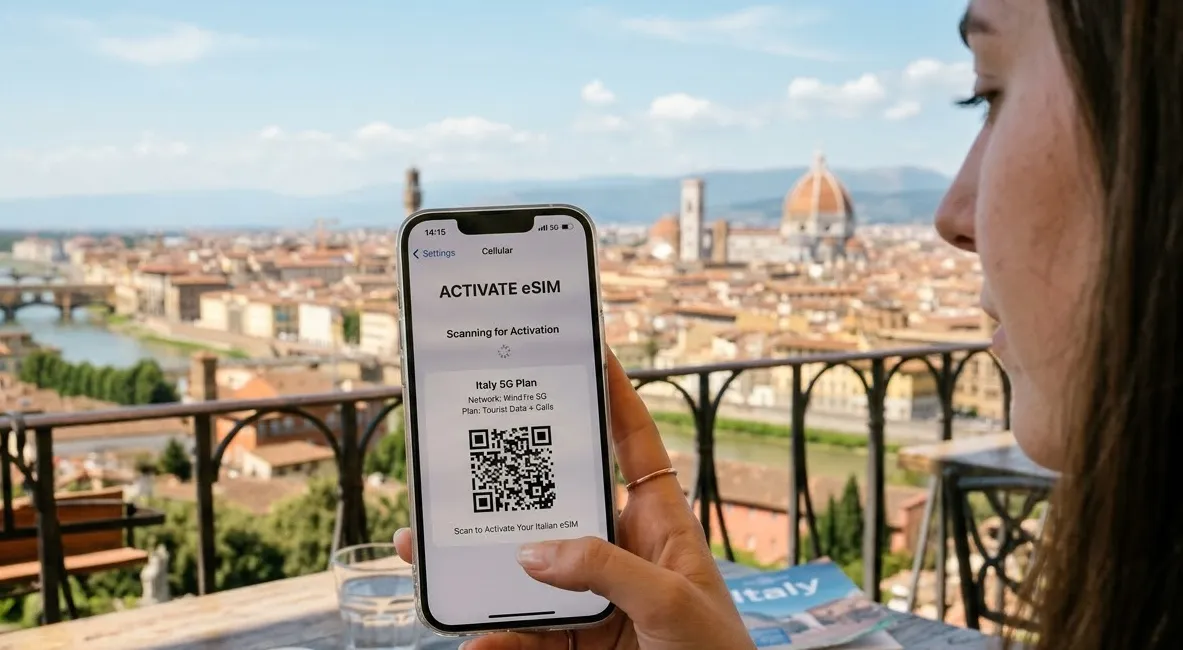
Installing an eSIM is a straightforward process, but timing is everything. For a smooth trip to Italy, you should install the eSIM while you still have a stable Wi-Fi connection (like at home or the airport) but only activate it once you land.
Step 1: Before You Leave (Installation)
Do this 24 hours before your flight to ensure you aren't rushing.
For iPhone:
-
Open Settings > Cellular (or Mobile Service) > Add eSIM.
-
Scan the QR Code provided in your confirmation email. (If you only have one device, you can usually "Open from Photos" or "Enter Details Manually" using the SM-DP+ Address provided).
-
Label your eSIM: Call it "Italy Data" or "Travel" to distinguish it from your primary line.
-
Set Default Line: Choose your Home SIM for Calls/SMS (so you keep your iMessage/WhatsApp) but set your Home SIM as the temporary Data line until you land.
For Android (Samsung/Pixel):
-
Open Settings > Network & Internet (or Connections) > SIM Manager.
-
Tap Add eSIM or Download a SIM instead.
-
Scan the QR Code or enter the manual activation code provided.
-
Confirm Download: Your phone will download the carrier profile. Keep the eSIM Off for now to save battery and data.
Step 2: When You Land in Italy (Activation)
Once the plane touches down at FCO or MXP, follow these steps to get online.
-
Turn on the eSIM: Go back to your SIM settings and toggle your "Italy Data" line to On.
-
Switch Cellular Data:
-
iPhone: Settings > Cellular (Mobile Service) > Mobile Data > Select "Italy Data".
-
Android: Settings > SIM Manager > Data > Select the new eSIM.
-
-
Enable Data Roaming: This is the most common mistake! Most travel eSIMs require Data Roaming to be ON to connect to Italian towers.
-
⚠️Warning: Ensure Data Roaming is still OFF for your Home SIM to avoid charges.
-
-
Restart your phone: If you don't see "5G" or "LTE" within 2 minutes, a quick restart forces the phone to find the strongest local tower (TIM, Vodafone, etc.).
🛠️Troubleshooting Common Issues:
-
"No Service": Ensure Data Roaming is enabled for the eSIM. If it is, go to Network Selection and toggle off "Automatic" to manually select TIM or Vodafone.
-
iMessage/WhatsApp Problems: If prompted, always select "Keep using my existing number" for these apps. Do not switch them to the temporary eSIM data line.
-
Cannot Scan QR Code: Most apps (Airalo, Ubigi) have a "Direct Installation" button inside the app that bypasses the need for a QR code entirely.
Italy eSIM FAQs
How much data do tourists need in Italy?
The amount of data you need depends on your travel style:
-
3–5 GB: light use (maps, messaging, browsing)
-
10–20 GB: normal travel usage for 1–2 weeks
-
Unlimited data: heavy usage like streaming or constant hotspot use
Most travelers visiting Italy for one week find 5–10 GB sufficient.
Will my eSIM work across Europe?
Many providers offer regional Europe eSIM plans that work in multiple countries. If you plan to travel from Italy to destinations like France, Spain, Germany, or Switzerland, choosing a Europe-wide eSIM can be more convenient than buying separate plans.
Can I use both my home SIM and an Italy eSIM at the same time?
Yes. Most modern smartphones support dual SIM functionality, allowing you to use a physical SIM and an eSIM simultaneously. This means you can keep your home number active for calls while using the Italy eSIM for mobile data.
Can I keep using my WhatsApp/iMessage with an Italian eSIM?
Yes. WhatsApp and iMessage are linked to your phone number, not your data source. When you install the eSIM, your phone will ask if you want to "Keep using existing number" for these apps—select Yes. You’ll be able to message everyone exactly as you do at home.
Do I need to show my passport to buy an eSIM?
- No if you buy from a global app like Airalo, Ubigi, or Saily. These are data-only and require no ID.
-
Yes if you buy from a local carrier like TIM, Vodafone, or WindTre. Italian law requires a passport for any plan that includes a local phone number.
Can I use my phone as a Hotspot for my laptop?
Most 2026 eSIMs (like Ubigi and Jetpac) allow unlimited hotspotting. However, some "Unlimited Data" providers (like Holafly) often limit hotspot sharing to 500MB or 1GB per day. Always check the fine print if you plan to work from your laptop.
What happens if I run out of data in the middle of a vineyard?
Almost all eSIM apps allow for "Top-Ups." You simply open the app, click "Top-up," and buy another 5GB or 10GB. It activates instantly without you needing to install a new eSIM.
My eSIM says "LTE" instead of "5G." Is something wrong?
Not necessarily. While 5G is widespread in 2026, it can be spotty inside thick stone buildings (common in Italy!) or in remote parts of the countryside. Your phone will automatically downgrade to LTE/4G to maintain a stable connection.