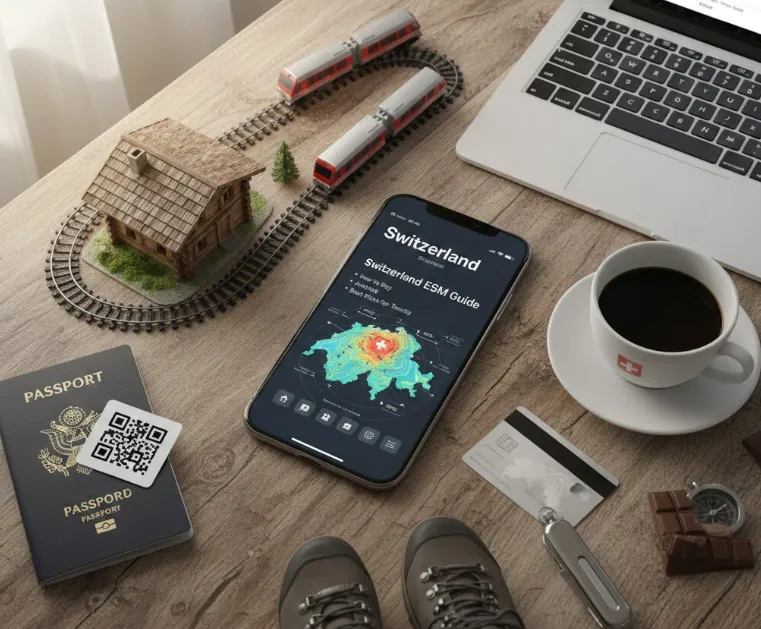
Exploring Switzerland's breathtaking landscapes and vibrant cities is even more enjoyable when you stay effortlessly connected. eSIMs offer a hassle-free alternative to traditional SIM cards, allowing travelers to activate data plans instantly without visiting a store. In this detailed guide, I break down the entire process: how and where to purchase your eSIM, the straightforward activation steps, what to expect in terms of signal reach, and an unbiased look at the most valuable prepaid plans available. Get the knowledge you need to connect confidently on your Swiss holiday.
What Is an eSIM & Why Use It in Switzerland?
Think of an eSIM (embedded SIM) as a digital version of the traditional plastic SIM card. Instead of fumbling with a metal tray and a tiny chip, the hardware is already built into your phone. You simply download a "profile" from a carrier to get connected.For tourists, that means:
-
Avoid expensive roaming fees.
-
Stay online for maps, tickets, translation apps, messaging.
-
No SIM shop queues on arrival.
-
Use your regular SIM for voice/SMS (if supported on your phone).
-
Easy to switch between plans.
-
Eco-friendly (no plastic waste).
Benefits and advantages of eSIM in Switzerland
In a country as technologically advanced (and expensive) as Switzerland, using an eSIM is arguably the smartest move a traveler can make.
1. Avoid "The Swiss Trap" (High Costs)
Switzerland is not in the EU. This means most "Roam Like at Home" plans offered by European carriers often exclude Switzerland, leading to massive roaming charges the moment you cross the border. An eSIM allows you to bypass your home provider's fees and pay local-style rates.
2. Connectivity on the Rails
Switzerland has the densest rail network in the world. Whether you’re on the Glacier Express or a local SBB train, you’ll want GPS and schedules. An eSIM ensures you have data the second you land at Zurich or Geneva airport, without hunting for a Wi-Fi kiosk or a physical mobile shop.
3. Instant Multi-Network Access
The Swiss terrain is famously vertical. While Swisscom has the best alpine coverage, some eSIMs allow you to toggle between Sunrise and Salt networks automatically. If one signal dips behind a mountain, the other often picks up the slack.
4. Keep Your Home Number Active
Since an eSIM is digital, you don't have to remove your physical SIM card. This allows for Dual SIM functionality:
-
eSIM: Used for all "Data" (Google Maps, WhatsApp, Instagram).
-
Physical SIM: Stays in the phone to receive important SMS (like 2FA bank codes or emergency texts from home).
Quick Comparison: eSIM vs. Physical Tourist SIM
|
Feature |
Travel eSIM |
Local Physical SIM |
|
Purchase Location |
Online (anywhere) |
Airport or city shops |
|
Passport Required? |
Rarely (for data-only) |
Always (Swiss law) |
|
Setup Time |
2 Minutes |
15–30 Minutes (in-store) |
|
Phone Number |
Usually Data-only |
Included |
|
Ease of Use |
High (QR Code) |
Low (Swapping tiny chips) |
Quick Checklist: Is Your Phone Compatible?
To use an eSIM in Switzerland, your phone must be carrier-unlocked and contain an eSIM chip. As of 2026, eSIM technology is standard in almost all mid-range and flagship smartphones.The fastest way to check is to dial *#06# on your phone's keypad. If you see an EID (a 32-digit number), your phone supports eSIM.
Here's a clear list of phones that support eSIM in Switzerland:
|
Brand |
Model |
|
Apple |
All iPhones released from late 2018 onwards support eSIM:
⚠️Note: iPhones from Mainland China, Hong Kong, and Macao (except certain iPhone 13 mini/12 mini models) usually do not support eSIM. |
|
Samsung |
Samsung began supporting eSIM with the S20 series, though regional availability varies (especially in the US):
|
|
|
Google was an early adopter; almost all Pixels support eSIM:
|
|
Other Android Brands |
|
>>Check the whole eSIM compatible phone list
‼️Important: The "Carrier Lock" Factor
Even if your phone is on this list, it won't work with a Swiss eSIM if it is locked to your home carrier (e.g., AT&T, Verizon, T-Mobile contract).
-
To check on iPhone: Go to Settings > General > About. Scroll to Carrier Lock. It must say "No SIM restrictions."
-
To check on Android: Go to Settings > Connections > Mobile Networks. If the "Add eSIM" or "Select Network" options are greyed out, it may be locked.
eSIM Providers for Switzerland
While Switzerland is not in the EU, many eSIM providers offer seamless coverage.Choosing the right provider depends on how long you're staying and whether you need a local phone number. In Switzerland, "Local" and "Travel" providers offer very different experiences.
|
Feature |
Local Providers |
Travel Providers |
|
Coverage |
Full network access (best for remote) |
Same networks (via partners) |
|
Price |
Higher for equivalent data |
30-50% cheaper |
|
Best For |
|
|
|
Phone Number |
Included (+41 number). |
Data-only (usually no number). |
|
Registration |
Requires Passport/ID (Swiss law). |
Usually No ID required. |
|
Language |
Mostly DE/FR/IT |
English-friendly |
|
Flexibility |
Monthly plans |
1-90 day options |
|
Setup |
Often requires visiting a shop or a complex online portal. |
Instant via QR code or app. |
|
Multi-country |
Limited |
Excellent options |
A. Local Swiss eSIM Providers (Best for Long Stays)
✔️Pros:
-
Typically strongest coverage and speeds in Switzerland (especially Swisscom).
-
Full local phone number support (calls/SMS included, not just data).
-
Good long-stay plans for residents or extended visits.
❌Cons:
-
More setup required — often needs ID, account creation, local support processes.
-
Prices often higher than travel eSIM deals.
-
For short visits, the signup hassle may not be worth it.
While travel eSIMs (like Airalo or Saily) are convenient, local Swiss eSIMs are the gold standard if you want the fastest 5G speeds, a local (+41) phone number, and the absolute best coverage in the Alps.In Switzerland, local providers are legally required to verify your ID (Passport/ID scan), but many have now digitized this process via their apps.
These are the primary network operators in Switzerland. All three offer eSIMs on supported devices.
|
Provider |
eSIM Support |
Features |
Best For |
|
|
Prepaid & Postpaid |
Excellent alpine coverage; robust 5G/4G; easy eSIM setup via app/QR. |
Alpine coverage & reliability |
|
|
Prepaid & Postpaid |
Strong city speeds; widespread network; competitive plans. |
Good urban + regional coverage |
|
|
Prepaid & Postpaid |
Slightly less rural coverage than Swisscom; good value. |
Budget-friendly urban data |



All three main carriers support 4G/5G across most of Switzerland, with Swisscom often having the widest mountain and rural coverage, followed by Sunrise and Salt.
Switzerland also has MVNOs (Mobile Virtual Network Operators) that use the big carriers’ networks but often with cheaper or more flexible plans. Many support eSIM.
📌Examples of MVNOs with eSIM:
These typically offer local phone numbers, data, voice & SMS.
-
Digital Republic – Swiss startup offering eSIM plans with data, voice, and SMS; also business & flexible subscription options.
-
Coop Mobile – Swisscom network MVNO with prepaid/postpaid plans.
-
Galaxus Mobile – Uses Sunrise network, offers eSIM options.
-
Wingo (brand of Swisscom) – Typically more value-oriented Swisscom plans.
-
Yallo, M-Budget, Lycamobile – Other MVNOs that may offer eSIM services depending on the plan and availability.
👉MVNOs often have lower cost/discount plans with local Swiss phone numbers — good for longer stays, budget travelers, and residents.
B. Travel / International eSIM Providers
✔️Pros:
-
Instant setup and activation — no store visit or paperwork.
-
Great for short trips — plans from 1 GB up to 20 GB (7–30 day validity).
-
Usually much cheaper than roaming or buying local plans at an airport.
-
Manage everything via app/web — easy top-ups and plan changes.
❌Cons:
-
Most plans are data-only (no native SMS/voice number) — calls/SMS must use apps like WhatsApp or Messenger.
-
Coverage can vary depending on network access — some providers use only one network (e.g., Salt) vs multi-network access.
-
Unlimited data plans often have fair-use policies or speed throttling.
If you just want to land, turn on your phone, and use Google Maps/WhatsApp, these are better.These are third-party companies that sell eSIM data only plans for tourists and short-term visitors — they won’t give you a local phone number for calls and SMS, but you can use WhatsApp, iMessage, Messenger, etc., over data.Here are some popular global/regional eSIM providers:
-
Saily / Airalo: These are the most user-friendly. You buy them before your trip and activate them the moment you land. Saily is often slightly cheaper in 2026, while Airalo uses the "Pilatus" (Salt) network which is excellent in cities.
-
MobiMatter: The budget-conscious choice. They offer "Europe+Switzerland" bundles that are often cheaper than Switzerland-only plans.
-
Holafly: The only reliable choice for Unlimited Data without a Swiss ID. It’s more expensive (~$34 for 10 days) but great if you are streaming 4K video or working remotely.
-
Nomad: Often provides the best price-to-data ratio for mid-range plans.
-
Ubigi / eSIM4Travel: Good range from small to large data needs.
-
Roafly: A well-regarded, user-friendly eSIM app for international travel, offering affordable data in over 200 countries with fast 4G/5G connectivity.
🧠 Tips for Choosing:
-
If you want local calls/SMS + Swiss number: Go with a local Swiss carrier eSIM like Swisscom, Sunrise, or Salt — especially for longer stays.
-
If you just want data quickly and cheaply: Choose a travel eSIM provider — buy online ahead of time and be online instantly when you land.
-
For best coverage overall: Check if the travel eSIM has access to multiple networks (multi-network eSIMs tend to switch to the strongest signal).
Best eSIM Plans for Tourists
Here's a clear, updated comparison of the best eSIM plans for tourists in Switzerland — focused on data, price, and suitability for different trip lengths and usage needs (short trips, heavy usage, unlimited options).
|
Plan Type |
Provider |
Network |
Typical Data & Validity |
Price |
Best Quick Use |
|
Budget Short Trip |
Salt / Sunrise |
1 GB / 7 days |
~$1.77 |
Very cheap & easy for maps & messages |
|
|
Balanced Short-Medium |
Sunrise |
5 GB / 30 days |
~$13 |
Good value & easy setup |
|
|
Value 10 GB |
Sunrise / Salt / Swisscom |
10 GB / 30 days |
~$14 |
Strong price/GB & auto network switching |
|
|
Higher Use 20 GB |
Sunrise / Salt / Swisscom |
20 GB / 30 days |
~$20 |
Great for heavy browsing & apps |
|
|
Sunrise / Salt / Swisscom |
20 GB / 30 days |
~$35.14 |
|||
|
Unlimited Data (short) |
Sunrise / Salt / Swisscom |
Unlimited / 7 days |
~$27.30 |
Best for heavy streaming & uploads |
|
|
Large Long Stay |
Salt / Sunrise |
Up to 50 GB / 30 days |
~$34 |
Best for long trips or remote work |
🧠 Tips When Choosing a Tourist eSIM:
-
Coverage & Networks: Most eSIMs connect to major Swiss networks (like Salt, Sunrise, Swisscom via resellers), but multi-network plans (like Roafly) can help maintain stronger signal in valleys and rural areas.
-
Validity Matters: Some plans are valid for 7 days, others 30 days — pick based on how long you’ll stay.
-
No Native Calls/SMS: Most travel eSIMs are data-only — use WhatsApp, Messenger, or FaceTime for calls/texts.
-
Install Before You Travel: Installing the eSIM before arrival means you’ll be online as soon as your plane lands.
-
Value per GB: Roafly and Ubigi are often among the best value for mid-to-high data plans; eSIM4Travel is unbeatable for low-data/short-stay.
How to Buy and Activate eSIM?
Buying and activating an eSIM for Switzerland is generally a two-part process: setup at home and activation upon arrival. In 2026, most providers have streamlined this so you can be online within seconds of landing in Zurich or Geneva.
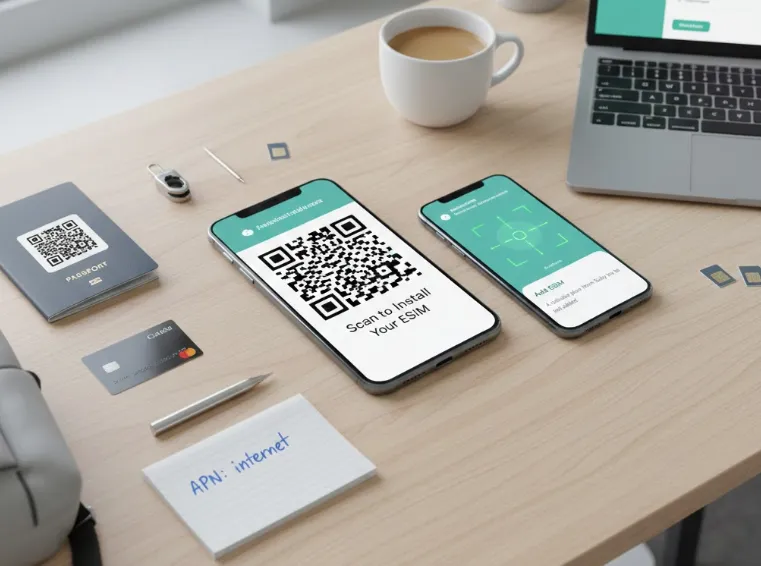
Step 1: Buying Your eSIM
A. Travel eSIM (Best for Tourists)
-
Choose a provider (e.g., Airalo, Roafly, Saily, Snap eSIM, eSIM Prime, SIMOVO).
-
Pick a plan — data amount and validity that fits your trip.
-
Pay online with your card or PayPal.
-
Receive a QR code by email or directly in the provider’s app.
-
Example providers send a QR code within minutes after purchase.
-
-
Keep the QR code handy for installation.
-
Usually you can buy this before your trip and install it in advance.
-
B. Local Swiss eSIM (Full Mobile Service)
If you want a Swiss mobile number with voice & SMS (not just data):
-
Visit the carrier’s site or shop: Swisscom, Sunrise, Salt, or an MVNO (like Digital Republic, Coop Mobile).
-
Choose a prepaid or subscription plan and select eSIM as the SIM type.
-
Identify yourself — Swiss regulations usually require ID verification (Sunrise does this online with ID/selfie).
-
Get your eSIM profile:
-
Carriers typically give you a QR code in your account or by email.
-
C. Buy from Local Provider in Switzerland
-
Visit store in airport/city.
-
Show passport (ID required).
-
Choose prepaid eSIM plan.
-
Staff will help with installation.
-
Pay with card/cash.
Step 2: Installation (At Home)
Installation varies slightly depending on whether you are using an iPhone or an Android device. For a smooth trip, install the eSIM while you are still on Wi-Fi at home or in your hotel.
A: The "Direct" Install (Easiest)
Most modern apps (Airalo, Saily, Nomad) have a one-tap installation.
-
Open the provider's app and go to My eSIMs.
-
Tap Install eSIM or Direct Installation.
-
Your phone will prompt: "An eSIM from 1GLOBAL (or your provider) is ready to be installed." Tap Continue or Allow.
-
Follow the prompts until you see "Activation Complete."
B. The QR Code Method
If you received a QR code via email, use this method. You will need to display the code on a second screen (laptop/tablet) or print it out.
On iPhone (iOS 17/18+)
-
Go to Settings > Cellular (or Mobile Service).
-
Tap Add eSIM.
-
Tap Use QR Code.
-
Scan the code. If the code is on your phone's camera roll, tap Open Photos and select the screenshot of the QR code.
-
Label the line: When asked, label the new line as "Travel" or "Swiss Data".
On Android (Samsung/Pixel/Xiaomi)
-
Go to Settings > Connections > SIM Manager (or Network & Internet > SIMs).
-
Tap Add eSIM or the + icon.
-
Tap Scan QR code from carrier.
-
Scan the code or select the screenshot from your Gallery/Photos.
-
Tap Add or Download to finish.
Step 3: Activation (On Arrival)
Once the eSIM is installed, it is on your phone, but it isn't "talking" to the Swiss towers yet. Do these steps when you land in Switzerland:
-
Switch the Line ON: Go to your Cellular settings and toggle the "Swiss Travel" eSIM to ON.
-
Select for Data: Change your "Cellular Data" setting to use the new eSIM.
-
Enable Data Roaming: (Critical Step) Most travel eSIMs (like Airalo or Saily) require Data Roaming to be toggled ON for the eSIM line specifically. Do not worry—as long as your home SIM is not selected for data, you won't be charged by your home carrier.
-
Restart: If it doesn't connect within 2 minutes, toggle Airplane Mode on and off, or restart your phone.
⚠️Local Swiss Provider Note:
If you choose a local provider like Digital Republic or Swisscom Prepaid, there is an extra legal step:
-
Digital Identification: You must scan your passport and perform a "liveness check" (a quick selfie video) within the provider's app.
-
Verification Time: In 2026, this is usually automated and takes about 5–15 minutes. Once approved, your eSIM will activate.
-
Recommendation: Complete the ID check a day before you fly so you aren't stuck waiting for approval at the airport.
💢Troubleshooting Checklist (If it doesn't work):
-
Toggle Airplane Mode: Give the phone a "nudge" to find the local tower.
-
Check Network Selection: If "Automatic" fails, go to Settings > Cellular > Network Selection and manually try Swisscom or Sunrise.
-
Confirm APN: Some eSIMs require a specific APN name (like internet or globaldata) in your settings. This is usually listed in your confirmation email.
-
Check Physical SIM: Ensure your home SIM is set for "Voice" and your eSIM is set for "Data."
Important Tips for Travelers
-
EU Roaming Caution: Switzerland is not part of the EU. Many "EU Roaming" plans from other countries (like a French or German SIM) exclude Switzerland. Always double-check if your "Europe" eSIM specifically lists Switzerland.
-
The SBB App (iOS / Andriod): Download the SBB Mobile app immediately. It is the lifeblood of Swiss travel, and having active data is required to buy "Supersaver" tickets on the fly.
-
Free Wi-Fi: Most major Swiss train stations (SBB) offer free Wi-Fi for 60 minutes, but you need a phone number to receive an SMS code to activate it.
-
Public Transport Hotspots: Most newer Swiss trains and buses do not have free Wi-Fi; they rely on signal boosters for your mobile data.
Frequently Asked Questions (Q&A)
Q: Do I need to buy my eSIM before I arrive?
A: Yes. While you can buy one on arrival, it’s much easier to install it while you have a stable Wi-Fi connection at home. Most travel eSIMs (like Saily or Jetpac) only start their "validity clock" once they connect to a Swiss tower, so buying early doesn't waste your days.
Q: Will I have a Swiss phone number?
A: Most travel eSIMs (Airalo, Saily, Jetpac) are data-only. You can use WhatsApp, FaceTime, or iMessage normally, but you can't make traditional "landline" calls. If you need a number for restaurant bookings, consider Holafly (which offers a European number) or a local provider like Digital Republic.
Q: Does the eSIM work in the mountains?
A: Yes, Switzerland has exceptional alpine coverage. However, for the best results on the Glacier Express or high-altitude hikes, choose a provider that uses the Swisscom network (like Jetpac or Roafly). It is the most reliable in tunnels and remote valleys.
Q: Can I share my data (Hotspot) with my laptop or iPad?
A: Generally, yes. Most travel eSIMs allow hotspotting.
-
Exception: Holafly (Unlimited plans) often limits hotspot data to a few GBs per day. Always check the fine print if you plan to work from your laptop.
Q: Why is "Data Roaming" required?
A: Because travel eSIMs are technically "roaming" onto Swiss networks (like Salt or Sunrise), you must toggle Data Roaming to ON in your phone settings for that specific line. You will not be charged by your home carrier as long as you have selected the eSIM for "Cellular Data."
Q: What if I'm also visiting France, Italy, or Germany?
A: Don't buy a Switzerland-only plan. Buy a Europe Regional eSIM. Switzerland is included in almost all "Europe 35 Countries" plans from providers like Saily or MobiMatter, often for the same price.
Q: What happens when my eSIM plan expires?
A: The data stops. You can usually purchase a top-up from the same provider's app if you need more. There's no contract, so there's nothing to cancel.
Q: Is it safe to use public Wi-Fi with an eSIM?
A: Your eSIM cellular data is generally more secure than public Wi-Fi. Use your eSIM data for sensitive transactions (banking). If you must use public Wi-Fi, use a VPN.
Q: Are there any hidden fees?
A: With reputable travel eSIM providers (Airalo, Holafly, Nomad), the price you see is what you pay. Watch out for: "Setup fees" (rare) or plans that don't specify if they include taxes. Always check what network they use—Swisscom is best.
Q: Which provider is the absolute best for a first-timer?
A: Airalo. It's the most user-friendly app, offers plans on the reliable Swisscom network, and has excellent customer support. Their "Switzerland 3GB/30 days for $9" is the sweet spot for most trips.
Q: How much data do I really need for a week?
A: For average use (Google Maps, WhatsApp, social media, light browsing), 1GB is enough for about 4-5 days, 3GB is comfortable for 7-10 days. You only need unlimited if you plan to stream video/music daily or use your phone as a hotspot.